NT Compatible
  • News
    • Channels
    • Archive
    • Search
    • Submit
  • Articles
    • Categories
  • Knowledgebase
  • Compatibility
    • Search
  • Links
  • Forums
  • Twitter
Advertisement

Latest News
[ Windows | Linux | Apple ]

· Daily Reviews Summary 05/30/12
· Absinthe jailbreaks nearly 1 million iOS devices over holiday weekend
· CompatDB Updates 05/30/12
· Apple CEO Tim Cook slams Windows 8 again
· Update Rollup 3 for Exchange Server 2010 Service Pack 2 (KB2685289)
· Microsoft outsources copyright enforcement to small Redmond company
· Microsoft to officially distribute products in Iraq
· Microsoft finally goes public with Windows Azure Active Directory details
· DSA 2480-2: request-tracker3.8 regression update
· Kernel/OpenSSL Updates for CentOS

Upcoming News
· CM Storm Sentinel Advance II Gaming Mouse Review @ ThinkComputers.org
· 11-Way Intel Ivy Bridge Compiler Comparison
· BeQuiet Dark Power Pro P10 550W PSU Review
· Android 4.0: Tracking Ice Cream Sandwich's Availability on Smartphones
· Be Quiet Dark Power Pro 10 550 W @ techPowerUp
· Shopping smart for a digital camera @ t-break
· Buffalo CloudStor Pro 2TB NAS Review @ t-break
· News: Silverstone's Temjin TJ08-E Evolution enclosure
· Mushkin Redline PC3-12800 (994057) 16GB Quad Pack Memory Kit Review @ Hi Tech Legion
· G.Skill Trident X 2400MHz Review @ OCC

Windows Compatibility
· Realtek High Definition Audio for 2K/XP/03
· Win7codecs x64
· Google Chrome 18.0.1025.168 Final
· IObit Malware Fighter
· Silver
· Advanced SystemCare with Antivirus 2012
· K-Lite Codec Pack Update
· Microsoft Mathematics
· AVZ Antiviral Toolkit
· Intel Turbo Boost Technology Monitor

New Forum Topics
· USB Not detected on any PC
by: AntNik45
on: 2012-05-09 18:37
0 replies, 0 views

· RESIDENT EVIL 2 for PC
by: elyp00
on: 2012-05-04 07:55
0 replies, 0 views

· Need to know if those graphic cards works well on Ubuntu
by: Dechiqtor
on: 2012-04-19 23:04
0 replies, 0 views

· Obtaining IE8
by: packman
on: 2012-04-14 19:46
0 replies, 0 views

· A few problems running Warcraft II Battle.net Edition on Vista
by: Lord Claremorris
on: 2012-04-08 16:15
0 replies, 0 views

News Channels
· Drivers
· Guides
· Reviews
· Security
· Software
· Press Release
· Windows XP
· Microsoft
· Updates
· Interviews
· Windows Server 2003
· General
· Windows Vista
· Webcasts
· Windows Server 2008
· Windows Home Server
· Windows 7
· Windows 8
· Windows Phone 7

What's New
Login to see an overview of all news stories since your last visit.

Affiliates

Welcome to our website

To take full advantage of all features you need to login or register. Registration is completely free and takes only a few seconds.

NT Compatible » Articles » SpeedUpMyPC Review » Page 1

3 pages 1 2 3

SpeedUpMyPC Review

Posted by: Philipp Esselbach on: 11/30/1999 12:00 AM [ Print | 0 comment(s) ]

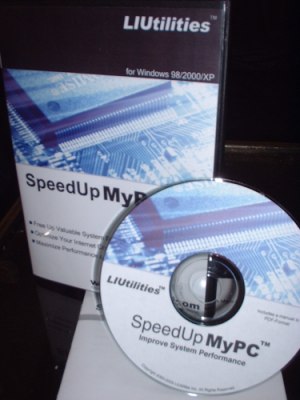
SpeedUpMyPC, by Leading Interactive, is a new system utility that helps you to optimize your PC.


Features:

- Extremely Easy to Use
Thanks to an intuitive user interface, recommended actions and built-in descriptions, using SpeedUpMyPC to improve performance couldn't be easier. Whether you are new to Windows or a professional Windows user, SpeedUpMyPC gives you the powerful features you need to get the most out of your Windows PC.

- Increase Internet Connection Speed
Whether you are using a modem or a cable connection, SpeedUpMyPC will help you use all the latest tweaks and tricks to maximize your bandwidth. Since SpeedUpMyPC automatically detects your connection type and finds the optimal settings for your particular connection it only takes a single click to speed up both browsing and downloads considerably.

- Free Up RAM
SpeedUpMyPC makes it easier than ever before to free up unused RAM, prevent crashes and increase performance. The fully automatic RAM recovery feature will monitor your memory usage and will automatically free up unused RAM when needed. This ensures that you always have enough memory to run your favorite applications without running into any problems

- Improve CPU Usage
The most common reason for crashes and performance problems is that some application takes control over your CPU and prevents other applications from using it. SpeedUpMyPC monitors your CPU usage and assigns the CPU resources to the applications that are really important. In case some application tries to use all available CPU resources, SpeedUpMyPC will automatically assign more CPU resources to critical system functions, preventing a serious crash.
Increase Internet Connection Speed
Whether you are using a modem or a cable connection, SpeedUpMyPC will help you use all the latest tweaks and tricks to maximize your bandwidth. Since SpeedUpMyPC automatically detects your connection type and finds the optimal settings for your particular connection it only takes a single click to speed up both browsing and downloads considerably.

- Reduce Startup Times
SpeedUpMyPC comes with a built-in startup optimizer that allows you to monitor the time it takes to start your computer. By allowing you to disable unnecessary background applications and optimize your startup settings with a few clicks, SpeedUpMyPC can help you reduce startup times.

- Recover from Crashes
SpeedUpMyPCs unique anti-crash function helps you recover from many crashes without rebooting your computer and loosing all unsaved data. By using quick keys to activate the anti crash function in a critical situation, you can instantly terminate any suspicious application and regain control over your system.

System requirements:
Windows 98, 2000 or XP
10MB free disk space
32MB RAM
Pentium 400MHz or higher

I tested this tool on the following machine:
AMD Athlon XP PR1500+
768MB Ram
Cable Internet Connection
Windows 2000


Bookmark and Share

3 pages 1 2 3

NT Compatible » Articles » SpeedUpMyPC Review » Page 1
All products mentioned are registered trademarks or trademarks of their respective owners.
© 1998-2011 Esselbach Internet Solutions - All Rights Reserved. Terms and privacy policy
Powered by Contentteller® Business Edition