Page 1
How to change the look and Style of Windows 2000
Written by mpfjr (formerly of w2kgamer.com)
Tired of the same boring Windows 2000 experience? Want to spiff it up a tad? This article will hopefully point you in the right direction and as cheap as possible.
1. 'cause you left me' Transparent Icons. < Change this to this >
  This util runs in the start menu. Several different command line options etc. This util is freeware. I will try my best to only send you to freeware utils. ( download tansparent42.zip) ( visit home page)
2. 'for my family' Changing Icons.
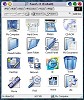 Ok, so now that your icons are transparent, it is time to change those boring icons. Here is the trick. The program that you use to do it is shareware, but I think you only need to register it for advanced functions. It is called IconPackager. It is by Stardock. Go and download it. Then install it. You can find a link to icon packages on that same page, or go to Wincustomize.com and get a lot more. Find the style that will look good with your new wallpaper and make sure that it is easy to understand. Sometimes the icons can be pretty but when you are in a hurry you have to stop and study them to figure out what does what. My personal favorites are the FauxS-X series Click image to enlarge. They are purty.
3. 'for my heartache' Wallpaper
Windows 2000 comes with some nice wallpapers, but perhaps they are not quite your cup of tea. You can get some really interesting ones at places like Wincustomize.com. They have over 500 of them I believe. Just save the picture you like and copy it into your WINNT directory. Next, right click on your desktop, and scroll down to the picture you want, select it and hit ok. There ya are!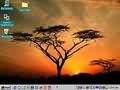 These freaky wallpapers are not your thing either? Check out webshots.com. They have a really neat system where you can pick & choose your favorite pictures or types of pictures and you can receive them on your desktop automatically every day or week or even hour. It is up to you. I can not stress enough how much I like their system. They have everything from beautiful scenery to hot women.
  And best yet, it's FREE! Note: as you can see on this image they obviously have never heard of transparent4!
4. 'for my headaches' Screen Savers.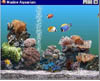 How come most of us never use a screen saver? Because they are BORING! You can get freeware screensavers of various types at freefiles.com. You can also wade through the many 3D screensavers at 3dfiles.com Some of those are freeware, some shareware. My favorite is Sach's Marine Aquarium. It is the nicest screensaver I have ever seen. (pictured left)
5. ' for my lonely' Internet Explorer.
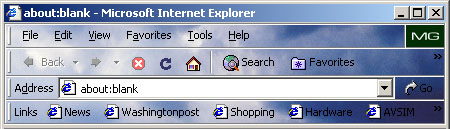 I wanted to change the icons on my Internet Explorer 6 but all I could find was shareware utils that nagged me to death. Then I went out browsing some more and found Themebar. This util seems to work as well as or better than everything else I tried. Download Themebar and install it. The configuration was difficult to find. I had to go back and (gasp) read the directions. Here they are. Once installed, open up your internet browser. Under "View" on the top menu you will see "Explorer Bar" as the third option from the top. Click on that and you'll see Themebar on the new popup menu. On Themebar's website you can click on new themes and they will automatically download and install. But you can also find themes at Wincustomize.com but you will have to manually unzip them into the themes directory under the themebar directory on your hard drive. It's FREE!
6. 'for my sorrow' Windows Media Player
Windows Media Player is skinable. That means you can change the outer appearance of the program. When you open Windows Media Player you will see on the left a button labeled "skin chooser" Once you click on that a new window shows that you can select several that it comes with, or at the top you see a button that says "more skins" Click on that and it takes you to a page where you can get more. Once again, wincustomize.com has several more to choose from.
You don't like Windows Media Player? Then try Winamp. It really whips the llamas ass! You can find at least a zillion skins for winamp. Don't make me tell you where you'll find them.
7. 'for no tomorrow' Folders.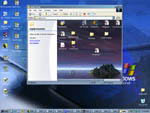 Spiff up your folders by adding background images and html code. Open the folder you want to customize, choose "customize this folder" click on the "view" menu. A nifty wizard will pop up to walk you through the process. You can change the text appearance, add background pictures, make a note about the folder and add some html to the folder to act as a web page. A neat thing to do is take your existing desktop wallpaper (if you are not using webshots), pull it into your favorite graphics editor and "invert it". I don't mean flip it. Inverting is where it takes the negative image of the picture. Save it as a low quality .jpg file and use that. That way, when you have a folder open on your desk top, it will look really good up against the existing wallpaper.
8. 'I forget what 8 was for'
9. 'for a lost god (or dog depending on the radio station)' Themes.
Did you know that Windows 2000 supports themes? I sure didn't. To access the themes util do this.
Click on "Start" then click on "Run". In the box that pops up, type in "Themes.exe" without quotes. Hit enter. It'll run. BUT! There are no themes to use. So you gotta get some and make some. Here are a few sites that will help you with creating themes and or finding them on the net.
http://www.zdnetindia.com/help/howto/stories/11101.html
http://support.microsoft.com/support/kb/articles/q258/4/78.ASP
10. 'for everything everything everything' Replacement shell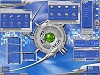 Windows is all about the shell. In this case, the shell is "explorer.exe" This is NOT internet explorer. Explorer is what gives you the GUI (graphical user interface) that shows everything we have done here so far. But if the above modifications don't do enough to satisfy your craving for something different that your neighbor, you want to replace your shell. There are several ones out there. Some are reported to be even more stable than explorer.exe. One favorite is called litestep. Another is called hoverdesk. The list goes on. The shell with the most themes is litestep. You can really do a lot with it and there is such a huge ammount of people creating desktops for it that you can put up a new one every day for the rest of your life and always have something new. The graphic posted here was found on, where else, wincustomize.com. Click to enlarge.
This just in. If you are really interested in getting your hands dirty and doing some resource hacking, you can change your startup logo. Littlewhitedog.com has a really good article on how to do just that. I have personally changed both Windows 2000 server and Windows 2000 Pro in the last 24 hours. It is so much fun I can't believe it.
And if that is not all, they also did an article on modifying the start button. Both pretty darn easy for the advanced user. Article.
This article written by Michael P. Fields Jr
August 2nd 2001
Contact the author at mpfjr@yahoo.com


