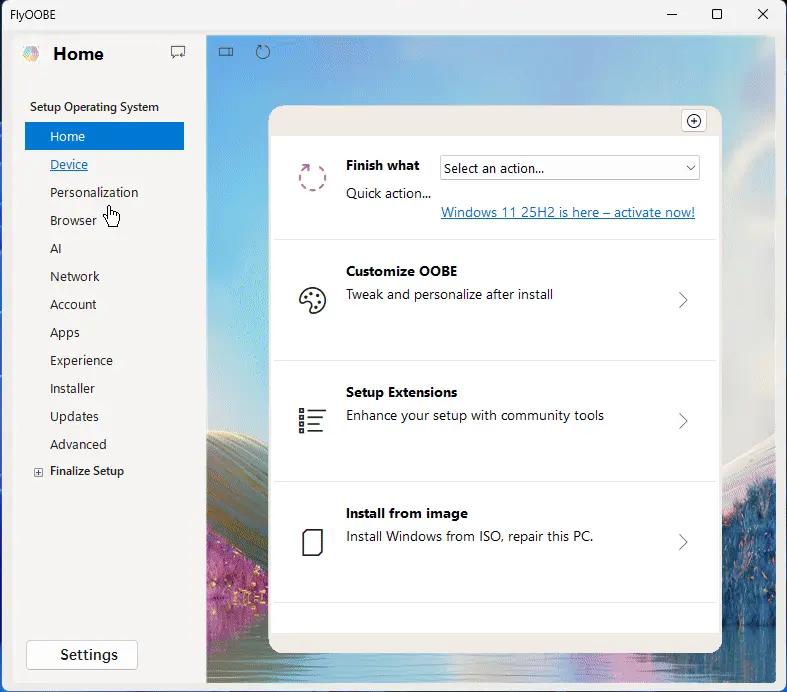
FlyOOBE 1.42 released
Belim has introduced an updated version of FlyOOBE 1.42, which is designed as the guided setup and upgrade experience for Windows. This tool not only facilitates the installation of Windows 11 25H2 on unsupported hardware but also offers a range of new features to customize Windows 11.
One of the key changes in this release is the separation of FlyOOBE from UpgradeOOBE, also known as Flyby11 or the Windows 10 → 11 migration assistant. This move has been made to ensure that if security software mistakenly flags the tool for any reason, only UpgradeOOBE will be affected, leaving FlyOOBE untouched.
To gather user feedback on FlyOOBE's future design direction, a poll is currently underway. Despite the possibility of increasing the app size by adopting WinUI and Windows App SDK, developers are considering this option while continuing to iterate on the current version.
The latest release includes several notable improvements, including a UI refresh, new features, and enhancements to the update process. Users can now choose from various background images, access a brand-new App Settings view, and navigate through a simplified menu. The Reinstall OOBE page has been renamed to Advanced for better clarity.
As for UpgradeOOBE (Flyby11), this tool is now fully standalone and does not require FlyOOBE to function. It relies solely on the CpuCheckNative.dll file, which can be removed to enable upgrade attempts on unsupported CPUs while still requiring SSE4.2 in practice.
Under the hood, large-scale code refactors have been implemented, laying the groundwork for more extensive OOBE pages in the future. UI and navigation tweaks have also been made to improve the overall user experience.
In terms of future considerations, there is a possibility that a FlyOOBE Lite edition will be released without the Extensions/Scripts folder by default, making it safer for users who are concerned about fileless malware. Additionally, an option may be provided to download official scripts on demand from GitHub rather than bundling them with the tool.
In essence, the updated version of FlyOOBE 1.42 offers a more refined and customizable Windows 11 experience while also ensuring that user safety is prioritized through various design improvements and considerations for future development.
Builtbybel/FlyOOBE Release FlyOOBE 1.42
FlyOOBE – Guided Setup & Upgrade Experience for Windows Note for returning users:
Important: Flyby11 is now FlyOOBE (pronounced “fly-oh-bee”) - yeah, it sounds like a buzzing bee, but really ...