PeaZip 10.8.0 released
PeaZip has just released version 10.8.0, adding some pretty useful features, especially around how you interact with the contents inside your archives.
The big news here is about previewing files. Before, PeaZip already had tools to peek at what's inside an archive, but now it goes further by making those previews available for a wider variety of formats. That means if you have a ZIP file containing photos or maybe even a RAR file with log files, you can usually just open one right from the archive without needing special software each time.
But there's more to this update than just previewing; PeaZip is also adding "File tools" functions for all kinds of supported archives. These aren't flashy gadgets but practical utilities that make inspecting files easier and faster. Think about being able to check if a file is what it claims to be (via its checksum or hash), maybe glance at embedded metadata, see the raw text version, look at hex data when needed, or even use an integrated image viewer directly from PeaZip, all without leaving your workflow.
Beyond these headline features, 10.8.0 includes a raft of other improvements and bug fixes aimed squarely at making PeaZip smoother and more reliable day-to-day. For instance, handling RAR and TAR files feels noticeably snappier now, which saves everyone time if you're regularly dealing with those formats.
To keep things running well across different setups, the underlying libraries have gotten an upgrade too: The core Pea library is updated to version 1.28 for better compatibility, Brotli has been bumped to 1.2.0, and compilation now uses Lazarus 4.x, ensuring it stays compatible with older versions like 3.x or even back to 2.x if needed.
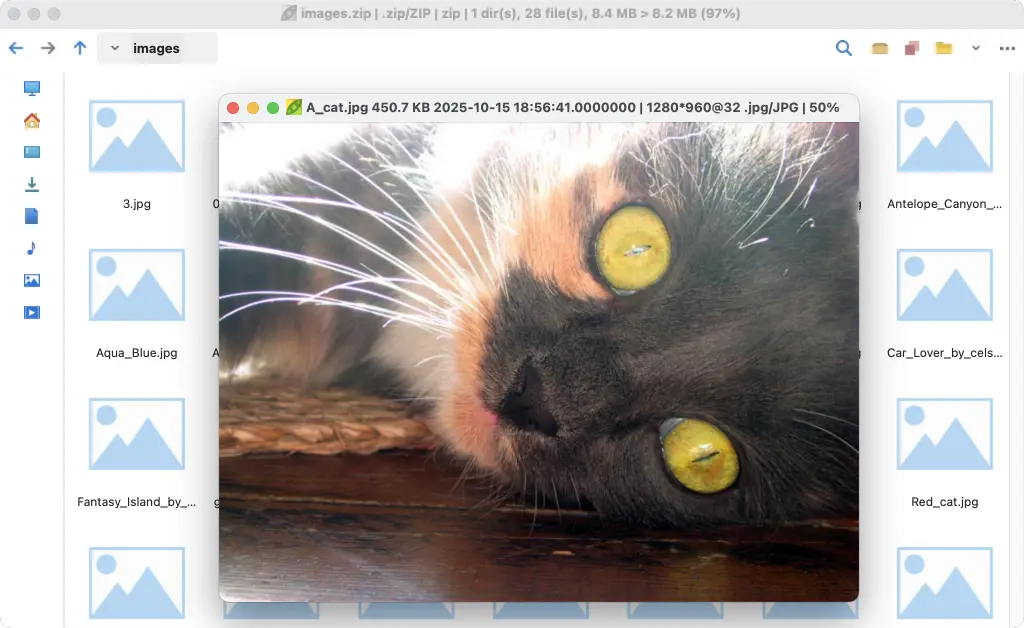
Speaking of the image viewer, it works pretty seamlessly within PeaZip itself. If you're looking at an archive containing pictures, you can often view them right there without extracting them first (though customizing the look via the Style menu > Postmodern style is also possible). There's a screenshot included showing this feature in action with a ZIP file.
So overall, it's another solid step forward for PeaZip, focused on getting files out and usable. Check it out yourself to see how these changes make interacting with archives feel.
Release PeaZip 10.8.0
PeaZip 10.8.0 overhauls previewing items inside archives, enabling preview features for more archive formats (open with associated application or with custom apps), and also adding to all formats t...