PeaZip 10.9.0 – What’s Fixed and Which Tweaks Actually Matter
PeaZip 10.9.0 lands with a handful of bug‑fixes and quality‑of‑life tweaks that most everyday users will notice right away. The update tightens up the file manager, smooths out archive handling (especially RAR and multi‑volume sets), and gives the built‑in viewers a modest facelift. Below is a quick run‑through of what works better, what feels like window dressing, and how to get the most out of the new version.
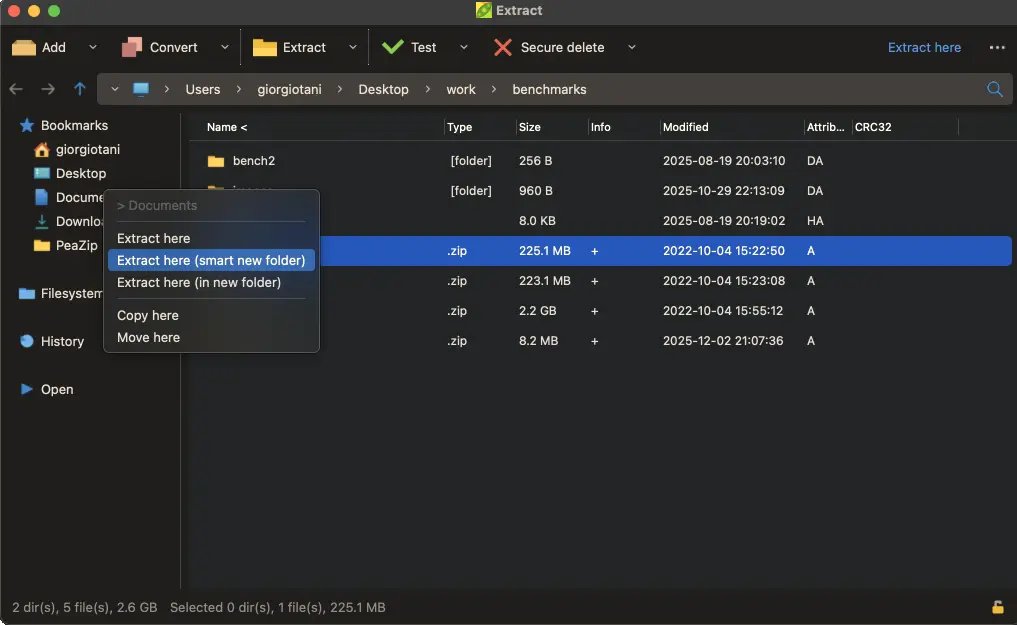
New Context Menus and Keyboard Shortcuts
The right‑click menu now offers an alternative layout that groups the most common actions—extract, add files, test integrity—at the top. For power users this cuts a few clicks, but the real win is the added keyboard shortcuts (e.g., Ctrl+E to extract, Ctrl+A to add). If you’ve ever found yourself fumbling for “Extract Here” after a driver update broke the default entry, these shortcuts will feel like a breath of fresh air.
Middle‑Click Customization
PeaZip now lets users decide what a middle‑mouse button click does in the file pane. The options include opening the selected archive, launching the internal viewer, or simply selecting the next item. This is handy for folks who keep a mouse with a scroll wheel; it eliminates the habit of right‑clicking just to get to “Open”.
Faster Drag‑and‑Drop and Reactivity
Internal drag‑and‑drop has been reworked to reduce lag when moving files between panes. The UI thread now yields more often, so the program stays responsive even while a large archive is being listed. Users who have watched PeaZip freeze for minutes while browsing a 5 GB ISO will notice a smoother experience.
Better RAR and Multi‑Volume Support
PeaZip has long relied on external tools for RAR extraction; version 10.9.0 tightens the handshake with those utilities, fixing cases where split archives (part01.rar, part02.rar, …) would refuse to open after an update to WinRAR. If you’ve ever been stuck with “Missing volume” errors that vanished after a reboot, this fix is the reason.
Overhauled Image and Text Viewers
The built‑in image viewer now respects DPI scaling and supports common formats like WebP out of the box. The text viewer gained line‑number toggling and basic syntax highlighting for code snippets. While not a replacement for dedicated editors, it’s enough to glance at a README without launching Notepad++.
Backend Update – Pea 1.29
Behind the scenes Pea 1.29 refreshes the GUI wrappers for the pea and unpea command‑line tools. The change is mostly invisible, but it means the “Create self‑extracting archive” option now produces files that run on both newer and older Windows builds without throwing cryptic errors.
Lazarus Compatibility
The binaries are still built with Lazarus 4.x while remaining compatible with 3.x and 2.x libraries. This keeps the installer size down and avoids the “missing DLL” nightmare that sometimes shows up after a major IDE jump.
Release PeaZip 10.9.0
PeaZip 10.9.0 introduces fixes and QOL updates to improve the overall user experience.