PeaZip 11.0.0 Fixes Broken Archive Navigation and Adds Drag-and-Drop You Actually Need
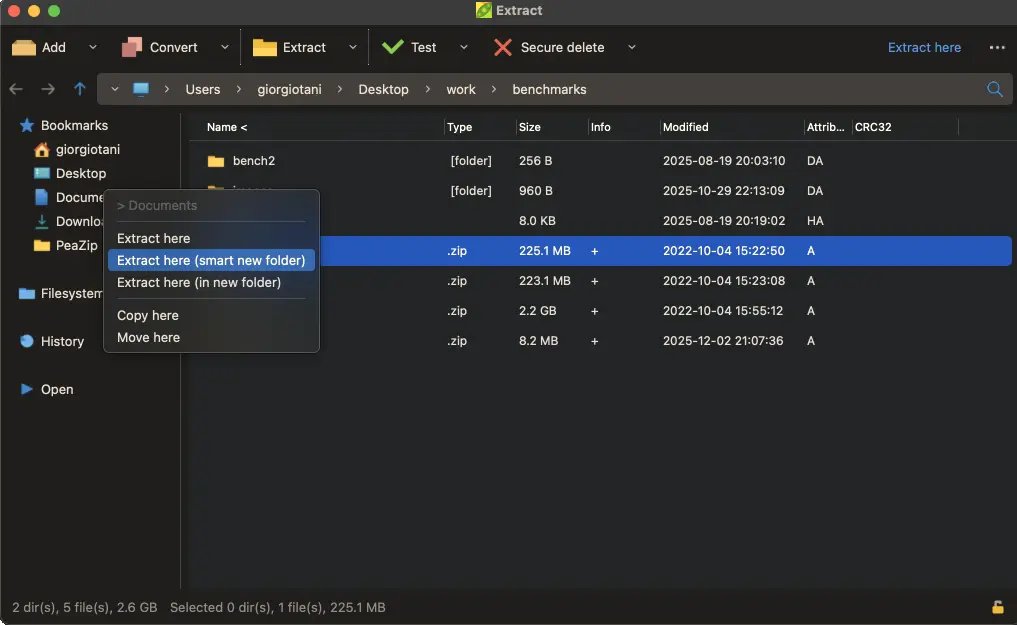
PeaZip 11.0.0 finally stops treating archive navigation like it was built in Windows XP, delivering speed improvements that matter when you are hunting through years of compressed files without the usual lag. This version consolidates every tweak from the messy 10.x cycle while adding drag-and-drop functionality to tabs and breadcrumbs that actual power users have been requesting for ages.
Archive Browsing Actually Feels Fast Again
Nobody enjoys watching a progress bar spin when opening an archive containing thousands of files, yet older versions made you wait until the entire catalog loaded before letting you browse contents. Version 11.0.0 fixes this by streaming file listings as you navigate rather than requiring complete scans first, which means you can search for that one PDF from three years ago without staring at a frozen window while your coffee gets cold.
The developers actually listened when users complained about switching between tabs to move files around archives. You can now drag items directly to the address breadcrumb bar or drop them onto tab headers, eliminating the awkward double-click-open-drag-close dance that used to be required for basic file organization between different archive sections.
Dark Mode and Scaling Actually Work on Linux
Linux users running PeaZip in dark mode with Sharp rendering style will notice fractional scaling no longer turns interface elements into pixelated blobs when using HiDPI displays, which is one less reason to switch back to Windows for archival work that demands precise icon visibility.
The new batch archive testing and password entropy rating tools prevent you from accidentally creating archives with passwords like "password123" that crack in seconds while also letting you verify hundreds of downloaded ZIP files at once without manually opening each one to check for corruption.
Under the Hood Changes That Actually Matter
Backend updates to 7z/p7zip 26.00 and Pea format version 1.30 mean support for newer compression methods that squeeze slightly more space out of media files while maintaining compatibility with archives created a decade ago, ensuring your digital hoard remains accessible as formats evolve.
Source code compiled with Lazarus 4.2 maintains backward compatibility with older compiler versions, which means developers can still build custom distributions without requiring the latest IDE installation just to compile a simple archive utility.
Release PeaZip 11.0.0
PeaZip reaches major release 11.0.0, which consolidates the 10.x line evolution with bugfixes, code cleanup, and file / archive manager improvements. The new release speeds up archive browsing, enh...