Fort Firewall 3.20.3 Ships a Quick Fix for a Traffic-Counting Bug That Just Days Earlier
The open-source Windows firewall picked up a regression, then a very fast patch.
Fort Firewall 3.20.3 landed on GitHub today. It's mostly a repair for a bug that blanked out traffic statistics. The interesting detail is the turnaround: the bug came from v3.20.0, a major rewrite that shipped October 4, and someone had already patched it five days later.
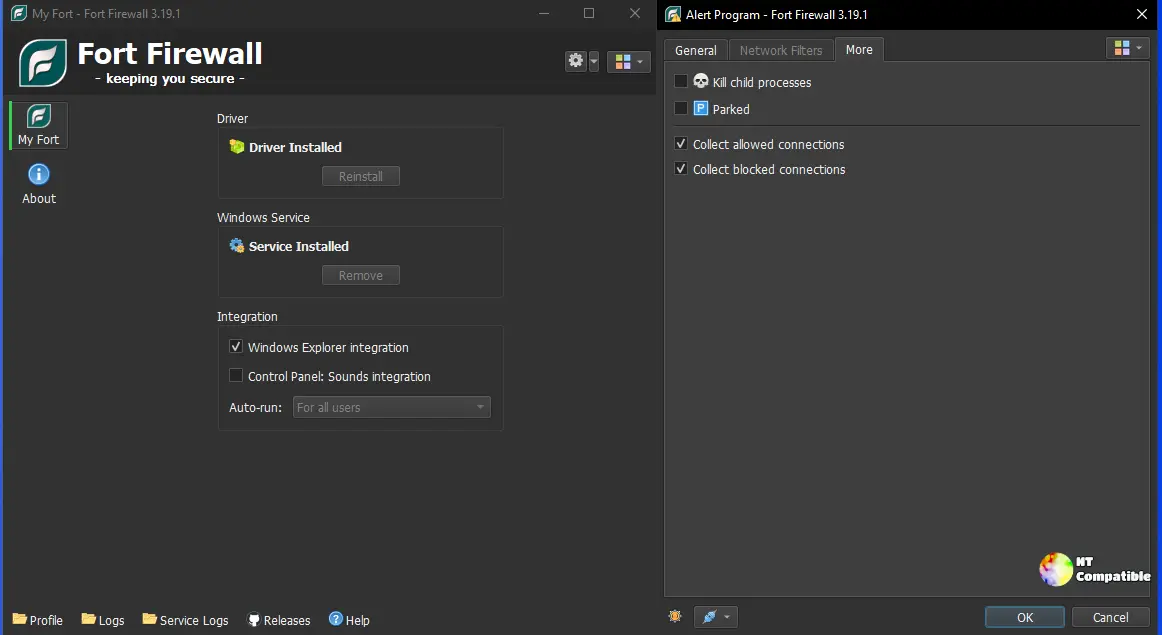
What Fort Actually Is
Fort isn't your ordinary Windows firewall. Microsoft's built-in version filters traffic by IP address, port, and protocol. Fort instead runs its own kernel-mode driver, hooks into the Windows Filtering Platform, and decides based primarily on which program is making the connection. You can block a smart TV from reaching the internet while still letting it show you the game, or stop a utility from phoning home during specific hours.
It's developed by Nodir Temirkhodjaev (known on GitHub as tnodir), released under GPL-3.0, and built on Qt 6 with SQLite for rules. It supports Windows 7 and newer, and it's sitting at roughly 3,600 GitHub stars with a tight release cadence that keeps the issue tracker busy.
Six Changes, One That Actually Matters
The changelog lists six updates, split between the interface and the kernel driver. A couple reshape the screen real estate: the old inline Connections tab inside the Edit Program dialog has become a dedicated window, so you get a roomier look at a single program's activity rather than a cramped inset. The Network Filter dialog and Filter Simulator got usability refinements too. That simulator, introduced in 3.20.1, lets you preview how the driver will judge a connection before you commit to a rule, which is genuinely handy when rules get complicated.
Two toggles touch the statistics panel. One ties the "active period" view to an explicit time range. The other controls whether traffic re-injected by other drivers gets counted at all.
Then there's a prompt asking whether to remove the portable edition's service when you quit. Useful for the trace-free-setup crowd.
But five of those six are polish. The sixth is the real reason this exists.
The Regression That Blankened the Graph
The headline fix restores traffic counting, and the story behind it is a decent case study in open-source triage.
It traces back to v3.20.0, which added new traffic inspection filters to the driver. On some systems those filters simply fail to register. The driver tries to add them and throws a "The parameter is incorrect" error. No filters means no traffic gets counted. The stats panel and the bandwidth graph just go empty.
Someone reported it on October 8, a day before the fix landed. In issue #768, user JMBOYD1234 wrote, rather understatedly: "Graph not showing nothing 3.20.2 update thanks."
The developer responded methodically. He asked for the Windows build, screenshots, whether Fort was actually blocking anything, and whether a third-party tool like NetTraffic showed activity. After getting answers, tnodir opened the fortfw events in Windows Event Viewer and found the culprit.
"The logs show the cause: when Fort's driver re-registers its traffic filters, adding the new inspection filters (added in v3.20.0) fails on your system with 'The parameter is incorrect', so no traffic is counted at all. The next version will count the traffic as v3.19 did, without these filters."
He was right on the diagnosis. There's a wrinkle, though: the reporter came back to say the graph was still broken after that comment. Hardware and driver quirks can be stubborn, so patches aren't always instant wins. The actual code change, counting through the older sublayer method, is what 3.20.3 ships.
Alongside the fix is the "Collect Traffic re-injected by other drivers" flag, off by default. Bandwidth limiters like NetLimiter and WinDivert tools like GoodbyeDPI push traffic back through their own drivers. Fort won't count that re-injected traffic by default, which keeps you from double-counting. If some traffic goes uncounted when you're running something like GoodbyeDPI, flip the flag and it counts again.
The Portable Cleanup Prompt
The second notable change closes a feature request that dates back to March 2025.
In issue #472, user nero-0 wanted Fort to behave a bit more like Sandboxie-Plus: prompt at startup or shutdown about whether to install or remove the kernel driver and Windows service. That way admin rights are requested only when needed, instead of Fort demanding to always run as administrator.
tnodir did the first half in v3.20.1, letting a non-administrator install or remove the service. Then nero-0 returned with a snag: launching the portable edition without admin rights, letting it install the service, then closing the program did nothing to clean up. Traces were left behind. So the developer added the final piece in 3.20.3, a prompt on quit asking whether to remove the portable's service.
For portable users who prize a trace-free system, that's the finishing touch they'd asked for over a year earlier. Keep in mind that it only fires when you launched without administrator privileges in the first place.
Where 3.20.3 Fits
Fort has been moving fast. The 3.20 series alone packs four releases in about five days.
The version before the whole sprint was v3.19.9, from October 11, 2025. So Fort went from roughly one release a year to four in a week, a clear sign that development was wrapping up the 3.20 rewrite. That version brought new groups, per-program speed limits, Time Periods, and inbound blocking. v3.20.1 added the Filter Simulator. v3.20.2 refined the filter tabs and program-based filtering. 3.20.3 is the corrective release, repairing the traffic regression and adding the portable cleanup.
Not exactly a big release on its own, but the traffic fix matters if you rely on the graph.
Where to Get It
Fort 3.20.3 ships as signed installers in three builds. There's a 64-bit version for Windows 10+, a 32-bit build for Windows 7 and newer, and an ARM64 build for Windows 10+. Each comes with a VirusTotal badge and link so you can verify the binary yourself before running it.
For those upgrading, you'll want the matching Visual C++ redistributable. On Windows 10 and newer you may also need to disable HVCI (Core Isolation: Memory Integrity), since Fort's kernel driver doesn't cooperate with it.
If you're on any 3.20.x version watching a blank graph, upgrading to 3.20.3 is the fix.
Head here to grab it from the GitHub release page.


