Fort Firewall 3.20.4 Lands as a Maintenance Update Amid a 3.20 Redesign
The new release adds a style-sheet option, text-based network editing, and an ARM64-aware installer. It also keeps the exact HVCI catch that a third-party review got backwards.
Fort Firewall 3.20.4 is out. It shipped today and was posted to GitHub by maintainer Nodir Temirkhodjaev. The release notes describe it as a small, incremental maintenance release. The notes aren't lying.
But "small" shouldn't signal "unimportant." You're landing in the middle of a redesign that has moved faster than most people expect a one-person project to move.
What 3.20.4 actually changes
The headline additions are conveniences rather than capabilities you've been missing.
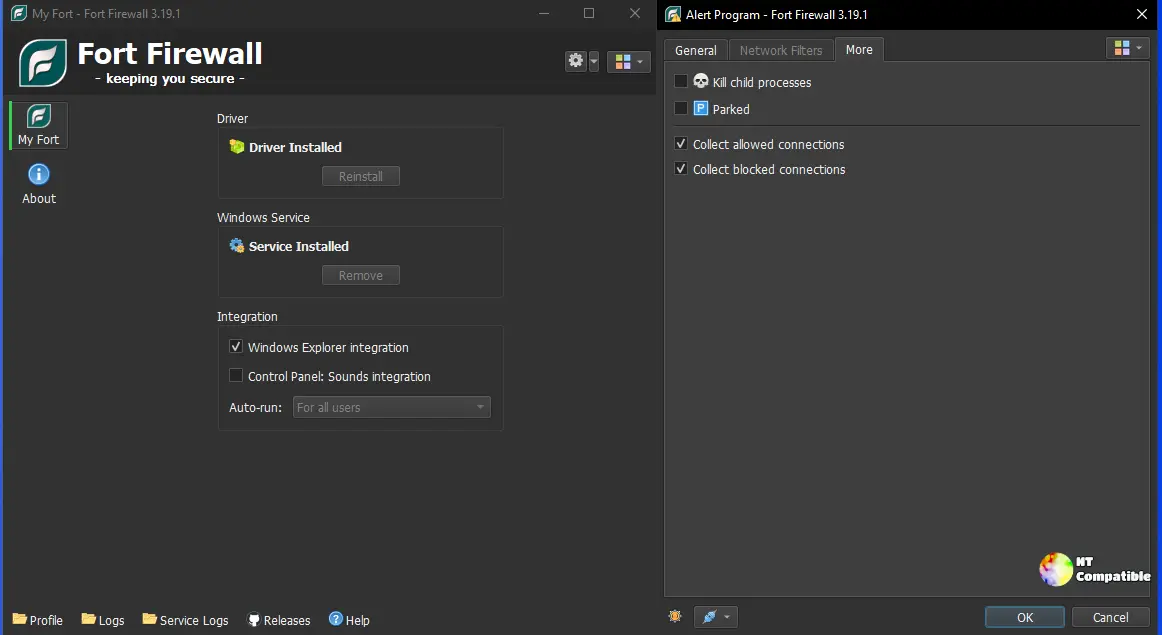
There's now a "Style Sheet" setting under Options ▸ Interface. It gives you finer control over the look of the interface, picking up where the Qt-style work (Windows11, WindowsVista, plain Windows) left off a few versions back.
The Network Filter editor now lets you type protocols and areas as free text. That means you can write precise rules without digging through fixed drop-downs.
Under the hood, Fort bumped its embedded SQLite engine to 3.54.0, which stores program data, rules, logs, and traffic stats, so staying patched is a recurring habit. The installer also moved to Inno Setup 7 and now detects Windows ARM64 natively. That matters more on Snapdragon machines than most writers bother to say.
A driver fix re-registers Fort's WFP provider on Windows Insider builds, where preview changes have historically broken the re-registration.
It isn't a major feature release, and it isn't a security patch. The real redesign happened across 3.20.0 through 3.20.3. Within those four releases, Fort reworked Groups, added per-program speed limits and Time Periods (schedules usable by groups and limits), split the Statistics window into Traffic and Connections, and introduced a Filter Simulator that previews how the driver will treat a connection before it's made.
Put another way: counting the 3.20 line from its October 4th launch, that's five releases in about nine days. That's an accelerated pace, and it usually means either confidence or a backlog finally catching up. Here it reads like genuine momentum during an overhaul.
The one caveat that still matters
Here's the thread that keeps resurfacing, so I'll repeat it: Fort still requires Windows' Core Isolation, officially Memory Integrity and sometimes called HVCI, to be switched off.
The reason is technical but not exotic. The driver allocates an executable, writable memory area to run its payload. HVCI forbids exactly this kind of memory, and forcing the issue tends to produce a blue screen rather than a debate. Temirkhodjaev's team tried attestation-signing the driver through a new Microsoft EV certificate to work around the block, per GitHub discussion #108, and it didn't hold up.
The practical result is that a fresh installer simply halts with a "not compatible with HVCI" message if Memory Integrity is on. You turn it off through Windows Security, then restart.
That's a genuine trade-off. Switching off Memory Integrity removes a kernel-protection layer that guards against certain driver-level attacks. Fort's own docs carry a warning: ask for approval if your organization's policy requires HVCI. It's an honest caveat. For most desktop users, who keep it off anyway, it won't hurt. On a hardened machine, it's a real cost you should weigh.
And while we're on the topic, one widely circulated review got it exactly backwards. Top5soft's "Fort Firewall Review 2026" states that Fort "requires HVCI to be enabled" and tells users to turn Memory Integrity on. Enabling it trips the compatibility abort, and in some cases the BSODs. The correct instruction is the opposite. It's precisely the kind of error you want to catch, since a technical point like this is why you should read the official README before trusting a secondary source. If you saw that review, its guidance is inverted.
Beyond the technical caveats, the human side of Fort is worth a look. Temirkhodjaev is the sole primary developer, and he runs the wiki, the code, and the releases. The project is GPL-3.0 licensed with no paid tiers or gated features. Development rides through GitHub Sponsors, Patreon, and Buy Me a Coffee.
That one-developer-plus-donations model is the quiet story here. Fort has grown to roughly 3,600 GitHub stars and about 250 forks, with over 5,700 commits in its history, but its continuity still leans on one person. When critical open-source security infrastructure depends on a single maintainer, it's worth knowing who that person is and how the project stays alive.
The code is publicly auditable. The project runs PVS-Studio static analysis and displays quality badges from CodeScene and SonarCloud, and each release binary links to a VirusTotal scan. The 3.20.4 installers come in x86_64, x86, and ARM64 builds, and you can pull it through WinGet with the identifier NodirTemirkhodjaev.FortFirewall.
Fort competes against Simplewall, TinyWall, Windows Firewall Control, Portmaster, GlassWire, and NetLimiter. Its edge is that it runs its own WFP kernel driver rather than wrapping Windows' firewall, plus per-program rules, wildcard path matching, parent-process lineage tracking, and bandwidth shaping. The trade-off is a utilitarian interface and a learning curve that reviewers keep mentioning.
Keep in mind that LAN traffic isn't filtered by default, which is expected but worth knowing if your goal is hard blocking.
Head here to grab 3.20.4, and check the GitHub issue tracker if you hit the HVCI wall during install.


