UniGetUI 2026.1.7 Brings Linux Support and Stability Fixes to Your Package Manager GUI
The latest UniGetUI 2026.1.7 update finally expands the cross-platform package manager beyond Windows, adding native support for APT, DNF, Pacman, and Snap while patching a few stubborn crashes. This release trims unnecessary dependencies, improves macOS packaging, and gives users a clearer view of when their software lists last refreshed. Anyone juggling multiple systems will find this version worth the download.
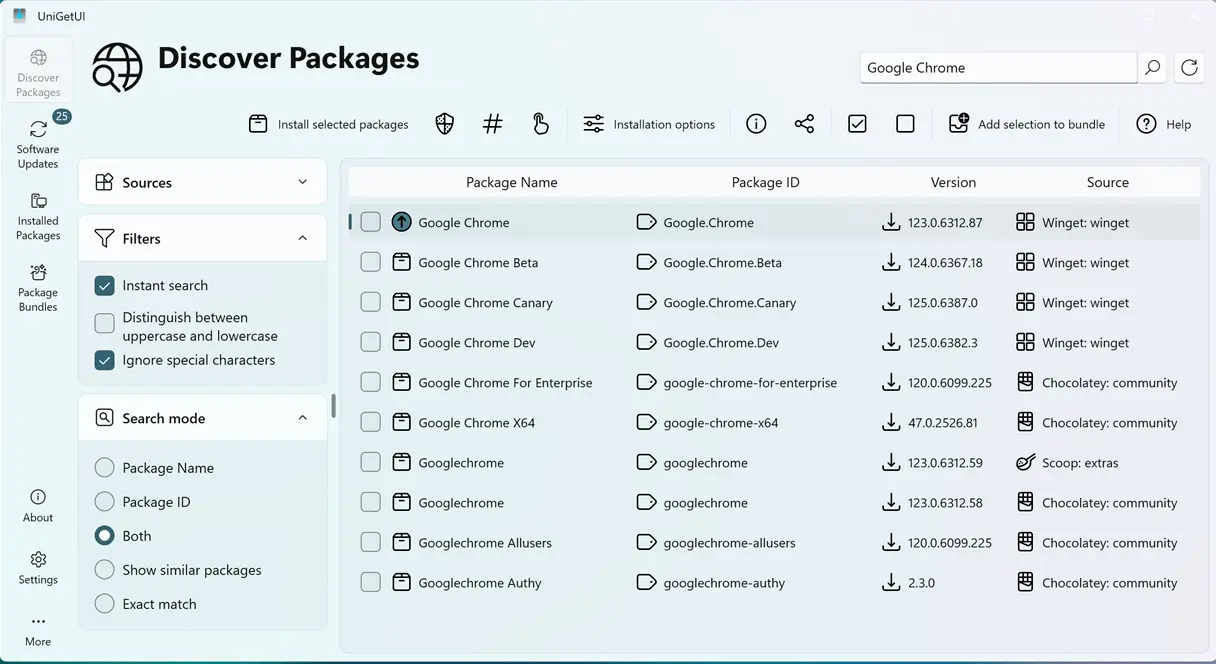
Cross Platform Package Manager Support Expands
The developers stopped treating Linux and macOS as afterthoughts by integrating APT, DNF, Pacman, and Snap directly into the main interface. Users can now manage Debian, Fedora, Arch, and Ubuntu repositories without switching between terminal windows or installing separate GUI tools that never sync properly. The new macOS .app bundle packaging with styled DMG files also removes the need to deal with unsigned code warnings on modern Apple hardware. This matters because managing packages across different operating systems usually requires juggling incompatible interfaces that break whenever an OS updates its underlying package database.
UniGetUI 2026.1.7 Patches Crashes and Trims Bloated Dependencies
Application crashes have always been the fastest way to lose unsaved work, so the team tackled a general crash bug alongside a specific Homebrew installation error on Apple Silicon chips. The WinGet COM exception handling now falls back to the command line interface when the component fails, which prevents the entire window from freezing during package searches. Removing the bundled Chocolatey CLI was a necessary move since keeping outdated third party binaries inside the installer only increases download size and creates security blind spots. Users who relied on that legacy dependency will need to install Chocolatey separately, but the trade off keeps the main application leaner and easier to update.
Interface Tweaks and Translation Overhaul
The reload button now shows exactly when the last package index check ran, which saves time when troubleshooting missing software or stale metadata. Avalonia and classic UI versions both received this update so everyone gets consistent feedback regardless of their preferred interface style. Language files went through a complete cleanup that pruned legacy strings and pushed every supported language to one hundred percent completion. Ukrainian, Russian, and Serbian translations received specific revisions that fix awkward phrasing and align with current technical terminology.
Release UniGetUI v2026.1.7
Devolutions UniGetUI 2026.1.7 This release delivers new features, enhancements, and important bug fixes. General changes Added APT, DNF, and Pacman package managers for compatible Linux Support...
Grab the update from the official repository or let your package manager handle it automatically. The cross platform push makes UniGetUI 2026.1.7 a solid step forward for anyone tired of juggling terminal commands across different machines.


