Valve has published official Windows drivers for the Steam Machine, covering graphics, Wi-Fi, Bluetooth, and SD card support. Installing Windows now requires a full drive wipe, as the dual-boot partitioning wizard remains in development and will ship with a future SteamOS update. The desktop system runs SteamOS 3.8 out of the box and launches at $1,049, though its soldered GPU currently prevents user-level repairs. Grab the installers directly from Valve's support page if you need a secondary Windows environment, but expect to wait if you want a proper dual-boot configuration.
Valve Drops Official Windows Drivers for Steam Machine, but Dual-Boot Still on Hold
Installing Windows now wipes your SteamOS partition, with a proper dual-boot wizard arriving in a future update.
Valve just published official Windows drivers for the Steam Machine, and if you were planning to run Windows alongside SteamOS, you will need to hold your horses. The current installation path requires wiping your drive entirely. The hardware fully supports dual-booting, but the SteamOS installer that hands you a partitioning wizard is not ready.
The Steam Machine launched on June 22 as a proper desktop PC running SteamOS, starting at $1,049 and €1,039. This is nothing like the Alienware rebrands Valve shipped off and on between 2013 and 2015. That original project was a fragmented experiment in Linux gaming. Now it is a finished product. The machine runs an immutable Arch Linux base with Proton translating the vast majority of Windows titles, plus a polished Gaming Mode that actually works on a living room TV.
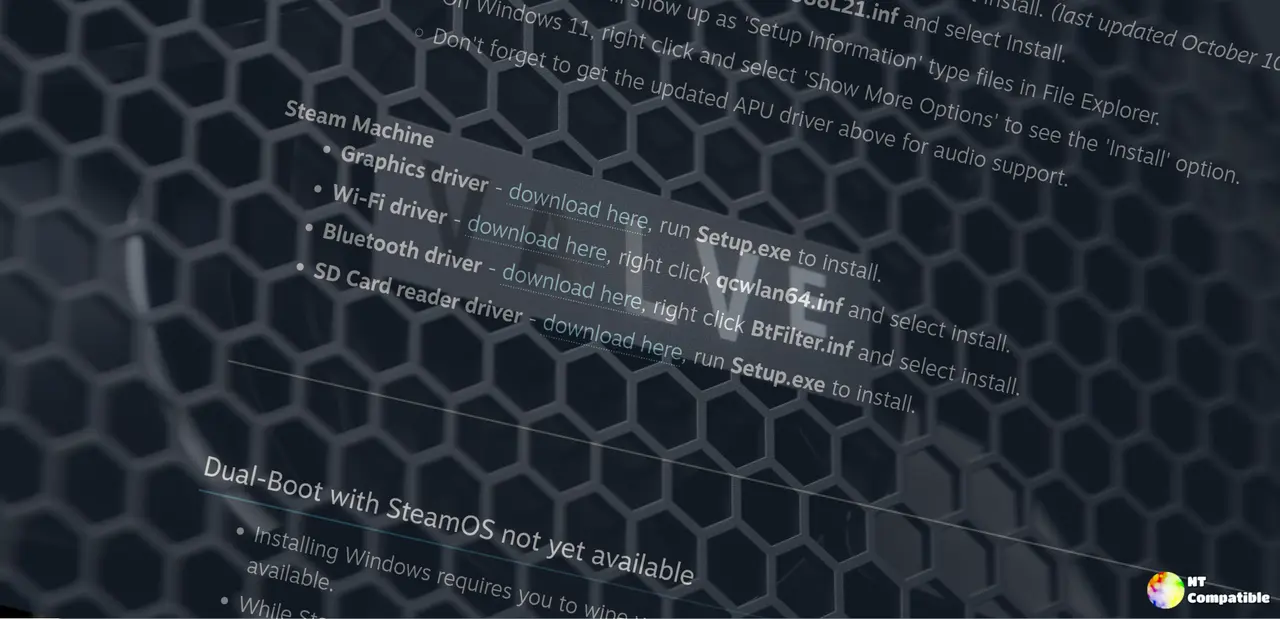
The Windows Stack
Valve confirmed four drivers are live. The graphics, SD card reader, Wi-Fi, and Bluetooth drivers each ship with their own install routine. You will run Setup.exe for the GPU and SD card, while the Wi-Fi and Bluetooth packages use standard Windows INF files. Just right click qcwlan64.inf and BtFilter.inf to get them loaded.
Pushing Windows onto the machine does come with a couple of friction points. You reach the boot menu by powering down and tapping Escape until the menu appears. You will also need to plug into Ethernet before launching the Windows installer. Microsoft demands an online product key during setup, and the Wi-Fi driver simply is not available at that stage.
The Dual-Boot Wait
The partitioning tool is still in development. Valve says the driver drop lays the foundation, and the SteamOS installer will follow alongside a later OS update. Until then, Windows is a full wipe situation. That stings if you already curated a SteamOS installation, though it makes sense from a partitioning standpoint. The company is clearly treating Linux as the primary experience, with Windows as a secondary option.
One design choice that will draw attention is the soldered GPU. The graphics silicon sits directly on the motherboard, which means no user-serviceable path at launch. An RLOD or similar failure requires professional BGA rework. Valve has acknowledged the concern and promised a future update that unlocks modular GPU and RAM slots for enthusiasts who want to build their own variants.
It is a rather expensive machine for the internals it is touting, though the compact chassis and living room tuning do help it somewhat. However, at the same time, the lack of immediate upgradability cuts both ways. You are buying a finished product, not a blank slate.
The driver files are live on Valve's support page. Download the package you need, run the installers, and you will have a fully functional Windows environment on the Steam Machine. If you want a clean dual-boot setup with SteamOS, patience wins. The installer is still being finalized.


