Visual Studio Code 1.146 kicks off the countdown to retire its old agent runtime
The latest stable drop ends the Local agent harness, adds session triage, and tightens sandbox controls.
Microsoft has begun formally retiring VS Code's legacy Local agent harness with release 1.146.0, the stable build that shipped today. The old runtime stays usable for now. It gets the boot in February 2027, along with the enterprise setting that once let you pin it as the default.
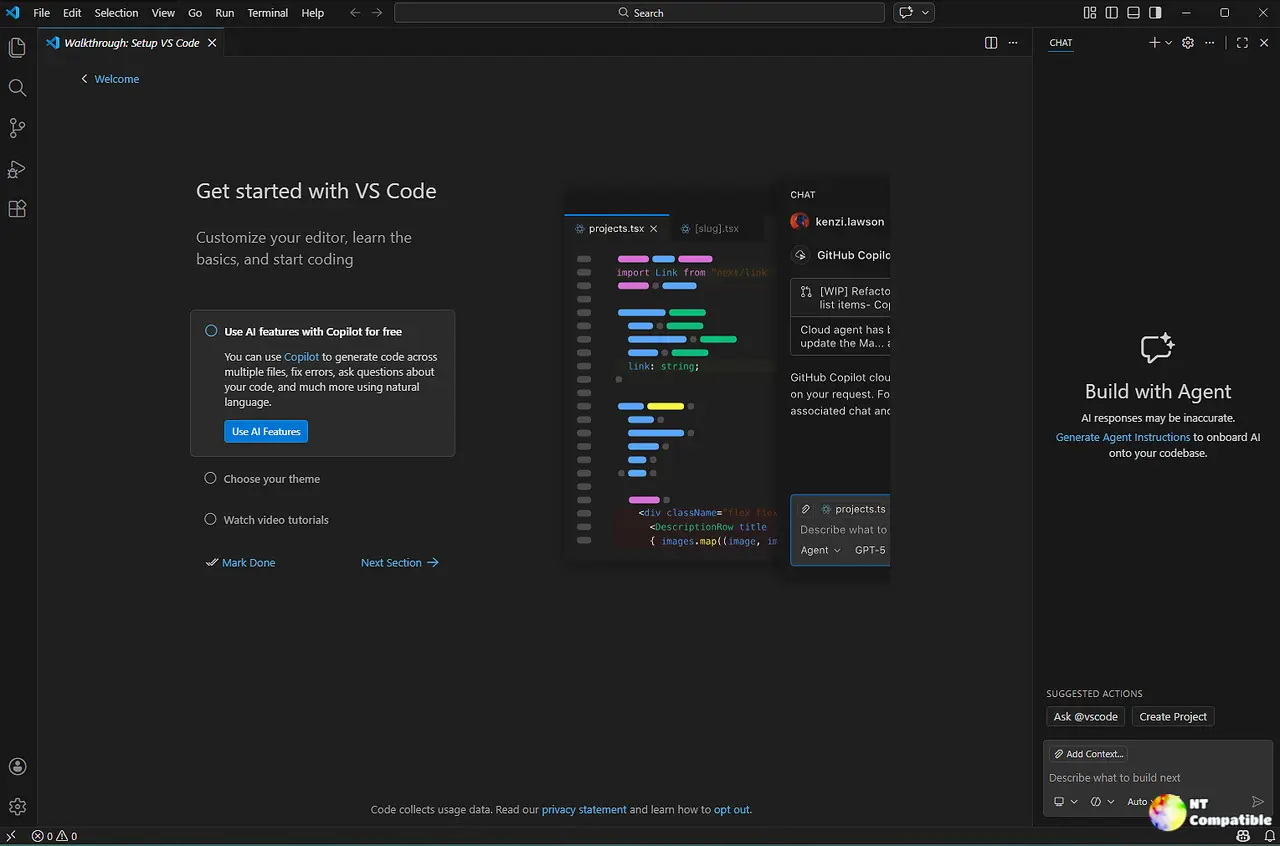
That's the single most consequential change here, and it's administrative rather than flashy. Still, 1.146 packs in a batch of session-management and security features, and together they point clearly at where Microsoft wants the product to go.
If you've been under a rock for the past few years, VS Code is Microsoft's free, cross-platform code editor, and the default tool for most developers. In the 2025 Stack Overflow survey, roughly 76 percent of the 49,000+ respondents said they used it, more than double the next competitor. It's held that lead since 2018. The lineage is surprising too: that editor grew from a 2011 browser experiment called Monaco, which barely scraped 3,000 monthly users. Hard to imagine that floundering prototype is now the default for roughly three-quarters of every developer on earth.
But the product's identity has been quietly shifting. For a decade it was an editor, pure and simple. Now it's a command center for AI coding agents, and the acceleration picked up once GitHub Copilot's tab completion rolled out around 2023.
The Local harness is now on its way out
For those still fuzzy on the architecture, an agent harness is the software that gathers context, hands the model its tools, runs the agent loop, and applies changes. VS Code used to lean on the Local harness. It runs inside the per-window extension host, so closing a window stops whatever the agent was doing, and each window spins up its own runtime.
The Copilot harness took over as the default for new sessions starting with VS Code 1.143 (October 2026). It rides on the Agent Host, a separate background process, meaning sessions keep running after you close the editor, can be watched remotely, and sync across the editor, the standalone Copilot app, GitHub Mobile, github.com, and the Copilot CLI. It also enforces managed sandbox and permission policies that organizations actually control. The Local harness offers none of that.
Microsoft's timeline is explicit. Right through February 2027, the Local harness works but is "functionally frozen", no new features, and nothing guaranteed to run there. After that date, both the harness and the vscode.temporaryDefaultToLocalHarness setting are removed entirely.
For most developers, you don't need to do much. Just confirm "Copilot" shows up in the harness picker when you start a session. Those who want a hand can work through Microsoft's Local-to-Copilot harness transition guide, which covers customization compatibility, carrying on existing conversations, and org-wide rollout.
It's an aggressive window for something that mostly bites power users and admins. Since the Copilot harness has been the default for new sessions for a few months now, the practical disruption feels closer to a formality than a crunch.
Session triage and tighter sandboxes
The real energy in 1.146 lives in the Agents window, the dedicated surface for watching sessions across your workspaces and remote environments. A cluster of new features, mostly experimental, treats the session itself as the thing you're really managing, not a file, not a project.
Inbox mode does exactly what the name implies. It's setting sessions.list.inboxEnabled, and it gives you one consolidated view of what needs attention, what's running, and what's ready to merge, with in-progress sessions at the top. You can dismiss, hold, or snooze the rest, and dismiss is deliberately not the same as archiving. Chat windows (setting sessions.chatWindows.enabled, in preview) let you pull a session into its own OS window and rearrange the chat, editors, and terminals however you need. There are also inline actions so you can fix failing checks and answer review comments straight from the session list, plus the ability to install and uninstall extensions without leaving the Agents window.
Model comparison gets a bump as well. Compare Models runs the same prompt across several models, judges the results, and combines them with a synthesizer. This release adds chat-only responses (no workspace selection needed), Copilot Fusion comparisons, and, experimentally, an agent that can discover models, launch comparisons, and read the results back. That last piece supports two to ten configurations, and it's off by default.
Security is where Microsoft is tightening the rails as agents gain real muscle. Prompt suggestions used to be too generous, the default for a web fetch, say, exposed any URL at all. Prompts are now more granular, scoping allowances to specific domains, commands, and directories. A new setting, chat.agent.sandbox.credentials.envVars, lets you mask environment variables inside sandboxed sessions, with real values reserved for approved HTTPS destinations. And the empty chat input now shows "(sandbox enabled)" at a glance, so you don't have to open the Permissions menu every single time.
A scatter of smaller touches round it out: a rebindable shortcut for "send in background," the ability to continue a Copilot CLI session by typing /code in a terminal, support for "Skills over MCP," Mermaid 12 for rendered diagrams, and a visible keyboard-focus outline on the Welcome page. Enterprises get proxy routing for Copilot sessions, a "Contact Admin" link for blocked actions, and tighter controls over canvas extensions.
Fixes this cycle include an edit-metrics bug that overcounted unchanged text as code, a minimap opacity regression, marketplace sign-in loops, and a sweep of memory-leak corrections across search, terminal, and notebook code.
Keep in mind that this whole patch is easier to read once you understand VS Code's release cadence. Until early 2026, Microsoft shipped major stable releases roughly monthly. Then, with 1.111 on March 9, 2026, it flipped to weekly. Product lead Pierce Boggan has credited AI tooling, GitHub Copilot and custom agent pipelines, for making the pace hold. Commit velocity, he says, jumped from a couple dozen commits per fetch to routinely 100+ a day, while an agent-driven pipeline handles the grunt work of deduplication and owner assignment.
That's why we're already at 1.146 in mid-November, roughly 35 weekly releases since the shift. It also means each stable drop is a thin slice. 1.146 is consolidation, not a marquee feature. The defining move is the harness retirement, a formal nod that VS Code has fully pivoted from a code editor into an agent orchestration platform. Standardizing on one runtime trims fragmentation and gives enterprises consistent policy enforcement, but it also narrows the built-in choices and pulls users deeper into the Copilot ecosystem.
Head here to download 1.146.0 directly, or just update from inside the editor.


