Microsoft pushed two fresh Windows 11 Insider Preview builds, delivering Beta 26320.10003 and Experimental 26340.10013, both resting on the Windows 11 version 26H2 enablement package. The Experimental channel stands out with Remote Lock, a feature that lets IT administrators lock a lost or stolen device through Microsoft Intune without erasing user data or disabling BitLocker protection.
New Windows 11 builds add "Remote Lock" for stolen laptops, plus a Ploron crypto preview and taskbar tweaks
Microsoft has released two fresh Windows 11 Insider Preview builds, and the top feature is one that only matters once you've already lost a laptop.
Microsoft has released two new Windows 11 preview release to its Beta and Experimental channels. The Beta channel gets Build 26320.10003, and the Experimental one gets 26340.10013. Both ride on Windows 11 version 26H2 through an enablement package.
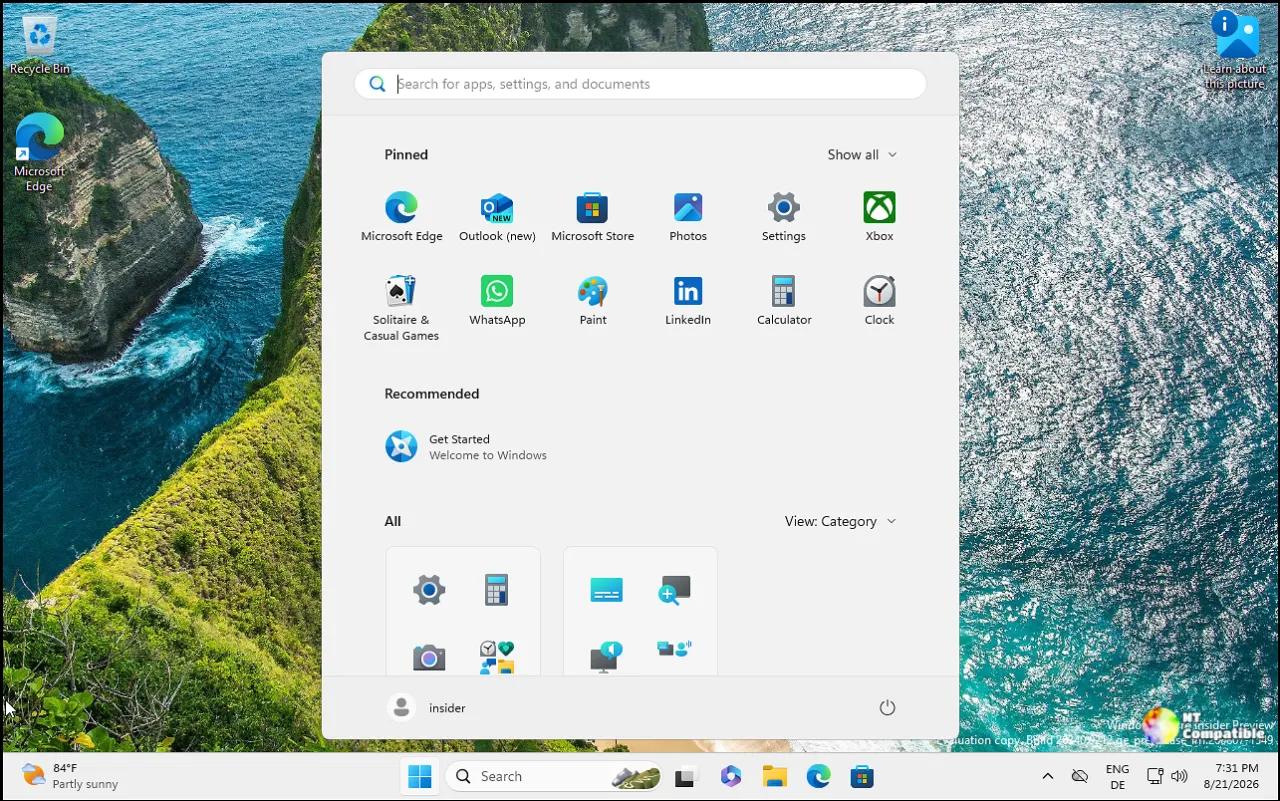
What the Beta build brings
The Beta flight is mostly maintenance. Search from This PC is now indexer-based, matching the Home view. It's been available on Experimental for a while, so it's a bit late to the party, but it's finally here.
Standard users can now set their own BitLocker preboot PIN. Before, only admins could. On managed devices, the right policies open a setup window and you enter a PIN yourself. The catch is that IT has to configure four Intune policies correctly. Turn AllowStandardUserEncryption, RequireDeviceEncryption, and SystemDrivesRequireStartupAuthentication all to ON, and set AllowWarningForOtherDiskEncryption to OFF.
Microsoft warns admins to target these only to standard-user test groups. Skip that step and device encryption can break, or TPM-only devices may report as non-compliant. That's the kind of footgun that keeps IT managers up at night.
Also leaving the building: Offline Maps. This closes out the April 2025 deprecation of the UWP Maps platform APIs. The feature and its settings are being removed, and once the underlying controls are gone, Offline Maps just stops working.
The rest are fixes. RDP connection failures caused by a certificate mismatch are now resolved, the disappearing mouse cursor problem is fixed, and voice typing config is more reliable. One thing to flag. The CPU speed shown in Task Manager no longer updates after the latest flights, and Microsoft is investigating. Small thing, but if you're watching clock speeds while pushing a render, it'll nag at you.
Windows 11 Insider Beta Preview Build 26320.10003
Release notes for Windows 11 Insider Beta Preview Build 26320.10003
Windows 11 Insider Beta Preview Build 26320.10003 - Windows Insider Program
The Experimental channel goes further
The Experimental build carries everything in Beta plus a batch of new features. Several arrive gradually through Controlled Feature Rollout, meaning only a subset of Insiders actually see them today.
The one to watch is Remote Lock. It lets an IT admin lock a lost, stolen, or compromised device from Microsoft Intune without wiping it. The device signs out every session, hides its sign-in options, and shows a "Device Locked" screen. Nothing is erased. BitLocker stays on. Data stays intact. Only an admin can lift the lock remotely, so the user resumes where they left off. Admins can customize the screen with a LockReason and a RecoveryHint to point people at the help desk.
This isn't the first time Remote Lock has surfaced. Microsoft first spotted it in Build 29708.1001 for the Experimental channel earlier this year, so it's been cooking for a while. It needs an Enterprise/Education device that's Microsoft Entra joined, hybrid-joined, or MDM-enrolled. Your personal laptop doesn't qualify.
Security key users get better passkey management. You can now view the passkeys stored on a FIDO2 key and remove them one at a time instead of resetting the whole key. Admins gain a minimum PIN length, always-required user verification, and enterprise attestation.
Developers get a Microsoft Pluton Cryptographic Provider preview. It lets you use the Pluton hardware security processor for hardware-protected key storage through standard CNG APIs. Windows already ships CNG support for ML-DSA post-quantum signatures, so this fits a broader push to make the on-chip silicon a first-class tool for third-party apps.
The quieter additions are still worthwhile. The taskbar gains a list view so open windows show by title instead of as thumbnails. The Magnifier picks up touchpad and touch gestures, with three-finger swipes to zoom and taps to reset. Both are on by default and can be disabled. Moving from a Microsoft account to a local account now consistently reminds you to back up your BitLocker recovery key, which has caused real data loss in the past.
Windows 11 Insider Experimental Preview Build 26340.10013
Release notes for Windows 11 Insider Experimental Preview Build 26340.10013
Windows 11 Insider Experimental Preview Build 26340.10013 - Windows Insider Program
Grab the builds
Enroll a device in the Windows Insider Program, pick Beta or Experimental, then in Windows Update enable "Get the latest updates as soon as they're available" and check for updates. You can also grab specific ISOs from the Windows Insider Preview Downloads page while they're around. The desktop watermark in the lower-right corner is normal for pre-release builds.
Keep in mind these are preview software. Features can change, be cut, or never ship past Insiders. Many Experimental features use Controlled Feature Rollout, so your mileage will vary.


