Microsoft Rolls Out Five Windows 11 Insider Preview Builds: Taskbar on All Four Edges, Admin Protection, and Post-Quantum Crypto
The latest Insider flights bring major UI customization, security hardening, and early AI agent infrastructure across multiple development branches.
Microsoft dropped a fresh batch of five Windows 11 Insider Preview builds, covering the Beta, Experimental, and Release Preview channels. If you've been tracking the versioning chaos, you know Microsoft is running four parallel development tracks right now: the current stable line (25H2), the upcoming annual update (26H2), platform-specific changes (26H1), and a pre-release Future Platforms branch that doesn't align with any retail release yet. This release touches all of them.
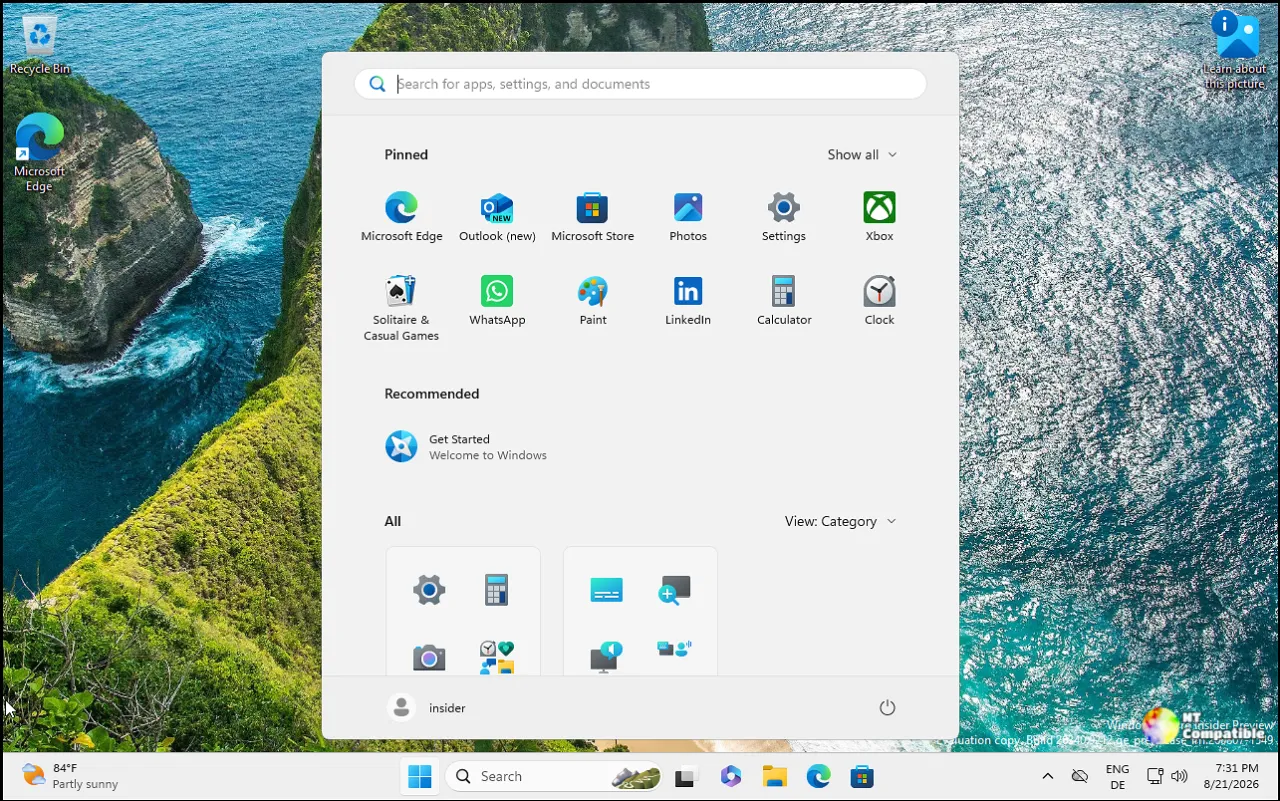
The Release Preview build for version 26H1, specifically, is the most ambitious of the bunch. You can now position the taskbar on all four screen edges, left, right, top, and bottom, instead of being stuck with just the bottom and top. There's also a new "small taskbar" mode that shrinks icon size and height for smaller displays, and the Start menu now lets you choose between small, large, or automatic sizing. Microsoft also renamed the "Recommended" section to "Recent" and added a privacy toggle to control whether web and Store suggestions appear alongside local results.
Security and AI Infrastructure Take Center Stage
Memory Integrity is getting a major expansion in the Experimental channel for version 26H2. Starting in October, Windows quality updates will begin enabling this Virtualization-based Security feature on supported PCs automatically, though users and IT admins retain full control over disabled settings. This aligns with the September 1 blog post from Peter Waxman about expanding memory integrity protection across Windows devices.
The Release Preview channel also introduces Administrator Protection, a feature that uses just-in-time privileges and profile separation to harden against elevation-of-privilege attacks. It's not classified as a formal security boundary, but it's enabled via Intune or Group Policy through OMA-URI, and it builds on groundwork Microsoft disclosed back in October 2025.
Microsoft is also laying early infrastructure for AI workloads. The new Agentic Processes feature (preview) lets authorized components assign opaque agent identifiers to process tokens, while Microsoft Execution Containers provides fast, lightweight boundaries for coding agents and model-generated code using OS containment capabilities. It's not ready for prime time, but it signals where the OS is heading.
Performance, Stability, and the Usual Insider Headaches
File Explorer's "This PC" search is now indexer-based in the Experimental 26H2 build, which should finally address one of Windows 11's most persistent complaints. The Legacy search subsystem gets a significant upgrade here, making results faster and more consistent with the Home search experience.
Cross-device continuity gets a tweak in the Beta channel: when you resume work from your phone but don't have the originating browser installed on your PC, you'll now get two options—open in the default browser immediately, or install the phone's browser for a native experience. It's a small change, but it cuts through the friction of trying to pick up work across devices.
Post-quantum cryptography also arrives in the Release Preview with support for ML-KEM (based on CRYSTALS-Kyber) as a standalone algorithm for TLS key exchange. This is part of Microsoft's broader push toward post-quantum cryptographic readiness, and it's already available alongside previously added hybrid groups.
Not every change lands cleanly. The Experimental 26H1 build has a known issue where Easy Anti-Cheat fails to launch with error 0xc000007b, which will obviously hurt gamers. VMware Workstation Pro 17.6.4 shows blank windows when reopening VMs on the Future Platforms branch, and there are reports of green screening affecting VMware devices under investigation. Microsoft says devices may need up to 30 minutes after the announcement to receive the Future Platforms build, which is a minor but annoying detail if you're trying to test it immediately.
What This Means
It's a rather packed release, though the sheer number of parallel build streams makes it hard to pin down exactly where Microsoft stands with any given version. The taskbar repositioning and Start menu customization are long-requested changes that should improve the desktop experience, particularly for users with ultrawide or multi-monitor setups. The security hardening around Memory Integrity and Administrator Protection is solid, though it's worth remembering that auto-enabling features like Memory Integrity can break older hardware or specialized drivers.
The AI and agentic infrastructure is interesting from a platform perspective, but it's not something most users will interact with directly. Post-quantum cryptography is forward-looking, though it's still primarily relevant for enterprise and security-focused deployments.
If you're on the Beta channel for 25H2, you're getting a steady stream of reliability fixes and minor UI tweaks. The Experimental 26H2 build is where the bigger feature work lands, and the Release Preview 26H1 is the closest you'll get to the final version before it hits stable. The Future Platforms branch is essentially a development preview with no retail alignment, so treat it accordingly.
Windows 11 Insider Beta Preview Build 26220.9472 - Windows Insider Program
Release notes for Windows 11 Insider Beta Preview Build 26220.9472
Windows 11 Insider Beta Preview Build 26220.9472 - Windows Insider Program

Windows 11 Insider Experimental Preview Build 26340.9482 - Windows Insider Program
Release notes for Windows 11 Insider Experimental Preview Build 26340.9482
Windows 11 Insider Experimental Preview Build 26340.9482 - Windows Insider Program
Windows 11 Insider Beta (26H1) Preview Build 28020.2991 - Windows Insider Program
Release notes for Windows 11 Insider Beta (26H1) Preview Build 28020.2991
Windows 11 Insider Beta (26H1) Preview Build 28020.2991 - Windows Insider Program
Windows 11 Insider Experimental (26H1) Preview Build 28120.3002 - Windows Insider Program
Release notes for Windows 11 Insider Experimental (26H1) Preview Build 28120.3002
Windows 11 Insider Experimental (26H1) Preview Build 28120.3002 - Windows Insider Program
Windows 11 Insider Experimental (Future Platforms) Preview Build 29667.1000 - Windows Insider Program
Release notes for Windows 11 Insider Experimental (Future Platforms) Preview Build 29667.1000
Keep in mind that Insider builds are inherently unstable, and the known issues list is substantial. If you're testing these for work, stick with the Release Preview or wait for general availability. For experimentation and early feature feedback, the Experimental and Beta channels give you a window into what's coming next.


