Atlas OS 0.6.2 Debuts 'Get Ready' Workflow, Targets Windows 11 25H2 and 26H2
Lead developer jacksyrm ships a redesigned Atlas Manager and hotfixes for install failures five days after the 0.6.1 release.
Atlas OS 0.6.2 is out. Released today by lead developer jacksyrm, this latest update lands just five days after Atlas 0.6.1. That's a rapid turnaround, and judging by the release notes, the team was busy. The headline feature is a redesigned Atlas Manager that handles the heavy lifting for your PC setup, alongside a pile of fixes for install and update failures that plagued the previous hotfix.
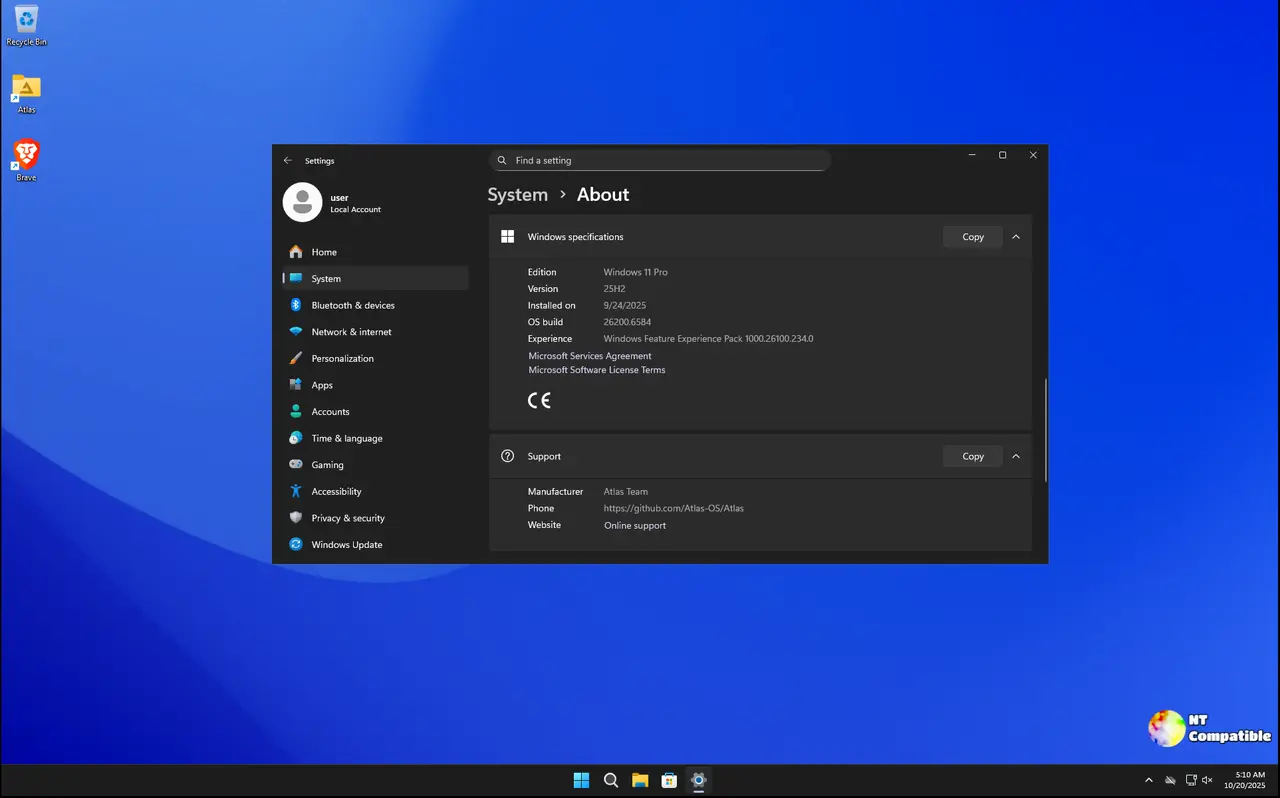
If you haven't caught on yet, Atlas isn't a standalone operating system. It carries the GPLv3 license and targets PC gamers who want lower idle CPU usage, less RAM consumption, and a Windows 11 installation that doesn't phone home to Microsoft. The project has roughly 22,300 GitHub stars and remains a fixture in the enthusiast scene, though it continues to spark debate over its default security settings.
The 'Get Ready' Workflow
The biggest shift in 0.6.2 is the new "Get ready" workflow inside the Atlas Manager. Previous versions of Atlas required a fair amount of manual back-and-forth. You had to juggle scripts, wait for prompts, and hope the installation media behaved. 0.6.2 changes that.
Next, the Atlas Manager now checks your PC's readiness automatically. It downloads the Atlas package, installs Windows updates, and handles Microsoft Store updates without you hovering over the cursor. If a restart is required, the app counts down and restarts your machine for you. Then, it resumes the installation automatically after you sign back in.
Not bad, if you're trying to avoid a headache.
The UI overhaul supports this too. All user choices now sit on a single page, with recommended answers pre-selected. Windows Security switches toggle off automatically during setup, something that's likely to keep the security watchdogs up at night. The redesigned app's Home screen shows one main action plus install steps with estimated times, which is useful if you're planning a multi-hour install session.
Two settings are now selected by default in the installer: "Turn off power saving" and "Turn off VBS." Power saving gets the boot because it can cause input lag for gamers. VBS disables memory integrity to improve compatibility with anti-cheat software. The app even lists the specific anti-cheats affected by memory integrity, which helps if you're playing competitive titles.
That's the trade-off, though. You're disabling memory integrity to get anti-cheat working.
Fixes That Matter
The 0.6.2 release addresses a laundry list of bugs reported since 0.6.1.
Windows Update handling has been beefed up. The "Get ready" workflow now waits out temporary errors and retries failed searches. It installs monthly updates when optional ones fail and reinstalls feature updates that Windows rolls back. Policies pointing Windows Update at a non-existent server no longer block updates, a regression that was annoying for enthusiasts trying to use WSUS or similar tools.
Microsoft Store issues are also resolved. The installer now waits for busy Store instances and retries app updates while an app is in use. If the Store installation is corrupted, Atlas attempts a repair before moving on.
Installation media creation saw fixes too. ISO mounting hangs are gone, and the tool handles deeply nested output folder paths without choking. It also identifies Atlas-made source ISOs and flags missing setup files, saving you from a cryptic error down the line.
Atlas setup improvements include reclaiming files and registry keys whose permissions refused earlier changes. The installer preserves newer Chrome versions already on your system and clears leftover Edge file associations when you remove the browser.
Supported Editions and Security
Atlas 0.6.2 supports Windows 11 25H2 (build 26200) and 26H2 (build 26300). Supported editions include Pro, Education, and Enterprise. Home edition and LTSC editions are not supported.
Keep in mind that Atlas continues to disable several privacy and telemetry features by default. Connected User Experiences and Telemetry is turned off, along with Smart App Control and enhanced phishing protection. Microsoft Defender Antivirus and Windows Update remain available, though you'll need to re-enable them manually if you want them on.
The project operates under the GPLv3 license, which allows you to inspect every change before applying it. The installation package is a password-protected ZIP archive with the password "atlasos". This transparency lets you verify the scripts running on your machine, which goes a long way toward building trust with a community that's wary of black-box modifications.
Upgrading and Downloads
If you're already running Atlas 0.4.1, 0.5.0, or 0.6.x, you can update in place. Open the new Atlas Manager, choose "Update to Atlas," and select "Keep my choices" to carry over existing settings or "Choose again" to review them. Fresh installs from Atlas 0.4.0 and earlier require a clean Windows installation.
Head here to the GitHub release page for the full changelog and download links.
Atlas 0.6.2 feels like a maturation of the project. The move toward a GUI-driven, automated installation process removes much of the friction that made Atlas intimidating for newcomers. However, the default disabling of VBS and other security features keeps the debate alive. It's a powerful tool, but it demands that you understand what you're doing before you click "Get Ready."


