CrapFixer v2.01.41 lands one week after a full codebase rewrite
Belim has pushed CrapFixer 2.01.41, a stabilization patch for the v2.0 "comeback release" of his free, open-source Windows debloating utility. The tool strips ads, telemetry, and preinstalled junk from Windows 10 and 11 without asking for a dime.
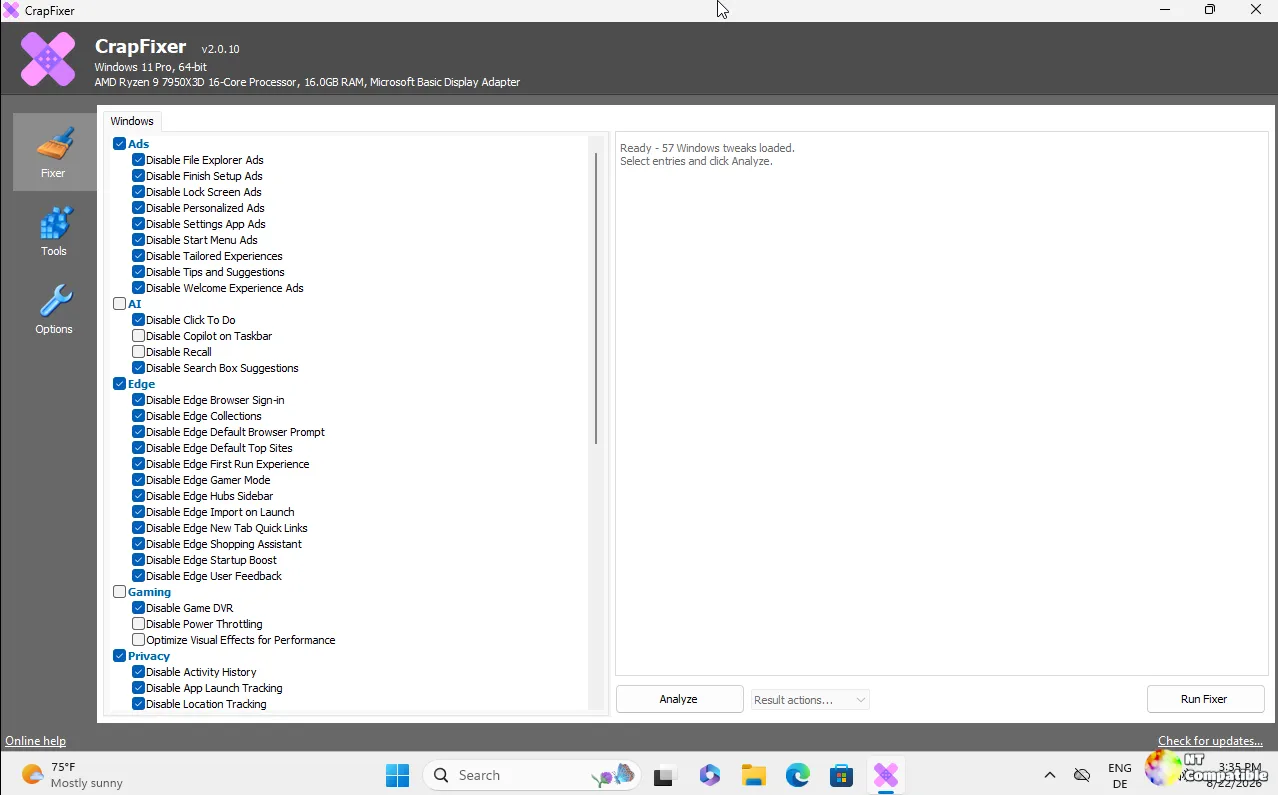
If you're unfamiliar with the name, CrapFixer fills a very specific niche. It's a scan-first, registry-tweaking app that focuses on removing what Microsoft ships with your OS by default. The original codebase ran on older .NET frameworks, but the v2.0 release on August 22 completely gutted it. In its place sits a WinForms app built on .NET Framework 4.8, driven entirely by a Wintweak2.ini signature database. That means you can add new tweaks without recompiling the binary. The developer called it "one of the first Windows tweakers built this dynamically," which is a bold claim given how many registry cleaners have existed over the years.
The v2.01 Patch
One week later, v2.01.41 drops. It's a focused stabilization pass, not a feature dump. The biggest change lives in the "Run Fixer" module. Instead of blindly applying every selected tweak, it now counts the actual issues it finds and labels the button "Fix 4 issues." If the system is already clean, the button says "Nothing to fix" and disables itself.
Tweak results that have already been applied shift from green to a neutral gray. Red stays strictly reserved for settings that still need your attention. The settings page also got reorganized. Backup and confirmation toggles moved into a new "Advanced" subpage, leaving the Basic tab focused on language selection and database management. Three community reactions greeted the release: three thumbs-up, one hooray, one heart, and one rocket. Small numbers, but they show the project is breathing.
Behind the Code
The architecture of v2.0 is where Belim actually made his mark. The app scans first, shows registry paths, current values, and recommended defaults, and lets you revert individual tweaks or entire categories back to stock Windows. AI-powered explanations are optional and pull from Groq, OpenAI, Anthropic, or any OpenAI-compatible endpoint. Translations follow the UI language and never touch the scanning logic. Localization itself runs on JSON files, so adding a new language doesn't require touching C#. The App Remover pulls from a separate Winappx.ini package, and users can drop PowerShell scripts into the extensions folder for custom automation.
There's also a side project worth mentioning: FluentCleaner, a CCleaner replacement that sits at 5,700 stars. Belim is maintaining both, though he's explicitly pruning his GitHub. He started with 30+ repos and cut it down to 20, confirming that older tools like TidyOS and xd-AntiSpy are dead. CrapFixer is his newest, and he says it's likely his last fine-tuning app.
The STORY.md file in the repo doesn't pull punches either. Belim wrote that he spent months coding through the night after losing his mother, using the work as a way to keep moving. "Coding may have even saved my life," he wrote. "I'm still here." It's a heavy backdrop for a Windows cleanup utility, but it explains the meticulous attention to detail and the refusal to monetize the project.
It's a solid piece of software for what it does. The scan-first workflow actually respects your system, and the fact that tweaks live in an INI file means the community could eventually extend it without begging Belim to merge pull requests. However, at the same time, Windows 11 continues to ship with increasingly deep telemetry hooks, and no registry cleaner can ever fully outpace Microsoft's push to lock down settings. The retro XP-era UI is intentional, but it does mean you're trading modern polish for a no-nonsense interface that expects you to know what a registry tweak actually does. You're getting a free, MIT-licensed tool that runs on donations.
Head here to download the release from GitHub.


