Builtbybel ships FluentCleaner 26.11.108, "Let It Glow"
A free, open-source Windows cleanup tool just got a lot faster and a lot smaller. FluentCleaner 26.11.108 shipped on 19 November 2026 from developer Belim (online handle builtbybel), and its headline change is the native build finally graduating out of preview mode. Startup reportedly opens in about 126 ms now, down from roughly 347 ms, with the app's own footprint shrinking from 118 MB to 17 MB.
This is a two-part release: a snappier native build, and a general push to make the whole window glow with a proper Fluent Design backdrop. There's also a real-world wrinkle you should know about before downloading.
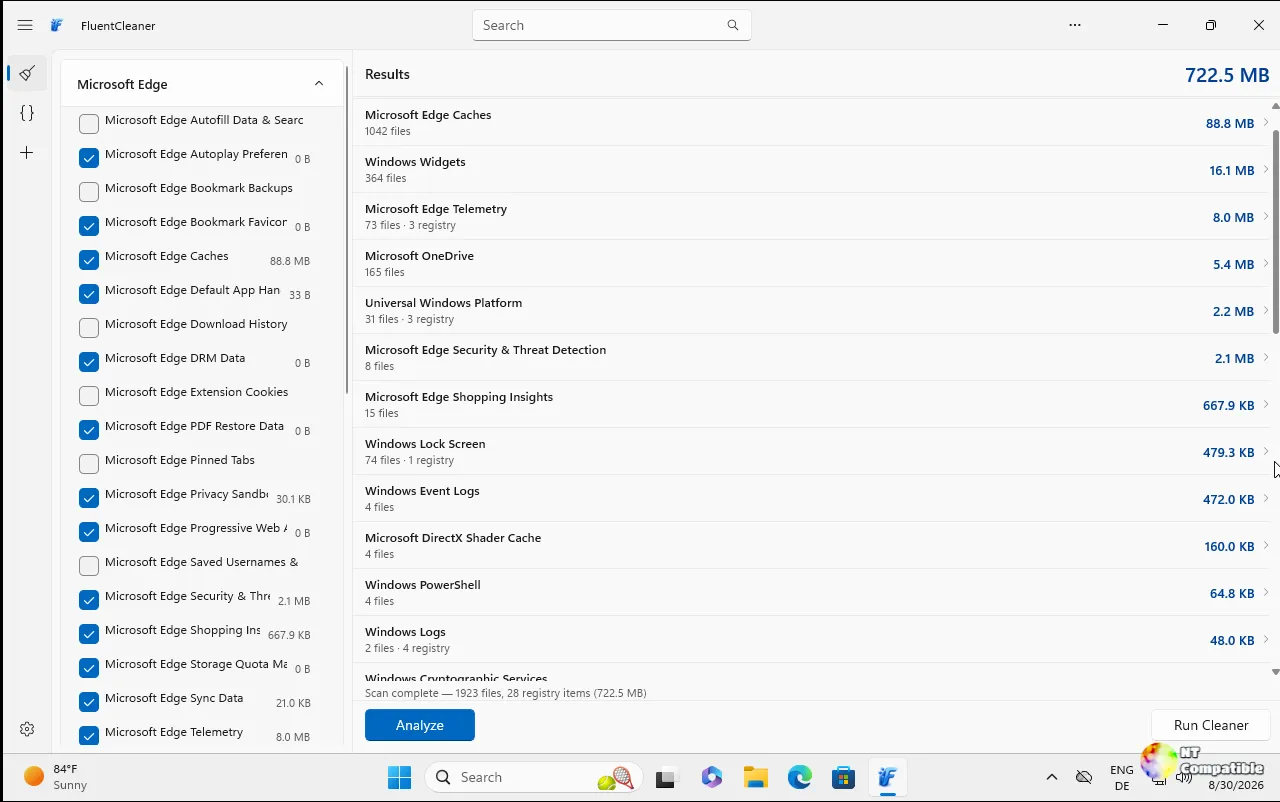
The native build, for real this time
Previously the native (NativeAOT) build was a separate preview track. Now every release ships the same way, from x64 publish profiles. No more split.
Keep in mind that the "17 MB on disk" figure measures one specific thing. It's the native footprint versus its predecessor, not the app's total size on your machine. The README separately lists an unpacked size of about 140 MB across 243 files for the Modern edition, since that bundle includes the Windows App Runtime and dependencies. Then there's the actual download, a 6.2 MB zip.
Three numbers, three different measurements. Don't let any write-up blur them into a contradiction.
The change isn't just about speed though. Belim cut FluentCleaner's own custom styles, letting buttons, headers, and the tab strip use WinUI's shipped styles. That alone removed about 100 lines of code, plus dead helpers and roughly 40 unused strings per language.
The path to shipping wasn't clean. A tester reportedly broke the Settings language list, which came up blank because one line still relied on reflection, and a native build has none of that. Belim says he fixed it and re-uploaded the asset the same evening. This release carries the fix.
Making it glow
The second act is mostly visual. A new Settings option lets you switch the window material between Mica, Mica Alt, and Acrylic, with changes applying instantly. Mica is now the default, described as the "calmer" option that Microsoft's own apps lean on. Acrylic lets the desktop show through. Mica Alt is more colorful.
The backdrop now runs through the tab strip, the sidebar, and the footers, removing the visible seam between the active tab and its panel.
Belim also renamed the old "Setup code" feature to FluentSeed. A seed packs your cleaner selection into a single line of text starting with FC1-. Paste it back in and you get the same entries ticked, which is why it's compared to a game seed.
The privacy detail is worth quoting: FluentSeed holds only short fingerprints of entry names. No files. No paths. Nothing about your PC.
There's a "Copy as link" button too, which generates a URL with the seed tacked on after a #, so it never actually reaches a server. Clicking it opens a browser page that resolves each name against the public Winapp2 and Winapp3 lists, letting you see what you're about to take before taking it.
On the rename, Belim put it plainly: "'Setup code' sounded like an installer, and that's not what it ever was."
Head here to the GitHub release page.


