Fort Firewall 3.20.5 Ships a Same-Day Fix for a Bug Reported Hours Earlier
The developer behind the free, open-source Windows firewall caught, reproduced, and patched a regression within a single afternoon.
Fort Firewall 3.20.5 went live today. It closes a regression that arrived just two days earlier in v3.20.4. The headline fix restores the "Clear Alerts" button, which had stopped working correctly after that earlier release.
The bug was subtle. After v3.20.4, dismissing an alert no longer cleared the underlying flag stored in the kernel driver, so the same notification kept popping up every time a program restarted. The only workaround was opening the program entry and manually picking Block or Allow.
The v3.20.5 patch resets that driver-side flag too. That is the main change. The other is a refinement to the Network Filter UI. Two tweaks for a patch, which is plenty.
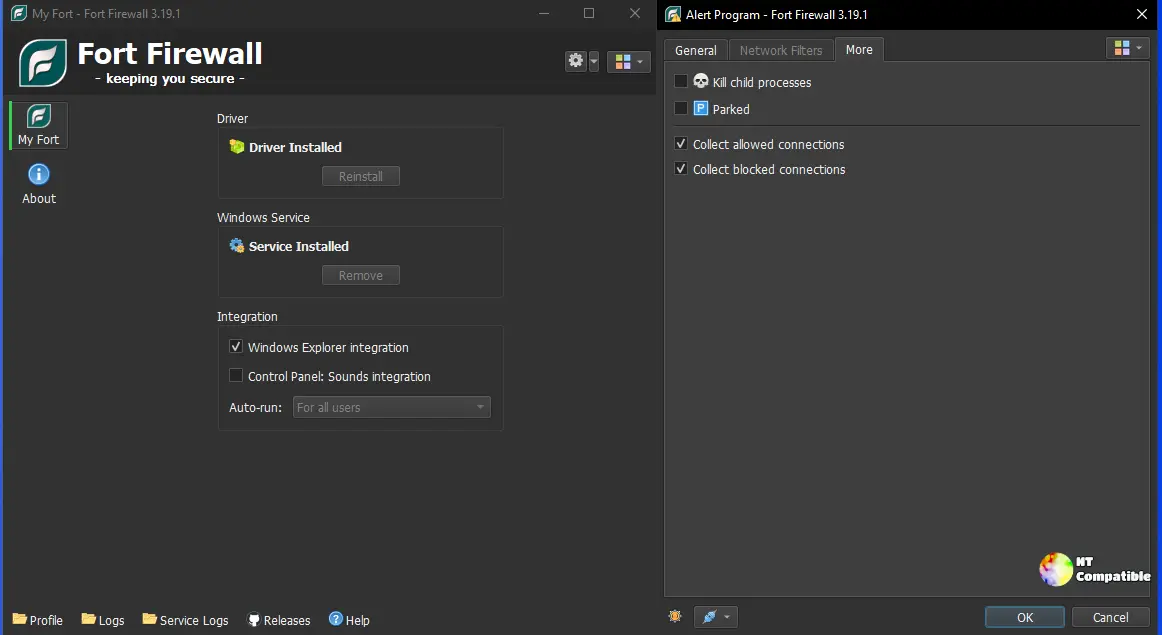
The bug, fixed before the coffee cooled
Here is the part that stands out. A GitHub user named lllIIIlll reported the regression on 15 October, describing exactly what was happening. "When a program is automatically added and blocked, and I use Clear Alerts to dismiss the notification, the alert reappears after closing and restarting the blocked program," they wrote.
Temirkhodjaev, who runs Fort essentially alone, initially mislabeled the report as an enhancement. Then he reproduced it and reopened the issue as a bug. "Thanks, reproduced the bug. Let me fix it," he wrote. A commit to the ConfAppManager module came later that same day. The issue was closed as completed, marked "Fixed in v3.20.5."
Reported, reproduced, patched, and released, all inside one afternoon. That loop is unusually tight for open source, where most bug reports sit unlabeled and forgotten for months. It is arguably a model for how a solo maintainer should operate.
The root cause is instructive, if you like that sort of thing. Fort tracks whether a program has been "reviewed" partly in the kernel driver, not just in the app's database. Clearing only the UI-side flag left the driver still treating the program as unreviewed, so it re-fired the alert on the next connection. That is the cross-process state bug that shows up whenever a user-mode app talks to a kernel service over a named pipe. I have spent more than a few hours poking at Fort's Filter Simulator over the years, and it remains the best troubleshooting tool in this entire category, though that aside says nothing about this particular bug.
Power at a price
On paper, Fort is a host-based firewall for Windows 7 and newer. It is written in C++ with a Qt 6 interface, published under GPL-3.0, and distributed free of charge. The GitHub repo sits at roughly 3,600 stars and 247 forks, with over 5,700 commits reaching back to 2017. MajorGeeks alone tracked 33,616 downloads of the v3.20.4 installer, which holds a 5/5 editor rating from about 179 votes.
What actually separates Fort from something like TinyWall or SimpleWall is the kernel driver. Fort registers its own WFP provider and callout via a signed kernel-mode driver called fortfw.sys. It does not simply reconfigure Windows Defender Firewall, which gives it flexibility and room to shape traffic for bandwidth limits and "kill process" actions.
That power comes at a cost. On Windows 10 and 11, Fort requires that you turn off Memory Integrity, also called HVCI or Core Isolation. The driver loads a verified image into memory that is both writable and executable, which is exactly what Windows Memory Integrity exists to forbid. Fort's own documentation warns that turning Memory Integrity off removes a layer of kernel protection, and the installer will refuse to run while HVCI is still on.
It is a rather powerful machine for what it asks. The per-program control and small footprint do help it out. However, disabling one of Windows' strongest kernel-integrity guarantees is not nothing, and a solo project with no independent security audit means you are trusting one person's build pipeline. Not cheap, in a sense, even though the download is free.
Where things stand now, Fort has landed at a convenient moment. Upstream SimpleWall has largely gone quiet, and privacy-focused communities have increasingly pointed users toward Fort as the actively maintained FOSS option. Its own comparison table ranks it against GlassWire, Portmaster, NetLimiter, Comodo, TinyWall, and SimpleWall, and it is one of the few free tools combining an own kernel driver, per-program rules, speed limiting, and program groups.
That all sits on top of a major rework shipped 4 October. The v3.20.0 release brought reworked application Groups, per-program speed limits, weekly Time Periods, a new "Block Inbound" flag, and an updated SQLite to 3.54.0. The immediately preceding patches added a "Program Connections" window and a new Style Sheet option respectively, so this whole week has been a fast-moving stretch for the project.
Third-party reception is mixed in reliability. A 2026 Top5soft review highlights the parent-process rules and per-app control as real differentiators, though it fairly notes the free model lacks enterprise management features. Skip the UpdateStar listing, which is AI-generated and calls a free GPL product "commercial," so it gets the pricing wrong.
Head here to grab v3.20.5 straight from the GitHub release page.


