Fort Firewall 3.21.3 Adds DNS Filtering Polish to the Last Free Windows Firewall
The v3.21 series transformed the app from a per-program blocker into a system-wide traffic controller, and v3.21.3 rounds out the experience with graph improvements and theme fixes.
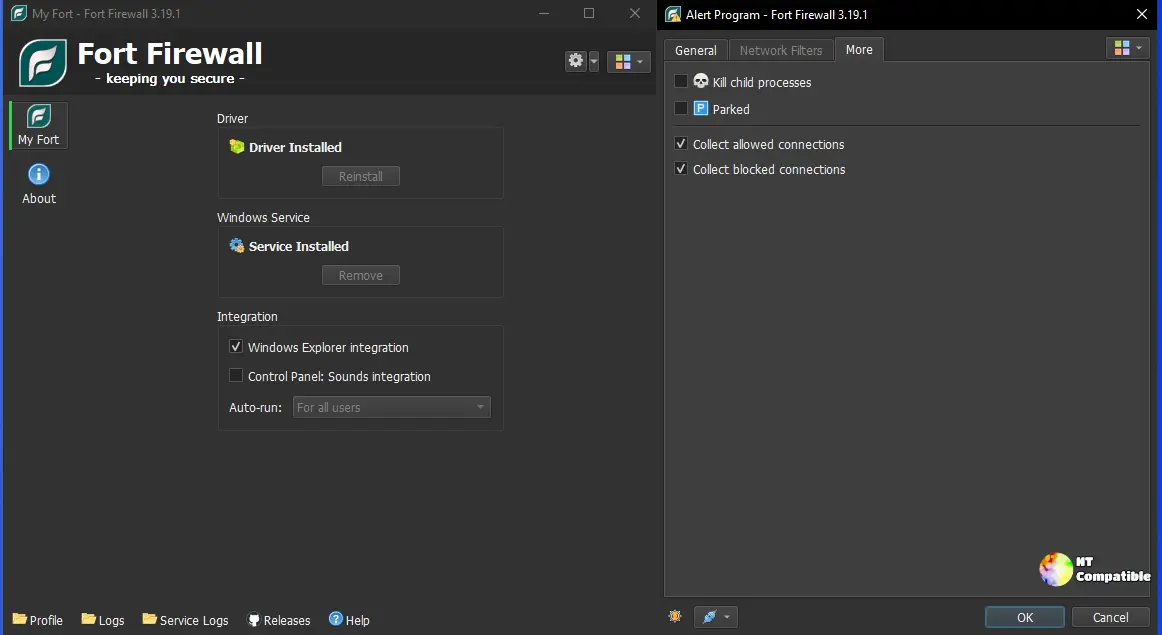
Fort Firewall 3.21.3 is here. It lands on the heels of a five-release sprint that ran from November 17 to November 27, 2026. That's five versions in ten days. The project hasn't gone quiet, even with rivals dropping like flies.
The DNS Era
The real story isn't v3.21.3. It's the entire 3.21 series. Version 3.21.0 arrived on November 17 and delivered the most-requested feature: domain-based traffic blocking. Fort now includes a built-in DNS Forwarder that acts like a per-device Pi-hole.
You can configure the DNS Forwarder to use DNS-over-HTTPS upstreams. The app pulls from blocklists like OISD Big, StevenBlack's Unified Hosts, and the NetAPI Honeypot source. It even ships with pre-configured Zone support for these lists. A new host() rule filter lets you write network rules based on resolved hostnames instead of just IP addresses.
Keep in mind that this isn't just a UI wrapper. Fort runs its own WFP-based kernel driver, so the filtering happens at the system level.
v3.21.3: Graph UX and Theme Fixes
v3.21.3 focuses on the new traffic graphs and theming. The Graph window now shows hover tooltips with today's and month's traffic totals, plus your fastest programs. You can swap the upload and download order in the speed display.
There's also a new Graph Theme option for light, dark, or custom styling. The release fixes taskbar graph positioning drift on newer Windows versions and corrects the appearance of the taskbar graph on Windows 7, where it used to clash with the light taskbar. A dark Fusion theme for Windows 7 rounds out the polish.
Three commits remain on master since this build.
The HVCI Trade-off
If you're planning to install Fort, there's one major caveat you need to know about. The firewall requires you to disable Windows Defender Core Isolation Memory Integrity on Windows 10 and later. Fort's kernel driver uses techniques that conflict with Microsoft's virtualization-based security model.
The v3.21.0 release softened this from a hard installer block to a runtime warning. The service will start the driver only when HVCI is off, and it warns you if it detects HVCI running. However, at the same time, this remains a real trade-off. Enterprises with strict hardening policies should get sign-off before deploying this tool.
Fort supports x86, x86_64, and ARM64 architectures. It works on Windows 7 and later. The v3.21.1 release dropped the Microsoft Visual C++ Redistributable x86 dependency, so installation is a bit cleaner than it used to be.
The code is GPL-3.0 licensed. You can review it yourself, or browse the 6,356+ commits on GitHub. The project uses PVS-Studio for static analysis, and quality is tracked via SonarCloud.
For users who want per-program control, domain filtering, and bandwidth shaping without a monthly subscription, Fort is arguably the best option left standing. The pace of development suggests tnodir has no plans to stop.
Head here to download Fort Firewall 3.21.3. The x64 installer targets Windows 10 and later, while the x86 build covers Windows 7. An ARM64 installer is also available.


