NanaZip 6.0 Update 6 Fixes Security Holes and Syncs With 7-Zip Mainline
The latest NanaZip 6.0 Update 6 drops straight into your system to patch several security vulnerabilities and align the core compression engine with 7-Zip mainline version 26.01. Users who rely on archive tools for daily file management will want to grab this build before testing newer preview releases that still carry unpatched flaws. This update keeps the stable branch secure while developers tackle a delayed media player overhaul in the background.
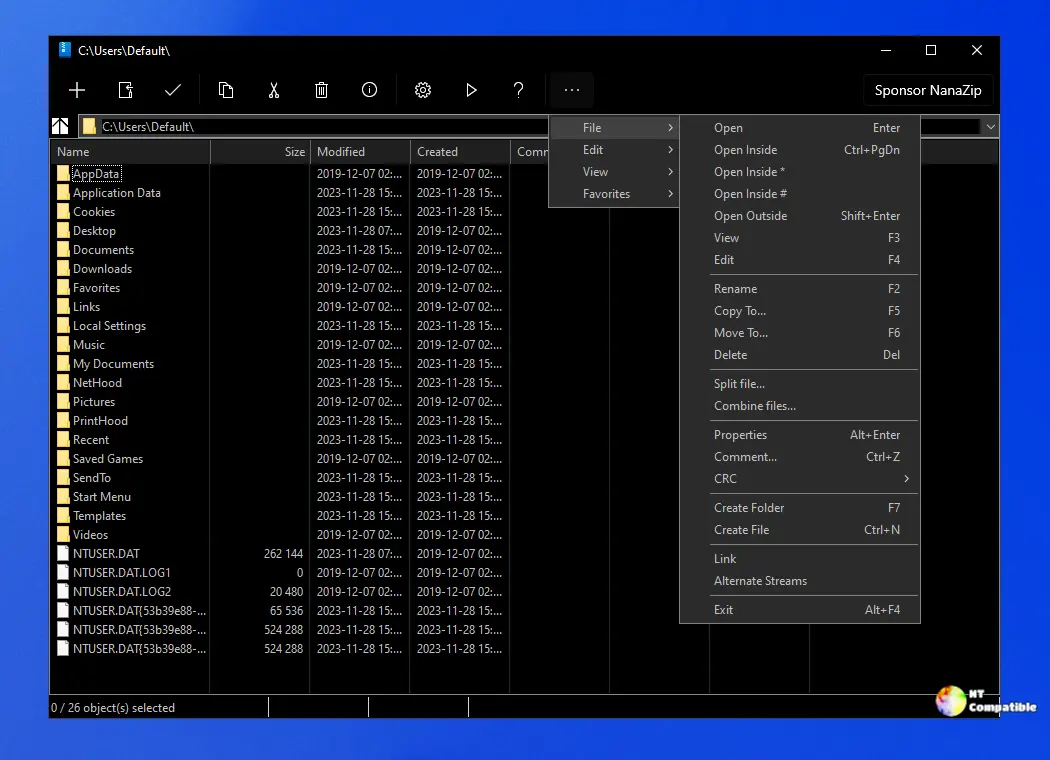
NanaZip 6.0 Update 6 Patches Security Gaps You Actually Care About
The release notes point to a cluster of vulnerabilities tracked under GHSL identifiers and assigned CVE numbers like CVE-2026-42446 and CVE-2026-42355. These issues came straight from JarLob, who has been quietly auditing the codebase for years. System administrators frequently watch archive utilities ignore memory handling flaws until a maliciously crafted file triggers a crash or worse. This update closes those holes without adding bloat or changing how the interface behaves. The current 6.5 Preview still carries these exact problems, so sticking with the stable branch makes sense until the preview cycle catches up. Preview builds often ship with experimental features that slow down context menu registration and waste RAM on idle systems.
Staying in Step With 7-Zip While the Preview Waits
NanaZip pulls the compression logic forward to match 7-Zip mainline release 26.01. The file manager component stays on its own track, which keeps the custom context menus and drag-and-drop tweaks intact without forcing a full rewrite. Meanwhile, the upcoming preview build has slipped into May or June because the development team needs time to fix an ugly media player implementation before pushing another test release. That delay actually benefits users since rushing UI polish usually breaks archive extraction workflows on older Windows builds. The stable branch remains the only sensible choice for production machines right now.
Getting the Update Without Breaking Existing Archives
Running the installer over an existing setup replaces the core binaries while preserving user settings and shell extensions. The process does not touch archived files, so extracting or creating new archives works exactly as before. Users who prefer manual updates should back up the installation folder first since replacing DLLs mid-session can leave context menu handlers hanging in Task Manager. A quick restart after installation clears any lingering explorer processes that might still reference old code paths. Skipping the preview branch entirely until June saves time and avoids unnecessary troubleshooting sessions.
Release NanaZip 6.0 Update 6 (6.0.1701.0)
I'm excited to announce that we've released the NanaZip 6.0 Update 6, now available for download.
Grab the update when a few minutes are available, and let the stable branch handle the heavy lifting while the development team finishes their media player cleanup. Keep those archives tidy and your extraction workflows running smooth.


