Open Shell Menu 4.4.201 adds a Start-button offset and a big accessibility overhaul
The latest preview build of the beloved Windows Start menu replacement leads with screen-reader and keyboard work from two first-time contributors.
A new pre-release of Open Shell Menu is out with 4.4.201. It carries two changes, both from people making their first-ever pull request to the project.
For the uninitiated, Open Shell Menu is the community-maintained survival of Classic Shell. This is one of those tools that quietly sits on tens of millions of Windows machines. The original author, Ivo Beltchev, shipped the first version on November 29, 2009, then called it a day in December 2017 and released the source. A group of volunteers picked it up in 2018. They've kept it under the MIT License ever since, churning out dozens of updates that patch around new Windows builds, including Windows 11 and Windows on ARM.
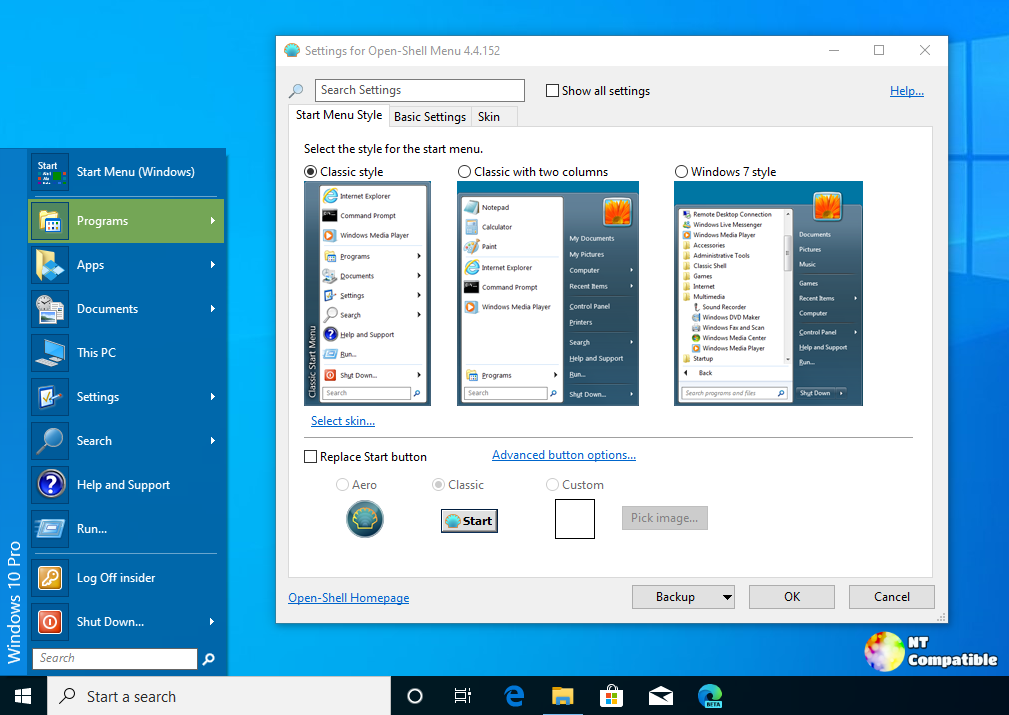
Here's a bit of history that's easy to forget. Classic Shell became a must-have mostly because of Windows 8, which quietly killed the classic Start menu and got panned for it. People rushed to restore the thing they'd lost. By the end of 2024, it had been downloaded roughly 40 million times.
Keep in mind that Open Shell isn't just a Start menu. It's a suite of three optional pieces: the Classic Start Menu itself, Classic Explorer for File Explorer, and Classic IE to bring back page titles and status-bar details. It's written in C++, translated into 30-plus languages, and it only touches Windows APIs. No system files patched, no registry keys rewritten. That's by design, and it's why the thing has been safe to run for years.
Two first-time contributions
The headline change for 4.4.201 is the accessibility overhaul. PR #2518 comes from @jbgrimsby, and it's one of the larger single changes the project has taken on in a while. It reaches into the settings dialogs across all three components.
The work mostly deals with screen readers. Settings checkboxes and radio buttons now get their correct MSAA roles and checked states. The tree gets proper navigation, so Left collapses a node and Right expands it, the way Windows does everywhere else. Tab order gets corrected. Focus behavior when switching between basic and advanced settings gets fixed.
Then there's the High-Contrast piece. Issue #2054 described a bright-orange color being used as a background, which squashed adjacent text until it was unreadable. This change uses the system highlight colors for the new-application indicator instead.
@jbgrimsby tested all of it against NVDA 2026.1.1, a free screen reader, capturing before-and-after accessibility data. Fairly thorough for a first PR.
There was a hiccup. During final testing on September 15, lead maintainer @ge0rdi (Rudi Perner) spotted a regression. Clicking "Show all settings" stopped refreshing the page. Searching blanked the screen. @jbgrimsby fixed it the same day, and he was candid about what happened. He admitted in the commit that he'd "broken its refresh for visual users" alongside the fix, since the tab-order change had also shifted sibling windows and pushed the active page behind the tab control. He removed the runtime reordering and handled keyboard traversal on its own. @ge0rdi confirmed it: "Now it seems to work properly. And I can confirm that keyboard navigation in settings now work much better than before."
The other change is smaller but genuinely useful. PR #2524 comes from @hxmid, also his first contribution. On Windows 11, the Start button gets locked to the left edge of the taskbar. If you run a custom skin that isn't pixel-perfect, you were stuck. This new setting lets you nudge the button horizontally. @hxmid demonstrated it with offset 0 versus offset 12, and @ge0rdi initially asked for tweaks. The contributor refined the patch, then stretched it so the offset works regardless of operating system instead of staying a Windows 11-only trick.
Why it matters
The stable channel still sits at 4.4.198, released May 12, 2026. Builds 4.4.199 through 4.4.201 all ship as pre-releases, which is how the project pushes ongoing work to testers before it becomes the default. The trajectory's been busy: 4.4.200 added automatic restart sign-on and the first digitally signed binaries, 4.4.197 brought DPI-scaling of custom Start-button images, and 4.4.196 gave the thing ARM64 support.
One warning worth repeating. If you're on Windows for ARM, don't go installing an older build. The project says dropping a stale version onto an ARM install, like Parallels on Apple Silicon, can make it impossible to log into your account on the next reboot. Stick with 4.4.196 or newer.
Two other things worth knowing. Open Shell binaries have been digitally signed since mid-2026, for free, through SignPath.io and the non-profit SignPath Foundation, which trims down false-positive antivirus flags. And it's all free and open source under the MIT License, as you'd expect.
It's a small release by the numbers. Five commits, 16 files changed, four contributors. But 4.4.201 leads with accessibility rather than yet another Windows 11 compatibility patch, and it came from two people making their first contributions, one of whom used an AI-assisted branch. That's a small but real signal of how open-source work is happening these days.
It's arguably a more mature move for a tool that spent most of its life as a "restore the menu we lost" utility. The accessibility work has real, lasting value for blind, low-vision, and keyboard-only users. The Start-button offset is a love-it-or-leave-it power-user tweak, but it answers a request that's come up a lot in the skinning crowd.
Head here to grab the 4.4.201 build. Stable users can keep running 4.4.198 until the preview track earns its stripes.


