NanaZip 7.0 ships with 7-Zip 26.05 sync and commits to rolling releases
A maintenance-and-alignment release that syncs the archiver to 7-Zip 26.05 and flips the whole project to rolling updates.
NanaZip's latest update is out today, and it does almost nothing you'd notice. That's arguably why you should care.
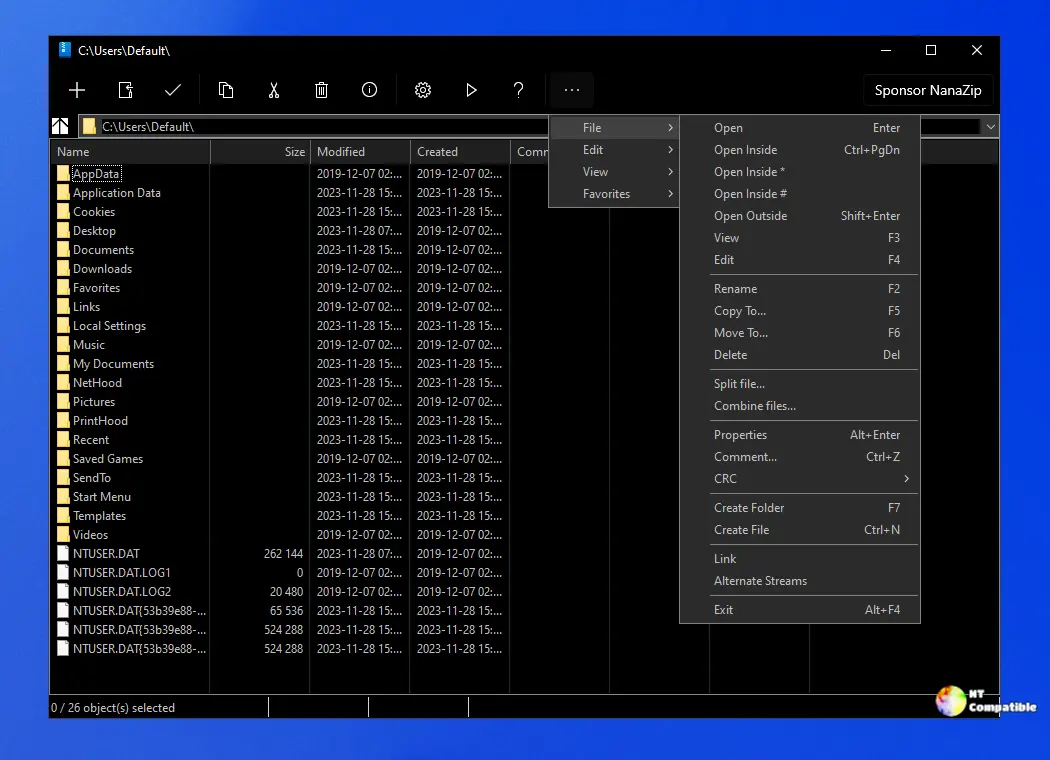
NanaZip 7.0, version 2610.2 (build 7.0.1882.0) is now available. There are no new features to unpack, no redesigned dialogs. Maintainer Kenji Mouri instead used this build to align the archiver's core with 7-Zip mainline 26.05, bring Brotli up to v1.2.1, and pull in the latest RHash. The ZS codec branch rode along, synced to upstream.
The real change is structural. From 7.0 on, the project runs on a rolling-release model. You'll now get frequent incremental updates instead of the occasional big-bang version you're used to.
Why this release matters
For most people, this build looks like a no-op. But archive security had a rough 2026.
A wave of CVEs has hit 7-Zip and its derivatives this year. NanaZip already patched four of them in its 6.5 Final release, including a NULL pointer dereference that crashed the app when handling certain archive types. It fixed a Mark-of-the-Web bypass in mid-2026 too, after a crafted RAR5 archive could strip the internet-zone marker off downloaded files. This new build inherits 7-Zip 26.05's latest hardening on top of that work, which closes the loop on issues like the NTFS heap overflow and the XZ heap buffer overflow that plagued upstream.
The result is straightforward. Keep NanaZip current and you inherit a stack of security fixes you'd otherwise have to track down yourself.
What NanaZip is and where to grab it
If you've never used it, NanaZip is basically 7-Zip's compression engine in a Windows 11 body. It keeps the proven algorithms but rewrites everything you touch. The right-click menu is native now, so there's no more digging through "Show more options." You also get Mica material, dark mode, and per-monitor DPI scaling.
It inherits a broader codec lineup from the 7-Zip ZS branch, including Zstandard, LZ4, Brotli, and Lizard. It can read ASAR files, .NET single-file bundles, WASM binaries, and comic-book formats, though many of the newer containers stay read-only.
Security mitigations run by default, from Control Flow Guard to CET Shadow Stack, with AES-256 encryption for password-protected archives. Enterprise admins can lean on Group Policy templates.
Install from the Microsoft Store if you can, since the native Windows 11 context-menu integration needs a code signature that only the Store or a properly signed build provides. The app ID is 9n8g7tscl18r. Skip that and grab an unsigned copy from GitHub, and that menu feature simply won't show up.
You can also pull it via WinGet with winget install -e --id M2Team.NanaZip. GitHub Releases, SourceForge, and My Digital Life Forums round out the official mirrors.
One caveat worth repeating: the portable builds target environments without MSIX support, like Windows PE or Wine. They drop context-menu integration, file associations, and the File Manager, and the project offers no support for them.
Community reception is broadly positive, though comment threads expose a few sore spots. Some users remain wary of the Store recommendation, and a handful report bugs that stick around, like text-file editing inside an archive hanging or dark-mode glitches.
If you're still on stock 7-Zip, NanaZip gives you nearly identical compression in a shell that doesn't look like it rolled out of 2010. It's free, MIT-licensed, and with the rolling-release shift, you'll probably see updates more often than before.
Head here to the GitHub release page.


