Windows 11 Insider Preview gets a redesigned context menu, built-in speed test, and phone controls
New Windows 11 Insider Preview builds landed October 23, delivering a refreshed right-click menu, a native internet speed test, and Quick Settings phone controls.
Microsoft shipped five new Insider Preview builds on that day, and while no single feature is a reason to upgrade your daily driver, the mix shows where the OS is heading. The announcement came from Stephen Lines on the Windows Insider Blog, where he leads much of the public Insider communications. Builds went out to the Beta and Experimental channels, plus dedicated tracks for the ARM-only 26H1 platform and the early Future Platforms channel.
The builds, and what they carry
The five builds each ride a different base. The Beta channel runs 26220.9757 on version 25H2 through an enablement package, while Experimental carries 26340.9767 on the newer 26H2 base via the same trick. Two ARM tracks round out the batch at 28020.3292 and 28120.3302 for Snapdragon-class hardware, plus the Future Platforms channel's 29695.1001, a platform-level build not tied to any specific release.
The Beta build kept things modest. Its headline work was a redesign of the File Explorer right-click context menu. Microsoft describes it as faster and cleaner, with reduced top-level clutter and common actions kept close at hand. A new Settings experience lets you control exactly what shows, a teaching tip walks you through it the first time, and the stated aim is to make right-click feel more responsive, predictable, and personal. Tucked quietly underneath is faster Settings home-page loading in certain scenarios.
Its most substantive addition is a built-in internet speed test that runs directly in Quick Settings, showing download, upload, and ping against your active connection. You can launch it from a new Speed test tile, from the Wi-Fi or Cellular flyout, or by right-clicking the network icon and choosing Test internet speed. No browser redirect. No tab clutter.
Phone controls arrive alongside it, folded into a new "Mobile devices" experience that keeps you inside Quick Settings. With a supported Android phone you can ring it, toggle Do Not Disturb, change the ringer mode, and play a sound to track it down. Android gets the fullest set. iPhone support is thinner and mostly limited to status readouts.
It also lets you filter the Windows Insider feature flags by whether they're enabled or disabled, a small but welcome bit of housekeeping for anyone who lives in there. There's a Magnifier toggle so pressing Windows logo key plus the plus key stops launching it accidentally (it stays on by default), plus inline management for Microsoft 365 subscriptions when recurring billing's been turned off and improved progress bars for slow network locations.
If you follow accessibility, the Narrator picked up math-reading support for eight more languages: Greek, Hungarian, Indonesian, Norwegian Bokmål, Polish, Russian, Swedish, and Vietnamese. The Widgets picker now uses a standard dialog frame with working light/dark title bars. The build also fixed a couple of genuinely annoying bugs, including one where explorer.exe wouldn't load after login and killed the taskbar.
The ARM tracks, and the quiet Unicode change
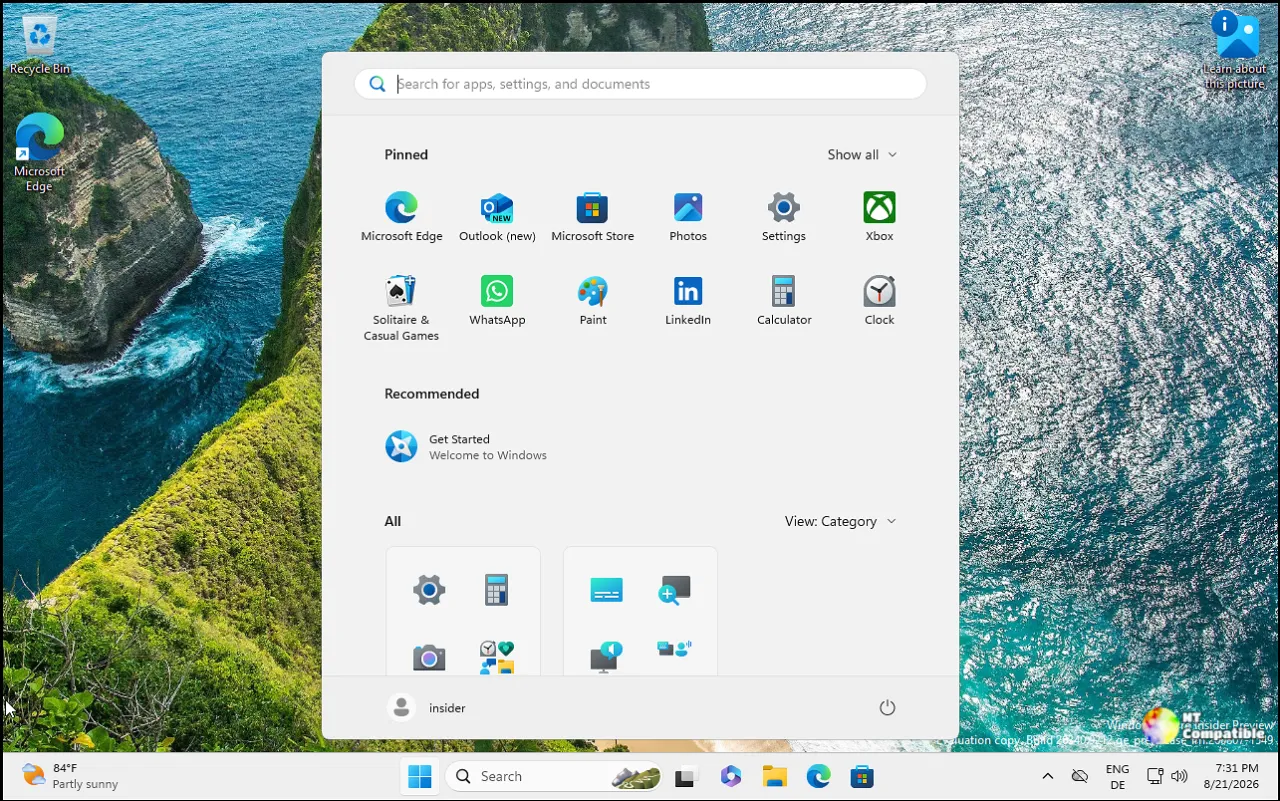
The Experimental 26H1 build (28120.3302) is arguably the richest of the lot. Its biggest change is expanded Start menu customization: pick a small or large menu beside the existing Automatic option, rename Recommended to Recent, and hide your name and profile picture. The settings page itself got a redesign with independent toggles for Pinned, Recent, and All.
Perhaps more interesting is per-app privacy for desktop apps. For the first time, camera, microphone, and location access can be managed app-by-app for traditional Win32 programs, rather than one device-wide switch. Existing choices are preserved, and apps simply prompt the first time they reach for a resource.
Magnifier got three meaningful upgrades too. A contrast theme reduces glare without full color inversion, so photos and videos keep their real colors. Per-monitor zoom lets each display hold its own magnification, and viewport locking (Ctrl + Windows logo key + K) holds the view steady while the cursor wanders elsewhere. A Cloud Rebuild entry point also landed under Settings, System, Recovery.
Both 26H1 builds introduced Unicode 17.0 text shaping support, which is the quiet change underpinning the whole week. Unicode 17.0 added 4,803 characters, pushing the total to roughly 159,801, and encoded four new scripts: Beria Erfe and Tolong Siki for modern use in Africa, Sidetic, an ancient Anatolian script, and Tai Yo. Text shaping determines how characters render, which matters most for complex scripts. It's invisible to most users, but it's exactly the infrastructure work that keeps an OS usable across thousands of languages. Not flashy. Kind of necessary, though.
The Future Platforms build (29695.1001) is where the oldest experimental changes live. It carried the Magnifier contrast theme and Family Safety messaging improvements, but it also logged a known issue: Recall may be missing or unable to launch on some Copilot+ PCs after a clean install. That same snag shows up in the 26H1 Beta build. Microsoft said it's working on a fix.
One aside worth flagging: this wave coincided with new hardware running NVIDIA's RTX Spark chip joining the Insider program. As of right now those chips aren't in stores yet, but they feed straight into what testers are seeing.
The headline known issue is Recall on 26H1. It may not launch on some Copilot+ PCs after a clean install, and Microsoft says it's working on a fix. The Future Platforms build, meanwhile, fixed several regressions from earlier flights: network connectivity, Hyper-V Plan9 shared-folder trouble with Linux VMs, an ESENT event flood, and a VMware green-screen bugcheck flagged as PFN_SHARE_COUNT.
Keep in mind that a lot of this reaches you through Controlled Feature Rollout, so not every Insider sees every change at once. Features can still be modified, removed, or quietly dropped before they ship for good. Microsoft hammered that point into the usual reminder.
Windows 11 Insider Beta Preview Build 26220.9757 - Windows Insider Program
Release notes for Windows 11 Insider Beta Preview Build 26220.9757
Windows 11 Insider Beta Preview Build 26220.9757 - Windows Insider Program
Windows 11 Insider Experimental Preview Build 26340.9767 - Windows Insider Program
Release notes for Windows 11 Insider Experimental Preview Build 26340.9767
Windows 11 Insider Experimental Preview Build 26340.9767 - Windows Insider Program
Windows 11 Insider Beta (26H1) Preview Build 28020.3292 - Windows Insider Program
Release notes for Windows 11 Insider Beta (26H1) Preview Build 28020.3292
Windows 11 Insider Beta (26H1) Preview Build 28020.3292 - Windows Insider Program
Windows 11 Insider Experimental (26H1) Preview Build 28120.3302 - Windows Insider Program
Release notes for Windows 11 Insider Experimental (26H1) Preview Build 28120.3302
Windows 11 Insider Experimental (26H1) Preview Build 28120.3302 - Windows Insider Program
Windows 11 Insider Experimental (Future Platforms) Preview Build 29695.1001 - Windows Insider Program
Release notes for Windows 11 Insider Experimental (Future Platforms) Preview Build 29695.1001


