PeaZip 11.2.0 adds F12 functions picker and backend updates to mature archiver
PeaZip 11.2.0 has landed. Developer Giorgio Tani released the update on July 12, 2026, steering the project toward workflow efficiency rather than a massive engine overhaul. The standout addition is a functions picker triggered by F12. You can search supported functions and apply the chosen command to selected items without digging through menus.
If you've been following the project, you know this isn't exactly breaking news territory. PeaZip launched back in September 2006. That's over 19 years of continuous development. The tool remains a free, open-source file manager and archiver for Windows, Linux, macOS, and BSD. This version keeps the backend current, bumping 7z/p7zip to 26.02 and Pea to 1.32.
Workflow tweaks and compilation shift
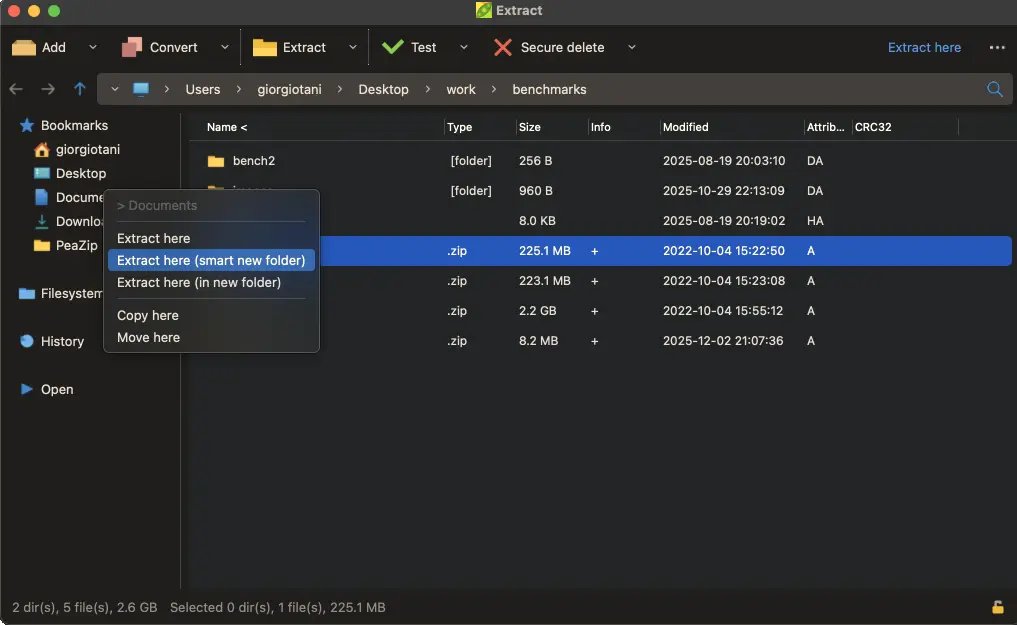
The update includes a few changes you'll likely use more than the picker. Keyboard shortcuts have been improved. Drag-and-drop behavior feels smoother. The file manager's auto-refresh also got some attention. If you use internal drag-and-drop to move files between archives or the file manager, that interface now shows options for adding to archives, extraction settings, and copy or move entries.
Next, the project shifts compilation to Lazarus 4.x. The sources still work with Lazarus 3.x and 2.x. That flexibility helps maintainers who might be stuck on older toolchains.
File extension support has crept up to 243 formats. The new entry is .ZIM, covering Wikipedia and Project Gutenberg data dumps. It's a niche format, sure. But if you're archiving digital library content, having it in the tool saves you from hunting for a plugin.
PeaZip doesn't try to be 7-Zip with a skin. It occupies a middle ground between a graphical file manager and a command-line utility. You can export tasks defined in the GUI as CLI scripts. That's useful for automation or just figuring out the command line syntax for a complex operation.
Security features remain solid for a free tool. The archiver supports two-factor authentication for archives across all encryption-supported formats. You use a password plus a keyfile. It thwarts dictionary attacks on weak passwords. Not something most home users need, but vital for sensitive data.
The PEA format is worth a mention. This is PeaZip's native format. It offers authenticated encryption with integrity checks ranging from checksums to cryptographic hashes. It supports multiple volumes and three levels of control. It's not the default, but it's there if you need the extra assurance.
Compared to commercial rivals like WinRAR or WinZip, PeaZip offers consistency. The GUI is identical across platforms. That's rare in the archiver space. Windows, Linux, macOS, BSD, even ReactOS. You get the same tool everywhere. It's also portable. Packages run from removable devices or network shares without installation. Windows users can grab Winget packages. Linux users have DEB, RPM, TGZ, and Flathub options. BSD gets binaries too.
Size-wise, Windows packages run between 6.51 MB and 7.15 MB. Linux builds vary from 9.48 MB to 20.02 MB depending on the GTK or Qt widgetset. BSD sits at 9.63 MB.
Keep in mind that the project has a history of rejecting adware. Prior to version 5.3, installers bundled OpenCandy. Later releases cleaned that up. The current software does not collect user data. The website doesn't either. Documentation is under GNU FDL.
Some caution is needed regarding downloads. The domain peazip.com is not affiliated with the project. Some Microsoft Store publishers might not be either. Stick to official sources.
Head here to grab the latest release from GitHub. You can also find archives on SourceForge or Flathub. SHA256 hashes are published for verification. The packages are not digitally signed, but the hashes are cryptographically strong.
PeaZip moves at its own pace. Releases come roughly every one to two months. It's not flashy. It doesn't promise to revolutionize file compression. It just works, supports obscure formats, and respects your privacy. If you need an archiver that doesn't nag you, that's a valid choice.


