RetroBar 1.22 brings language switching and .NET 10 to Windows nostalgia lovers
The open-source taskbar replacement gets 19 contributors and 8 new languages, proving it's more than just a pretty face for Windows 95.
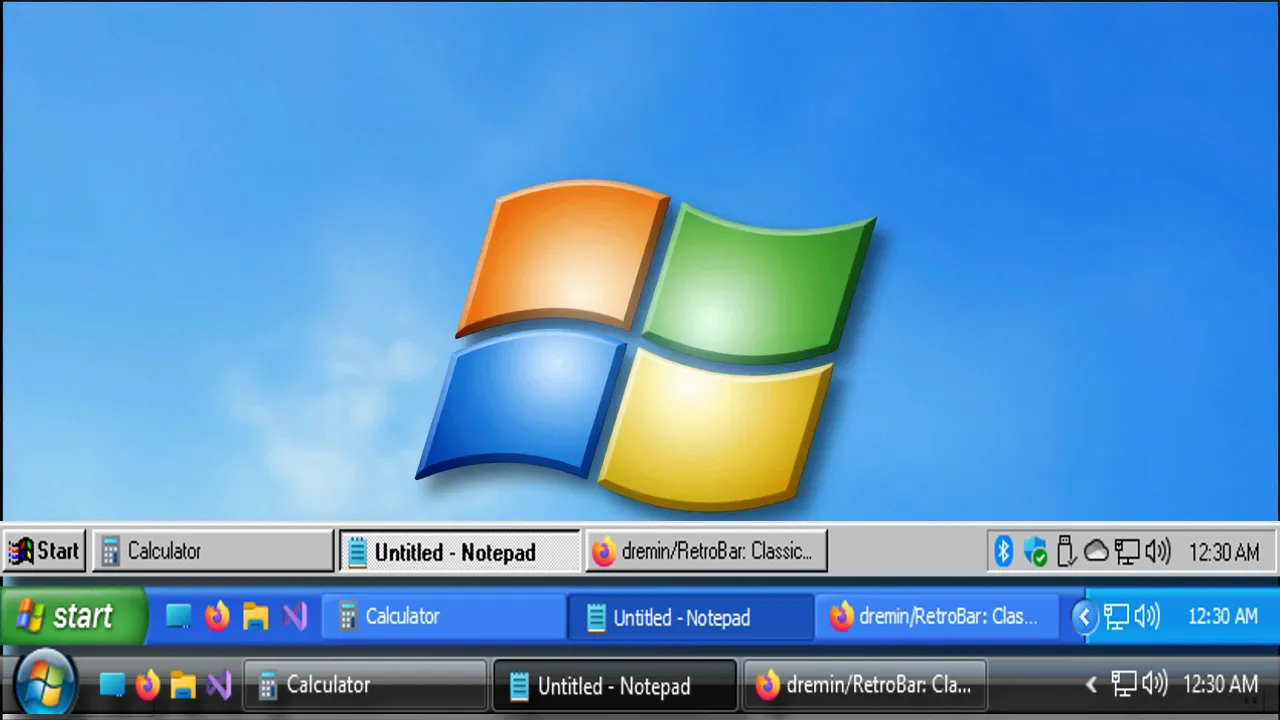
RetroBar, the popular open-source alternative that replaces the modern Windows taskbar with classic skins, has shipped version 1.22. Maintainer dremin published the release today, and the changelog is packed with long-requested features alongside a major infrastructure shift.
If you're running Windows 10 or 11 and find the taskbar customization options about as available as a snowball in July, RetroBar has been a reliable stopgap. This update strengthens that position significantly.
What's New in v1.22
The headline feature is input language switching. For the first time, you can change your keyboard layout directly from the taskbar. The original request dates back to issue #68, which is old enough to remember dial-up. Contributor SlavaArduino12345 finally closed the gap.
Notification area icons can now be rearranged by dragging. This addresses a usability friction that's persisted since the dawn of the system tray. Big thanks to xoascf for the code.
For users who prefer the raw aesthetic of older Windows themes, a new toggle disables the blur effect behind transparent taskbars. Context menu font smoothing also gets its own control, independent of the rest of the UI, thanks to rmnmjw.
And there's a small quality-of-life tweak: dragging a file onto the "Show Desktop" button at the far right now triggers it automatically. Clicks are optional.
Under the Hood
The biggest change is the migration from .NET 6 to .NET 10. This isn't just a version bump. You'll see performance improvements and better hardware acceleration, including functionality over Remote Desktop sessions.
Users updating from older builds need to ensure .NET 10 is installed. The installer handles this automatically, but portable users need to grab the runtime themselves.
On top of that, the distribution page now serves both the installer and portable builds from a single location.
The translation coverage has jumped dramatically. Eight new languages joined the roster in this release: Belarusian, Danish, Icelandic, Macedonian, Maltese, Norwegian Bokmål, Slovak, and Welsh. That brings the total to over 45 languages.
Contributor Traindere is doing the heavy lifting, touching nearly every string across all supported languages.
If you're keeping score, RetroBar v1.22 includes contributions from 19 unique people. That includes first-time submitters and long-time collaborators handling bug fixes, theme accuracy, and localization across multiple languages.
At this point, that level of community engagement is unusual for niche utility software. The project now sits at over 4,300 stars, 333 forks, and 1,376 commits. A Discord server has also launched, giving theme creators and users a place to coordinate outside of GitHub issues.
Installation Notes
A couple of things to watch out for. The installer is unsigned. If you try to run it on a stock Windows install, Defender will likely flag it. You'll need to click "More info," then "Run anyway."
The portable version skips this friction entirely. Head here to grab RetroBar 1.22 from the GitHub release page.
RetroBar 1.22 is a solid reminder that the open-source community can keep pace with Microsoft's ecosystem changes while giving you back control over your desktop. The combination of modern underpinnings and classic aesthetics is hard to beat, and this release proves the project has the community support to keep improving.


