Today's hardware reviews roundup span air coolers, power supplies, a keyboard gizmo, and two very different SSDs, and they mostly prove the spec sheet understates the story. The Scythe MUGEN 6 White Edition earns a 7.6/10 at about $56 with dual-tower performance but only a two-year warranty. The Gigabyte UD750GM PG5 V2 scores 8/10 as a $98 Platinum-efficiency PSU, though its shared EPS cable limits some motherboards. Meanwhile the KIOXIA EXCERIA G3 delivers blistering reads but a brutal write cliff once its cache fills, the SanDisk NAS 800 offers premium endurance for a premium price, and the GMK TriggerKey is clever engineering that misses its real target.
Today's hardware reviews: a $56 white cooler, a Gen 5 SSD with a brutal write cliff, and a keyboard trick you probably don't need
Five recent reviews span cooling, input, power, and storage. They all circle back to one point: the spec sheet usually stops short of the truth.
Five hardware reviews landed in the first week of October, covering air coolers, power supplies, a mechanical-keyboard gizmo, and two very different solid-state drives. Read them one at a time and you get clean, individual verdicts. Stack them back to back, though, and a pattern shows up. Too many of these products are selling you exactly half the story.
Value picks that mostly hold up
Let's start with the two "bang for your buck" entries, since they're the easiest to recommend and each carries an asterisk you won't spot on Amazon.
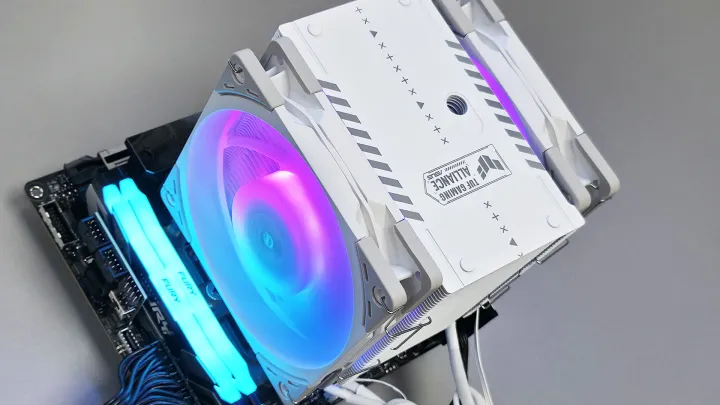
The Scythe MUGEN 6 White Edition (TUF Gaming Alliance) is basically the original MUGEN 6 with a frost-white finish and a couple of ARGB fans bolted on. Funky Kit re-tested it against a current-gen CPU to check whether the older design still makes sense. For most people, it does. It earns seven-point-six out of ten, plus a Recommended Award, and it costs about $56.
It's a single tower that, per the review, "performs like a dual tower." It handles roughly 200 W of CPU power comfortably, then starts throttling once power unlocks past 250 W. That's perfectly fine for a gaming-optimized mid-shelf build. It's not fine if you're pushing an unlocked top-end chip. The only cooler in the test that kept a high-wattage CPU cool without throttling was the Noctua NH-D15 G2, which costs about twice as much.
Funky Kit flagged the two-year warranty as short, and keep that in mind before you commit. Three to six years is more typical these days. (At 2500 RPM the fans get loud, by the way, which is why the reviewer basically concluded that unlocked gaming CPUs simply don't need this cooler anyway.)
Funky Kit: Scythe MUGEN 6 White Edition TUF Gaming Alliance CPU Cooler Review
Equipped with new Wonder Tornado 120 ARGB High performance fan. Equipped with 2 frost white Wonder Tornado ARGB fans. Max speed in 2500 RPM, excellent thermal efficiency. ARGB lighting effect, best for transparent visual case build.
Scythe MUGEN 6 White Edition TUF Gaming Alliance CPU Cooler Review - Funky Kit
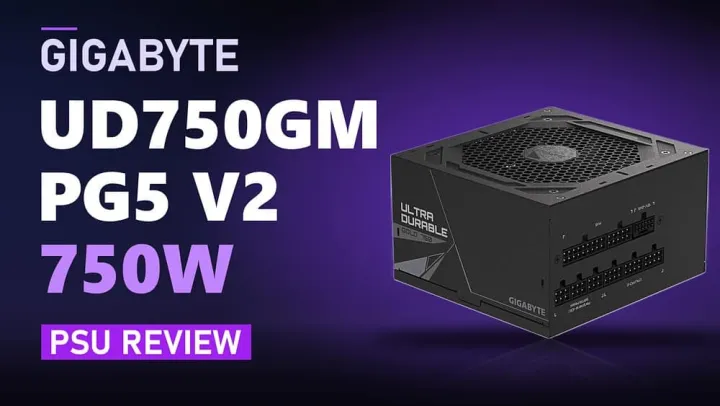
On the power side, the Gigabyte UD750GM PG5 V2 is a 750 W ATX v3.1 supply doing Platinum efficiency and offering a decade of warranty for roughly $98. Hardware Busters scored it 8 out of 10. Its 12 V regulation is tight, hold-up time is long, and the enclosure is small enough that cable routing stays sane. Watch for the V2 designation when ordering, though, since older PG5 listings differ and the white SKUs go by the "ICE" name.
There is a wrinkle, of course. Both EPS connectors share a single cable, which limits you on power-hungry dual-EPS motherboards. The over-current protection reads as a bit aggressive, and the fan runs louder than the reviewer would prefer. Not deal-breakers for a typical gaming rig, but worth knowing if you're pairing this with something thirsty.
Hardware Busters: Gigabyte UD750GM PG5 V2 750W ATX v3.1 PSU Review
Gigabyte UD750GM PG5 V2 review: a 750W ATX PSU tested at 115V for efficiency, noise, protection settings, and ATX v3.1 power excursions against 21 rivals.
Gigabyte UD750GM PG5 V2 750W ATX v3.1 PSU Review - Hardware Busters
Where the numbers get complicated
The storage section is where this batch gets most interesting, mostly because the two drives here sit nearly perfectly opposite one another.
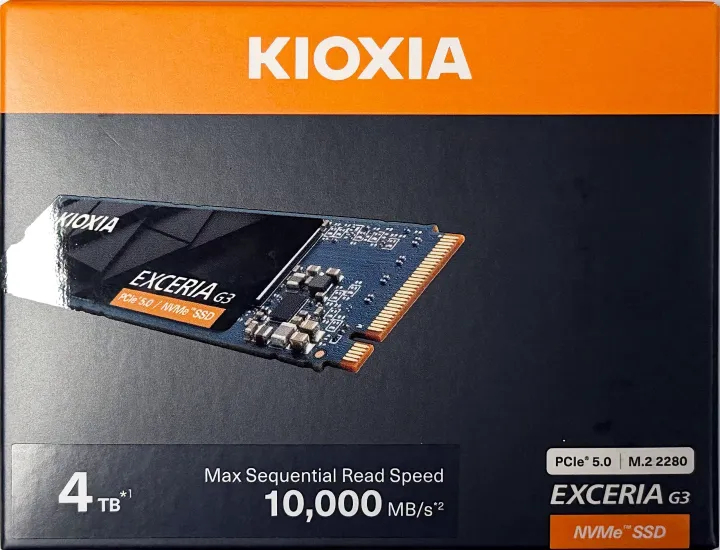
The KIOXIA EXCERIA G3 is the budget Gen 5 entry, with up to 10,000 MB/s reads and a full 4 TB of KIOXIA's own BiCS8 QLC flash. igor'sLAB pegged a "fair" price at around €400 to 430, mainly because there's no reliable EU stock to compare against. On paper it's a stunner. The reviewer measured a sustained ~10,193 MB/s read average and a big fast-write region that held out for over 800 GB on a nearly empty drive.
Then the cache fills up, and writes collapse to roughly 279 MB/s for the long haul. That isn't purely heat, either, since the initial dip arrives before the thermal activity kicks in. It also logged thermal interventions at up to 81 °C. Great for read-leaning use. Terrible if you're churning through video edits or anything write-heavy. The strict 8K30 ProRes test failed on both read and write.
IgorsLAB: KIOXIA EXCERIA G3 4 TB Review: PCIe 5.0 SSD
The KIOXIA EXCERIA G3 4 TB reads at 10,500 MB/s; after around 815 GB of write cache, write speed drops to 279 MB/s, with thermal intervention under sustained load.
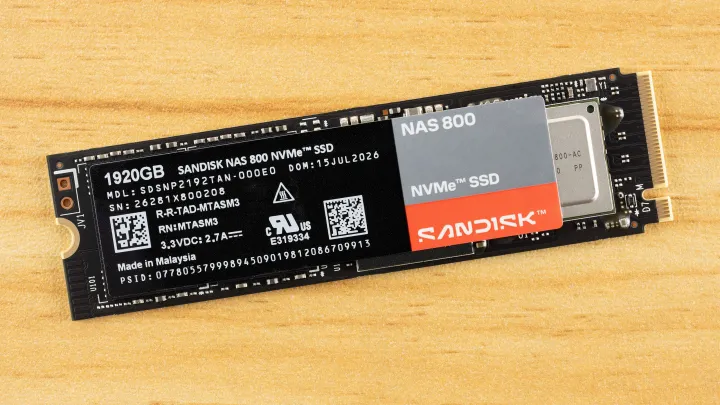
The SanDisk NAS 800 goes the opposite direction. At $559.99 for 1.92 TB, it isn't chasing speed for its own sake. It's an endurance play, essentially a NAS-retuned version of the very capable Optimus GX Pro 8100. Tom's Hardware calls it a "premier" drive and a fast, durable, expensive workhorse. High TBW, exceptional sustained writes, excellent low-latency random 4 K. The catches are the price and mediocre power efficiency.
There's almost no direct competition in the NVMe NAS niche, which is partly why the premium sticks. If you're actually building a NAS or a small business server, it's arguably the best option out there. Use it as a mere game drive instead, and you're paying a lot for a niche you don't have.
Tom's Hardware: Sandisk NAS 800 1.92TB SSD Review: Endurance at a premium
A fast, durable, and expensive NAS workhorse
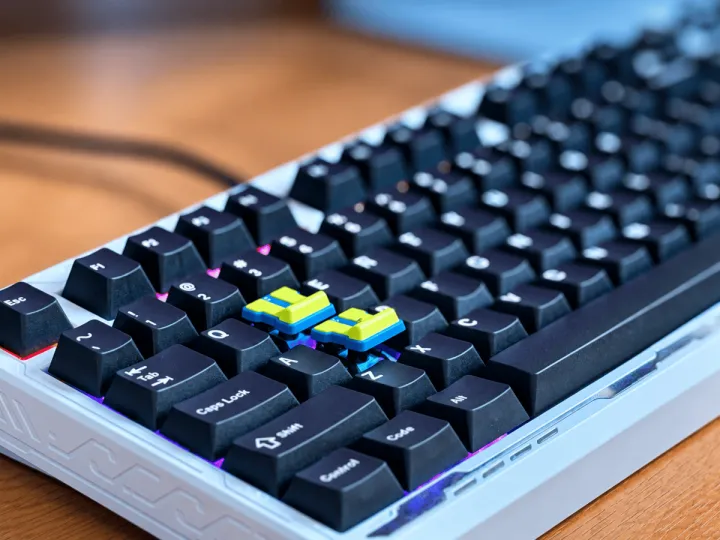
And then there's the GMK TriggerKey. For $49 this tiny lever snaps onto a standard mechanical switch in place of your keycap, turning a straight press into a forward "trigger" pull. It's an accessory, not a keyboard.
It's clever and well-made, offering a surprising amount of adjustment for something that small. Tbreak's reviewer found the feel genuinely good. He just couldn't find a reason to keep it installed. On a traditional mechanical switch, the extra travel buys you nothing, because the switch is binary, so all that movement before actuation is just movement, and nothing registers.
Here's the kicker: the thing would actually make sense with Hall Effect keyboards, which can map lever travel to granular actuation. That's exactly the segment the TriggerKey doesn't support. Its biggest missed opportunity lines right up with what it can't do.
Tbreak: GMK TriggerKey Impressions: Clever, Needs the Right Switch
GMK TriggerKey feels like a real trigger on WASD, but the extra travel adds little on a mechanical switch. Hall Effect is where it could shine.