UniGetUI 2026.2.2 Drops WinUI for Good, Lands Full Avalonia Overhaul
The package manager finishes its framework migration and adds Windows 11 Snap Layouts support.
UniGetUI 2026.2.2 has officially completed its long-running shift from WinUI to Avalonia, dropping the remaining Microsoft framework code for good. If you tracked the beta phase over the last several months, you already knew this framework pivot would take time. The engineering team spent weeks gutting WinUI dependencies while reconstructing the interface layer from the ground up. This latest release finally removes those leftover components. You are now running a fully Avalonia-powered package manager.
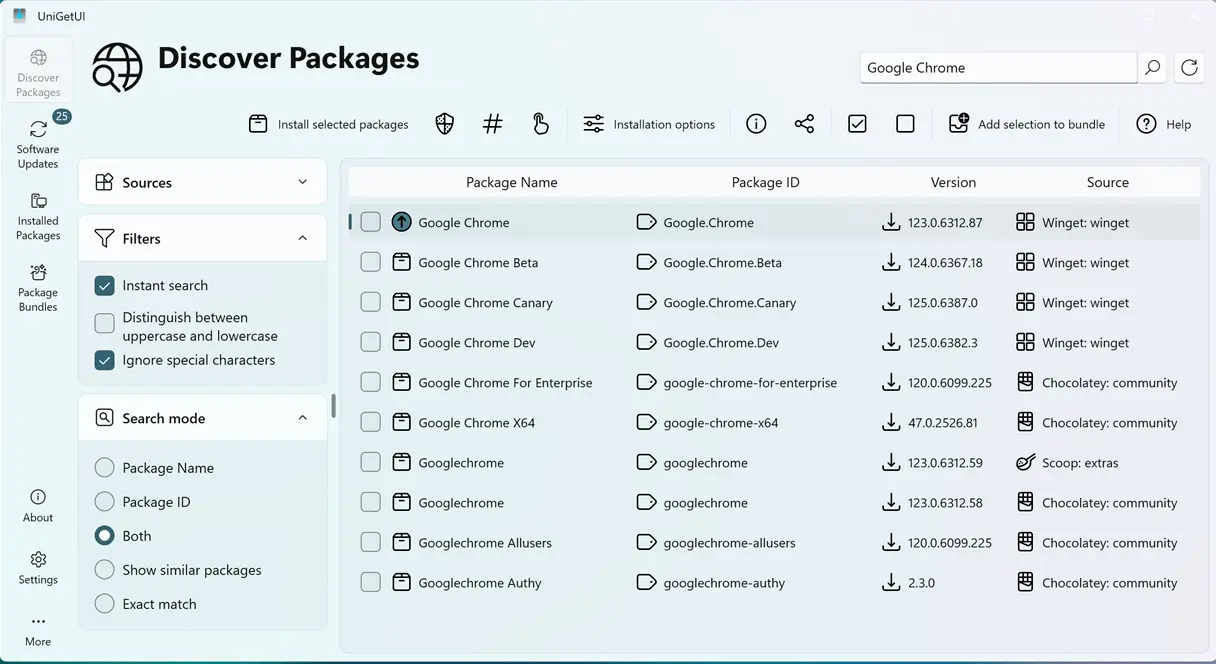
What Changes in the Interface?
The layout now matches WinUI styling much closer, though it’s doing the heavy lifting through a completely different engine. Package lists, navigation bars, and dialog boxes got a fresh pass. Column headers, hover states, and selection indicators were tightened up to feel less like a custom wrapper and more like native Windows software. The sidebar got some logical reorganization too.
If you hover over the maximize button on Windows 11, you’ll finally see Snap Layouts appear. It’s a small detail, but the kind of thing that makes app switching actually feel integrated with the OS. Empty and loading states now show actual illustrations instead of blank space or spinning cursors. That visual feedback cuts down on the guesswork while things download.
The operation log window got a practical fix. Automatic scrolling used to jump you around the moment you tried to read older entries. Not anymore. You can scroll back through the logs without the window fighting you. Smaller footprints. Leaner builds.
Smaller Footprint, Leaner Builds
One of the quieter wins here is the package size. By stripping out unnecessary runtime dependencies and tightening compression settings, the installer and distribution builds are meaningfully smaller. Framework migrations in the Windows desktop space rarely go smoothly. The last time a major toolkit shifted like this, compatibility tables got longer than the documentation. But Avalonia’s cross-platform architecture tends to hold up better under the hood.
The development side got some love too. Dependency cleanup, internal refactoring, and pipeline optimizations are on the docket. The team is essentially turning the crank on maintenance so future updates don’t drag their feet.
Keep in mind that this update focuses on structural shifts rather than feature bloat. It’s not exactly a revolution. The core functionality hasn’t changed, which is exactly how a package manager should behave. You want it to install software, not reinvent the interface every quarter. However, at the same time, the WinUI-to-Avalonia switch does solve a real pain point. Basing the app on Avalonia removes the framework lock-in that always loomed over WinUI projects.
Head here to check the full changelog if you’re curious about the exact file hashes. You can grab UniGetUI 2026.2.2 directly from the project’s GitHub releases page or via your existing package manager.


