Visual Studio Code 1.128 Brings Multi-Chat Claude Sessions and GA Copilot Vision
Microsoft's July release pushes GitHub Copilot harder with parallel agent conversations, multimodal image understanding, and system-wide hotkeys.
Visual Studio Code 1.128 dropped on July 8. If you are watching the Agents window, there is a lot to unpack. Microsoft is doubling down on GitHub Copilot this month, bringing multimodal image understanding to general availability while adding parallel chat threads inside Claude agent sessions.
The editor has been quietly rebranding itself as an AI-native environment for the past several months. The Agents window, which launched in preview earlier this year, is now mature enough to handle forked conversations, read-only subagent monitoring, and BYOK model tuning without breaking a sweat. Copilot Vision reaching GA is another meaningful shift. Image and PDF reasoning is no longer locked behind a paid tier flag or buried under preview policy toggles.
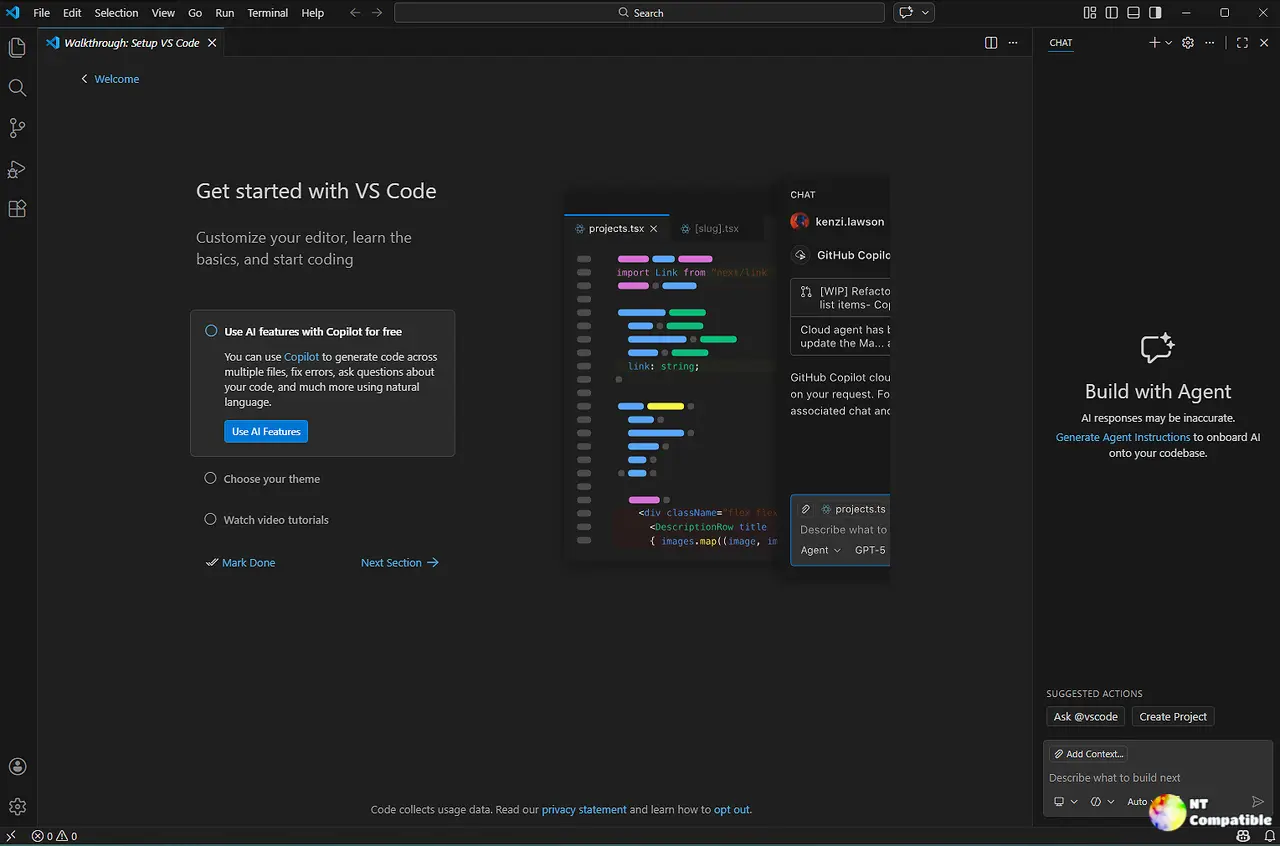
The Agents Window Gets More Muscular
Running multiple chat threads inside a single Claude session is the headline here. Powered by Anthropic's Claude Agent SDK, the new setup lets you compare approaches across parallel chats, fork any earlier turn to test an alternative path, or run entirely independent peer conversations under one session umbrella. Each child chat keeps its own history, title, and model selection.
Keep in mind that these workspace-less quick chats live in a dedicated section and skip the Changes and Files side panes. You can trigger them with the plus button in the header or just press the + key. They require the chat.agentHost.enabled setting and an organization-level agent host enablement, so smaller teams will need to adjust their setup.
Subagents launched by the main chat show up as read-only peer chats. They are hidden from the tab strip by default, but you can find them through the Conversations menu, the running-subagents chip, or an inline pill in the parent transcript. Live progress updates keep you in the loop without interrupting the worker agents.
Navigation got a dedicated set of shortcuts scoped to the Agents window. . creates a new chat, ← and → swap between open conversations, x closes the active tab, and Shift + x removes a non-main chat. A searchable picker pulls both open and archived sessions. Clicking a deep link with a session= query parameter now opens the right workspace and focuses the exact chat you want. Remote tools can finally route developers straight into an active Copilot conversation instead of dumping them at a generic editor launch.
Copilot Vision, System Hotkeys, and Enterprise Controls
The pricing strategy for Copilot Vision has shifted a few times since the feature first rolled out. Microsoft removed the admin policy requirement this month, which means free-tier users can finally run visual code reasoning without chasing an IT ticket. Paste screenshots, drop in diagrams, or attach PDFs directly into Copilot Chat, plan, or ask modes. JPEG, PNG, GIF, WebP, and PDFs are all supported. The feature works in VS Code Chat, github.com Copilot, and the CLI.
VS Code now supports OS-level keybindings that fire commands even when the editor is not focused. A systemWide: true flag in keybindings.json can summon the Agents window from a global hotkey. That fits a clear trend. Microsoft is treating VS Code as an always-available assistant rather than a window you have to alt-tab into.
Bring Your Own Key workflows got two meaningful additions. You can now set modelOptions.temperature and modelOptions.top_p per model in your JSON config, or pass null to skip them entirely. The new chat.byokUtilityModelDefault setting also controls whether background tasks like chat title generation or commit message drafting use a default GitHub Copilot model when your main agent is BYOK. Before this, those background tasks just sat idle.
The embedded Chromium browser tab placement is finally configurable through workbench.browser.newTabPlacement. You can keep it in the active group, lock it to a dedicated side group, or open it in a separate auxiliary window. Enterprise teams watching telemetry will appreciate the new OpenTelemetry routing controls, which let organizations mandate where Copilot sends OTLP data, configure exporter headers, and decide whether prompt content gets captured. Managed values override environment variables and user settings.
Microsoft says the shift to Anthropic's structured agent framework positions VS Code as one of the first mainstream IDEs with native support for Claude's agentic behavior. It is a lot of AI surface area for a single monthly update. The multi-chat and deep link features feel genuinely useful, especially for teams juggling parallel implementation paths. Vision on the free tier removes a real friction point, though the requirement for organization-level agent hosting means some workflows will need to adapt. The editor is leaning into the ambient assistant model, and 1.128 shows exactly how that is supposed to feel.
You can grab the stable build for Windows, macOS, and Linux directly from the official download page. Head here to review the full release notes and preview channel details for the read-only subagent chats.


