Microsoft's Windows 11 version 26H2, also known as the 2026 Update, reached general availability on September 29, 2026, and eligible devices can install it right now. Rather than a heavy full OS reinstall, the update ships as a lightweight enablement package that activates features already baked into 24H2 and 25H2 systems, so you get a small download with just one restart. Highlights include an Agent in Settings, AI-driven Task Manager monitoring, enhanced Start menu and search controls, plus enterprise security wins like post-quantum cryptography and built-in Sysmon. Microsoft warns of a few known issues around USB audio, domain-joined machines, and black screens on Azure Virtual Desktop hosts while it expands the phased rollout over the coming months.
Windows 11 26H2 is now rolling out to everyone
Microsoft's Windows 11 2026 Update is here, shipped as a lightweight enablement package so you don't have to reinstall your whole PC to get it.
Microsoft just declared Windows 11, version 26H2, officially out the door. Per the Windows Release Health hub, general availability landed on September 29, 2026. The status page puts it plainly: "Windows 11, version 26H2 has reached general availability... delivered using servicing technology, providing a fast installation experience."
And if you've got the "Get the latest updates as soon as they're available" toggle switched on, your machine may already be downloading it right now.
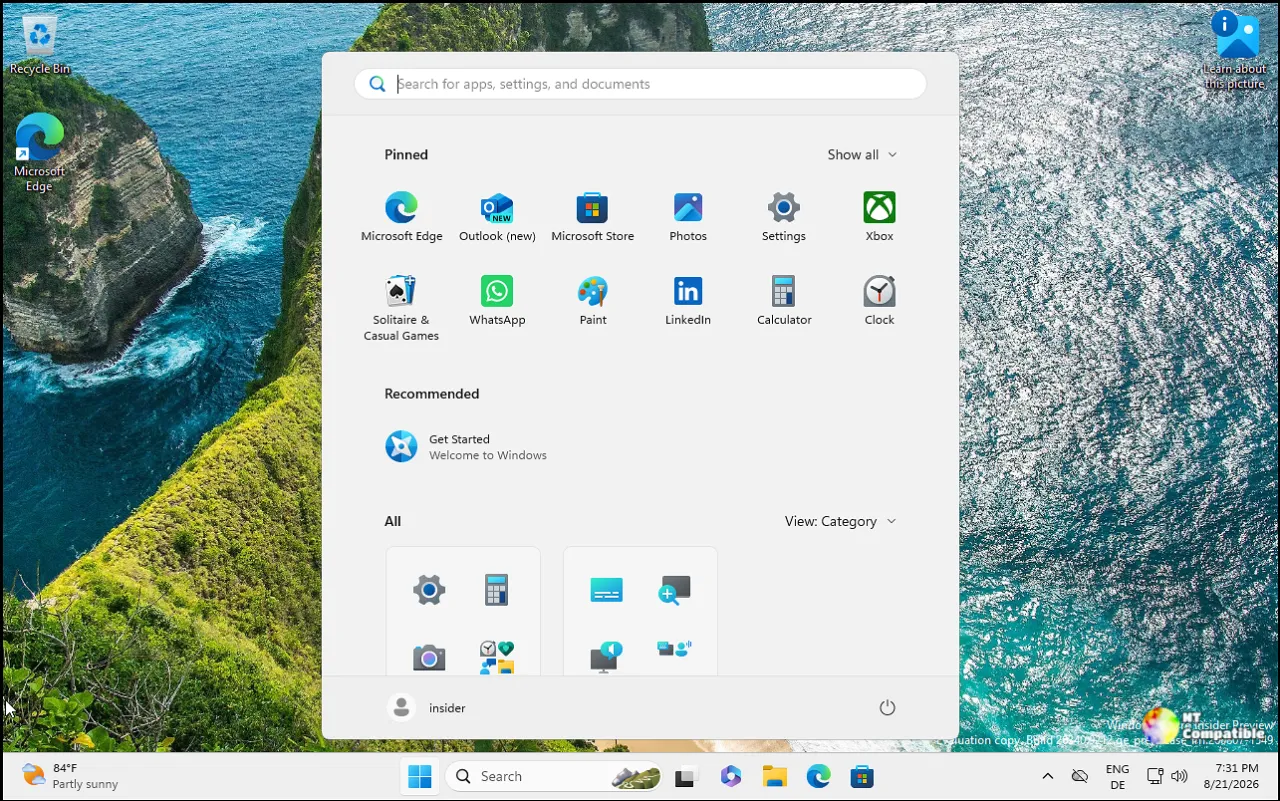
The framing here is worth unpacking. Microsoft doesn't really want you to think of 26H2 as a brand-new version of Windows. By the numbers it's the standard annual feature update, but the company is shipping it as an "enablement package." That's a mouthful for what's basically a switch you flip. It's also three years into Windows 11's life, which is exactly why this delivery method matters.
Why Microsoft calls this an "enablement package"
The short version: versions 24H2, 25H2, and 26H2 all share the same underlying codebase. The features Microsoft rolled out over the past 12 months were already sitting inside your install, just switched off or left half-baked. 26H2 simply wakes them up.
That's why the download stays small and the install stays quick. You get a single restart, not the multi-hour reinstall dance that older feature updates used to demand. In practice, installing 26H2 feels a lot like a normal monthly quality update.
I'll be honest with you: this delivery trick is less about impressing anyone and more about removing friction. Nobody enjoys being trapped behind a giant OS upgrade, and a smaller download with a fast restart is really the minimum you'd expect by now.
The consumer-facing changes
The biggest talking point is AI baked into the basics. There's now an Agent in Settings that lets you hunt down a control using natural language. Task Manager gains AI and NPU monitoring so you can actually see what your neural processing unit has been up to. The enhanced Narrator gets richer image descriptions, and the Start menu lets you resize it, hide your account name, and toggle individual sections.
Then there's the smaller polish. Windows Search gets a cleaner layout, File Explorer shows file sizes more intuitively, and Voice access now handles noisy rooms better through something called Voice Isolation.
You can share audio across multiple Bluetooth devices at once, let several apps use your camera simultaneously, and resume tasks between your Android phone and PC. Not every feature lands everywhere, though. Availability still varies by device and market.
The stuff IT teams will actually care about
Enterprise customers get the bigger stack of changes, and honestly it's the more interesting half of this release.
Security leads the way. Administrator protection now hands out just-in-time admin rights, so you aren't walking around with full privileges all day. Windows ships a built-in Sysmon for event capture (it's off by default, but configurable), and Smart App Control can finally be toggled without a clean install. There's also post-quantum cryptography support for the NIST-standardized ML-KEM and ML-DSA algorithms via CNG and .NET. Sounds like word-salad, but it matters once quantum computers get serious about breaking current encryption.
Management gets just as much attention. Point-in-time restore lets you roll a PC back to a recent automatic restore point, Windows Autopilot adds device association, RSAT now runs on Arm64, and policy-based app removal targets preinstalled apps on Enterprise and Education machines.
Known issues and the rollout schedule
Microsoft won't pretend 26H2 is flawless. Three issues were listed as mitigated as of the announcement.
Some USB Audio Class 1.0 devices stop producing sound or throw Code 10 after the September 8 update, and Microsoft is still working on a fix. Domain-joined machines can lose their secure trust relationship with the domain, particularly machine accounts protected by Credential Guard, because 26H2 now honors Machine Identity Isolation settings that only work against Windows Server 2025 controllers. Azure Virtual Desktop hosts running FSLogix have also reported black screens after sign-in.
Workarounds exist for all three, though you'll likely want a manual fix or a Known Issue Rollback handy.
Microsoft says it can apply "safeguard holds" to devices where it spots compatibility problems, so things may slow for a subset of machines before the rollout smooths out. Availability expands over the coming months through a controlled feature rollout. As of right now, you only get 26H2 fast if you've explicitly opted into early updates.
How to grab it
Open Start, go to Settings => Windows Update, flip on "Get the latest updates as soon as they're available," and check for updates. A single restart finishes the job. Commercial and education customers should deploy through Windows Autopatch or the Microsoft 365 admin center, validating applications and business workflows before widening the deployment.
One thing worth remembering: installing 26H2 resets the support clock. Home and Pro editions get 24 months of support from here. Enterprise and Education get 36. The first monthly security update for 26H2 lands October 13, 2026.
The broader point is that Microsoft is quietly perfecting a way to keep you current without the drama. Most of 26H2's real content already reached your PC over the past year. This update just makes sure it's switched on and that you're still getting security patches.
Head here to the Windows 11 26H2 Installation Assistant.


