Windows 11 version 26H2 (the 2026 Update) is generally available as build 10.0.26300, and Microsoft now serves the direct ISO from its software-download pages. The headline feature is the return of a movable, shinkable taskbar, alongside a resized Start menu, a local-first Search overhaul, and faster File Explorer. It ships as an enablement package, so a clean install from the ISO is the best way to get everything at once on compatible hardware. Just verify the SHA-256 hash before booting, since the download links expire after 24 hours.
Windows 11 26H2 ISO Is Ready to Download: The Movable Taskbar Update Ships
The Windows 11 2026 Update is out, and the direct ISO route is the cleanest way to get it.
Microsoft has made Windows 11 version 26H2 generally available. Its software-download page now lists it as the "Current release: Windows 11 2026 Update | Version 26H2," built on 10.0.26300. And the direct ISO is live.
The Windows 11 ISO is the move if you want a clean install or a virtual machine image. It's a multi-edition image that reads your product key and unlocks the right edition: Home, Pro, Education, Enterprise, and so on. An Arm64 ISO lives on a separate page. You download it, drop it onto a USB or DVD, and boot.
Before you do, one caveat worth stating plainly. Microsoft warns that installing Windows 11 on a PC missing the minimum requirements isn't recommended, those machines "will no longer be supported and won't be entitled to receive updates," and incompatibility damage isn't covered under warranty. So know what you're working with first.
What the 26H2 ISO actually gets you
The reason to grab the image is what's inside version 26H2, and the headline is the movable taskbar. It can sit on the bottom, top, left, or right edge of your screen via Settings => Personalization => Taskbar => Taskbar behaviors, with a live preview before it commits. Shrink it too, if you want smaller icons and less height. Both options died with Windows 11's 2021 launch. They're back.
It's an enablement package, so keep in mind you may already have most of it. 24H2, 25H2, and 26H2 share one servicing branch, meaning the features were delivered through monthly updates all year and 26H2 just flips a switch and resets the support clock. A clean install from the ISO gives you the whole thing at once, which is the real draw here.
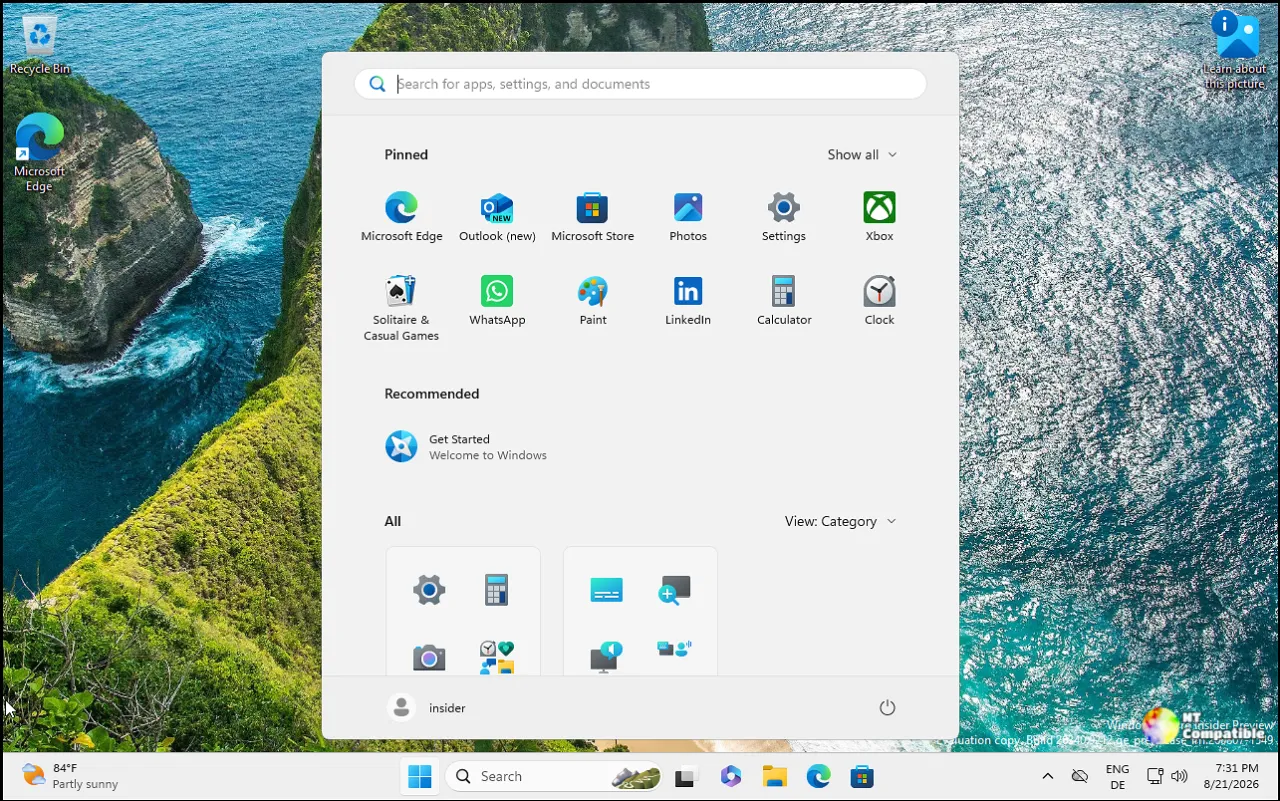
The Start menu gains preset sizes and independent toggles for Pinned, Recent, and All, plus a screen-sharing privacy option that hides your name and photo. Search gets a local-first overhaul: recent searches over trending junk, better handling of misspellings, and the ability to find files with as few as two characters.
The rest, condensed
File Explorer Home launches faster, does AI actions like summarizing OneDrive and SharePoint files without opening them (Microsoft 365 and Copilot license needed), and handles a few more archive formats like uu, cpio, xar, and NuGet packages.
On connectivity, multiple apps can use the camera at once through the new Multi-App Camera, and there's a stabilized Basic Camera mode. Bluetooth holds up better after hibernation and USB4 docks recover more cleanly from standby.
The enterprise half of the release is the long tail: administrator protection with just-in-time privileges, a built-in Sysmon for threat detection, Smart App Control toggled without a clean install, post-quantum crypto APIs per NIST's ML-KEM and ML-DSA, and post-quantum cryptography support landing via CNG and .NET. Several things that used to sit behind temporary commercial controls, options like Windows settings backup, app-specific taskbar actions, File Explorer enhancements, are now on by default.
And since you're installing fresh, you'll notice what's gone. WMIC is fully gone now, and it's no longer available as a Feature on Demand either. If your scripts lean on it, that's a migration.
System requirements before you boot
Windows 11 wants UEFI plus Secure Boot, TPM 2.0, an eighth-gen Intel Core or newer, second-gen AMD Ryzen or newer, at least 4 GB RAM and 64 GB storage, and a 9-inch 720p display. It's 64-bit only for x86-64 and Arm64, and 24H2 and later also require a x86-64-v2 CPU.
As a reminder, Windows 11 is the most-used Windows version right now, holding roughly 69% of global market share as of August 2026. Miss those specs and you're leaving the supported train.
Where to pull it
The Windows 11 26H2 ISO is downloadable now from Microsoft's software download pages x64 from the main page, Arm64 from the dedicated one. For a one-and-done clean install, that's the route. If you'd rather the OS do the work for you, the Installation Assistant and Media Creation Tool also serve 26H2 right now, but they're the shortcuts. The ISO is where you're in control.


