Windows 11 Experimental Preview Build 26300 gives users direct control over Start menu layout by renaming the Recommended section to Recent and adding independent toggles for pinned items. File search now recognizes partial keywords, so typing just april will pull up documents with compound names without forcing exact matches. The update also cleans up visual glitches on left or right positioned taskbars while introducing a touch swipe gesture to access them from the screen edge. A quiet fix resolves the infinite hang during local PC resets, letting users recover their systems without switching to cloud downloads.
Windows 11 Experimental Preview Build 26300 Fixes the Start Menu Mess
The latest Windows 11 Experimental Preview Build 26300 drops a handful of changes that actually matter for daily desktop use. This update tackles long standing complaints about the Start menu layout, adds substring search to file lookups, and patches a taskbar quirk that has annoyed people using non default positions. It also quietly fixes a known reset issue that left machines bricked during recovery.
Windows 11 Experimental Preview Build 26300 Tames the Start Menu
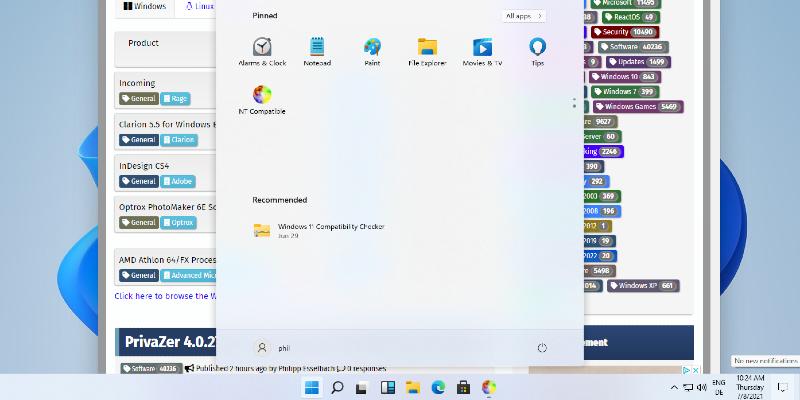
Microsoft renamed the "Recommended" section to "Recent", which makes more sense since that area actually shows recently opened files and apps rather than curated suggestions. The real win here is the new section level toggles that let users independently hide Pinned, Recent, or All items without breaking the whole layout. People who have spent hours dragging tiles around will appreciate being able to choose between small and large menu sizes alongside the existing automatic option. Hiding your name and profile picture from the Start screen also lands here, which helps anyone sharing a machine with guests or coworkers. The settings page got a visual refresh too, though it still feels like Microsoft is rearranging furniture in a room that needs new walls.
Substring Search and Touch Taskbar Fixes
File search now supports substring matching, meaning typing april will pull up MeetingNotesApril or AprilBudget without forcing users to type the full filename. This small change saves time when dealing with corporate naming conventions that ignore spaces entirely. The taskbar also received visual polish for alternate positions, fixing those awkward gaps and misaligned icons that show up when you move it to the left or right edge of the screen. Touch users get a new swipe gesture to invoke the taskbar from its new position, which actually makes sense since dragging a finger across empty desktop space never worked reliably before.
Recovery Patch and Experimental Channel Transition
Microsoft quietly fixed a known issue where resetting your PC would hang indefinitely during local recovery. The workaround was already to use cloud download instead of local files, but the underlying fix means users can now stick with offline recovery without waiting hours for a timeout error. Insiders should also note that this build belongs to the Experimental channel, which replaces the old Dev Channel naming as part of Microsoft broader program restructuring. The transition does not change how builds roll out yet, but it sets up a clearer path toward weekly or biweekly updates instead of the current unpredictable schedule.
Windows 11 Insider Experimental Preview Build 26300.8553 - Windows Insider Program
Release notes for Windows 11 Insider Experimental Preview Build 26300.8553
Windows 11 Insider Experimental Preview Build 26300.8553 - Windows Insider Program
Keep an eye on the Feedback Hub if any of these changes break your workflow. The experimental track still carries that familiar risk of random driver hiccups, so backing up important data before switching channels remains standard practice. Happy testing.


