Windows 11 Insider Preview gets new builds as NVIDIA RTX Spark devices hit shelves
Microsoft pushed fresh Windows 11 Insider Preview builds out to the Beta, Experimental, and Release Preview channels on October 16, and it timed the move. That same day NVIDIA launched its first RTX Spark–powered laptops and desktops. Microsoft's own write-up didn't hide the synergy, calling it "never been a better time to join the Windows Insider Program." A routine update drop and a flashy hardware launch, conveniently stacked.
Six separate builds went live this week. They span two current Windows 11 codebases plus the next-generation 26H1 track, which is why the build numbers jump around so much. The Beta channel (25H2) landed at build 26220.9739. Experimental (26H2) jumped to 26340.9750. The future-codebase builds are the ones most people skip over: Beta 26H1 hit 28020.3262, Experimental 26H1 reached 28120.3272. Release Preview, the near-stable channel, took 26200.9807 and 26300.9807 for the 25H2/26H2 split, plus 28000.3351 for 26H1.
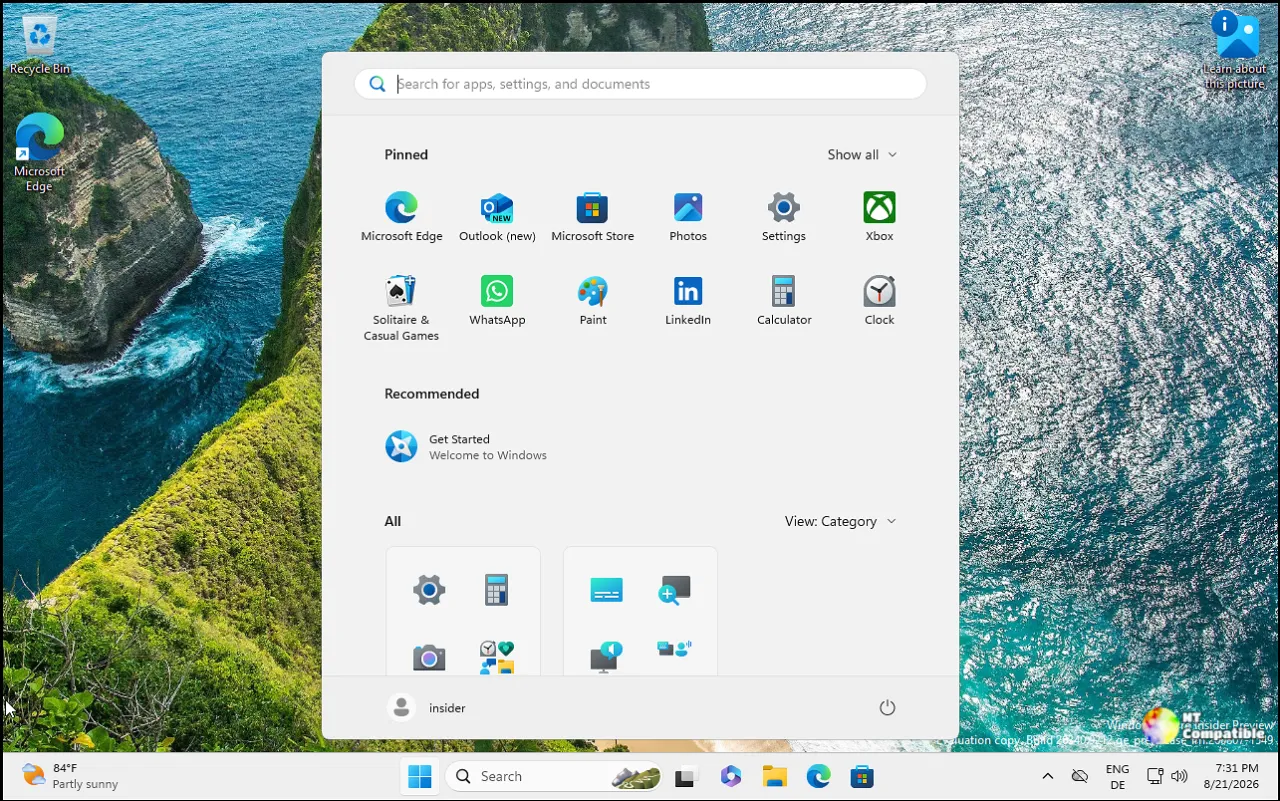
Those numbers aren't random. The 26220 build runs on this year's 25H2 through a small enablement package, a lightweight update that switches on the latest feature without a full reinstall. The 26340 sits on 26H2, the feature update Microsoft announced back in June. The 28xxx range is 26H1, the codebase for next year. Enablement packages sound like a backroom thing, but they're the reason you don't have to reinstall Windows just to get this year's features. Microsoft is now running today's Windows and tomorrow's at the same time, testing the new stuff first in Experimental.
There's also no "Future Platforms" build today. That separate, very-early branch simply wasn't touched this week. Worth knowing if you were refreshing the Insider dashboard expecting it.
What's new in these builds
The biggest consumer-facing change is a refreshed Gaming Task View inside XBOX mode. It adds a navigation bar with quick access to exit to the desktop and to power options, so you can quit a session or shut down without leaving the game UI. It's in both Beta and Experimental, and while it's a small touch, killing your session mid-game without a trip through layers of menus is genuinely annoying, so this clears some real friction.
The Beta channel also got the most useful accessibility win of the bunch. The Magnifier now understands each of your displays, so a coding screen can sit at 300% while a reference monitor stays at 150%. The old behavior stretched a single magnified blob across every screen and blurred the edges together. Not great for multi-display setups, which are basically standard now.
You hold a display's view steady by pressing Ctrl plus Windows key plus K. The locked screen stays live and interactive. Press the shortcut again to unlock, or Windows key plus Esc to release everything. Per-monitor zoom is on by default, though you can flip back to the classic single-zoom behavior if you prefer.
A handful of other items landed across channels. Windows Hello facial recognition gains an option to temporarily brighten your screen so sign-in works in a dark room. Web sign-in now works on Microsoft Entra hybrid joined devices, extending passwordless logins via a FIDO2 key, a phone passkey, or a Temporary Access Pass into the enterprise hybrid segment. File Explorer gets a cleaner search-results layout in Beta and more responsive folder views in Experimental. Windows Search picked up a reliability fix for the bug where search vanishes after an update, including the odd case triggered by mashing the search icon repeatedly.
The Run dialog refinements only apply if you've opted into the new version, improving right-to-left display languages, speeding up navigation into very large folders, and stopping typed text from spontaneously vanishing. Some of the rest is pure maintenance. The Beta 26H1 build was light, just Family Safety messaging improvements and a fix for an msmpeg2ac3dec.dll crash. Not every weekly Insider drop is a fireworks show.
The RTX Spark launch
Here's where the week gets interesting. The build announcement was pinned to a hardware milestone: RTX Spark devices, NVIDIA's push for a new category of "personal AI computers." NVIDIA calls the chip a "superchip" that reinvents PCs for personal AI agents.
The specs are the part that makes you do a double-take. The system pairs a Blackwell RTX GPU with 6,144 CUDA cores and fifth-generation Tensor Cores against a 20-core Grace CPU. That CPU was co-designed with MediaTek and links to the GPU through NVLink-C2C chip-to-chip interconnect. You get up to 1 petaflop of FP4 AI performance and up to 128 GB of unified memory. Laptops are pitched at as slim as 14 mm and as light as 3 lbs. Those are the most aggressive laptop specs NVIDIA has dumped on the market in years, for what it's worth.
Jensen Huang pitched it as a shift "from tool to teammate," framing the whole thing as: for forty years you launched apps, clicked, typed. Now you ask, and the PC does the work. NVIDIA claims the machines can render 90GB-plus 3D scenes, edit 12K 4:2:2 video, run 120-billion-parameter LLMs with up to 1 million tokens of context locally, and play AAA titles past 100 fps at 1440p.
The agent angle is where Microsoft really wants this to matter. NVIDIA and Microsoft built new Windows security primitives plus the NVIDIA OpenShell runtime so agents run under full user control, defining what agents can and can't do, routing queries to local models per your privacy policy, and masking personal data in cloud-bound queries. Agent builders including Hermes Agent from Nous Research and OpenClaw from the OpenClaw Foundation are building on the stack, with GitHub Copilot on Windows highlighted for splitting work between local and cloud AI. Adobe is rearchitecting Photoshop and Premiere Pro for RTX Spark, targeting up to 2x faster AI and editing, and NVIDIA says it has over 100 Windows software providers on board.
The devices aren't cheap. The Microsoft Surface Laptop Ultra starts around $2,599. The ASUS ProArt P14 and P16 bring 14- and 16-inch OLED pro laptops, Dell has a XPS 16 Creator Edition with a glass touchpad, HP's OmniBook Ultra 16 goes with a tower-hinge design, and Lenovo's Yoga 9n is a pen-support convertible. MSI is bringing compact desktops and laptops, with Acer and GIGABYTE models coming later.
Next, the ~$6,000 Surface RTX Spark Dev Box. That's a lot of money for a workstation, though it does represent the top of NVIDIA's ambitions here. Independent testing from Principled Technologies ran through September and October 2026, benchmarking the RTX Spark machines against the Apple MacBook Pro 16-inch with the M5 Pro across Unreal Engine, ComfyUI AI workflows, and llama.cpp inference. Keep in mind those results lean toward the vendors' setup, and real-world performance will vary by workload.
Why this matters
It's a reminder that Windows 11's annual update cycle keeps turning. 26H2 is live, and the 26H1 codebase is already being tested in the Experimental channel, which historically lands in the second half of the year. The accessibility additions are a genuine win too, especially the Magnifier work for multi-display and visually impaired users, and web sign-in expanding to Entra hybrid devices is a real step for corporate zero-trust security.
But the bigger story is the hardware pairing. This is the first time Microsoft has tied a routine Insider build to a major new silicon platform, signaling that Windows' agent-first, local-AI direction is now anchored to actual hardware that can run it on-device. However, at the same time, the jury's still out on whether on-device agents become something people use daily or just another demo slide.
Windows 11 Insider Beta Preview Build 26220.9739 - Windows Insider Program
Release notes for Windows 11 Insider Beta Preview Build 26220.9739
Windows 11 Insider Beta Preview Build 26220.9739 - Windows Insider Program
Windows 11 Insider Experimental Preview Build 26340.9750 - Windows Insider Program
Release notes for Windows 11 Insider Experimental Preview Build 26340.9750
Windows 11 Insider Experimental Preview Build 26340.9750 - Windows Insider Program
Windows 11 Insider Beta (26H1) Preview Build 28020.3262 - Windows Insider Program
Release notes for Windows 11 Insider Beta (26H1) Preview Build 28020.3262
Windows 11 Insider Beta (26H1) Preview Build 28020.3262 - Windows Insider Program
Windows 11 Insider Experimental (26H1) Preview Build 28120.3272 - Windows Insider Program
Release notes for Windows 11 Insider Experimental (26H1) Preview Build 28120.3272
Windows 11 Insider Experimental (26H1) Preview Build 28120.3272 - Windows Insider Program
Release Preview Build 26200.9807/26300.9807 - Windows Insider Program
Release notes for Release Preview Build 26200.9807/26300.9807.
Release Preview Build 26200.9807/26300.9807 - Windows Insider Program
Release Preview Build 28000.3351 - Windows Insider Program
Release notes for Release Preview Build 28000.3351.
As Microsoft reminds users, these preview features "might never get released." Some will be refined, some cut, and a subset will eventually reach everyone. As of right now, you're signing up to test unfinished code, regardless of whether an RTX Spark laptop is on your desk.


