Windows 11 Insiders get People widget, Bluetooth fixes, PowerShell 7 (Future Platforms)
Microsoft rolled out a fresh batch of Windows 11 Insider Preview builds on 20 November, spreading them across the Beta and Experimental channels and jumping back into the forward-looking Future Platforms channel.
The announcement came from Stephen Lines of the Windows Insider Program team. It confirmed new previews for the current-generation Beta branch (version 26H2), the older 26H1 servicing track, and a stack of Experimental builds. The biggest news isn't a feature, though. It's that Insiders can move into Experimental (Future Platforms) again after last week's pause, though doing so requires a full Windows reinstall.
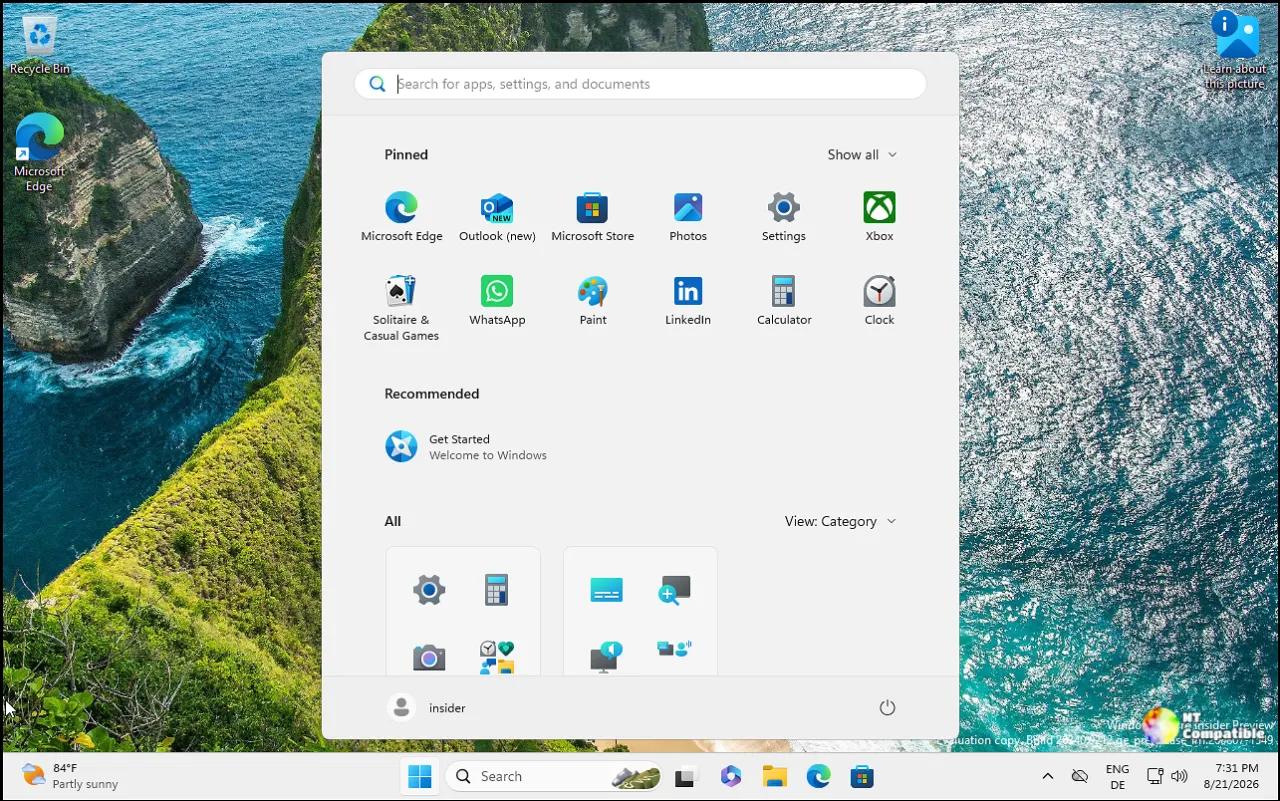
The builds at a glance
Microsoft released four builds alongside the Future Platforms one. Beta got Build 26320.10022, built off 26H2 via an enablement package, as did Experimental with Build 26340.10032. The legacy 26H1 servicing branch got its own pair: Build 28020.3562 for Beta (26H1) and 28120.3571 for Experimental (26H1). Then there's Build 29712.1000 for Future Platforms, which isn't tied to any retail Windows release.
Bluetooth audio, People widget, and Search
The most tangible consumer change is in Bluetooth audio. Microsoft now lets LE Audio devices play full-range stereo even while their mic is active, so game chat or Copilot Chat voice replies shouldn't tank your fidelity the way they used to. PCs supporting Super Wideband Stereo gain a new "2 channels, 16 bit, 48000Hz" option under Settings => System => Sound => Output. It's on Build 26340.
A new People widget lands on the Widgets board, pulling contacts from Phone Link and WhatsApp so you can jump straight back into a conversation. Hit Windows key + W, tap the plus button, and add it. Keep in mind contacts only show up once Phone Link or WhatsApp is set up.
Windows Search keeps expanding. The redesigned experience now adds rich results for definitions, currency conversions, and web queries. Microsoft is going further on 26H1: a single simplified list, inline actions like toggling dark mode or Bluetooth, and inline file previews with details like last-modified date and save location. English-only for now, but it's a real shift from the old Search box.
Behind-the-scenes servicing and reliability
There's a change you probably won't notice unless Windows decides to misbehave. Microsoft now rebuilds the Windows Recovery Environment from serviced OS components whenever a cumulative update lands, which reduces reliance on separate Safe OS Dynamic Updates. BitLocker users don't need to change anything. Other encryption solutions may need drivers folded into WinRE, though.
File Explorer gains quick date and file-type filters when search turns up too many hits, and 26H1 ships sharper thumbnails in the Recommended section on the Home page. Microsoft also lists reliability fixes for the Quick settings mobile experience and the Ctrl + Shift input-method switch. The missing Feature flags section that some Insiders lost last flight has come back too.
The Future Platforms channel returns
That forward-looking build (29712.1000) carries one headline feature: PowerShell 7 is now shipping natively in Windows, per the PowerShell team's own announcement.
The channel movement itself matters more for some people than the single feature. Movement into Experimental (Future Platforms) resumes this week after last week's pause. There's a serious caveat, though. Because this build doesn't align to any retail Windows release, switching to it, or leaving the Insider Program for it, requires a full reinstall. Not exactly a "just try it, no harm" move.
Known issues and what's next
One known bug: the CPU speed in Task Manager no longer updates after the latest flights. Microsoft confirmed it's under investigation, which is only a small comfort to anyone who leans on that number.
Like all Insider previews, these features can change, get cut, or vanish before hitting retail Windows. Much of it rides Controlled Feature Rollout, meaning it ramps up gradually as Microsoft watches for problems.
If you want to try something, install one of the builds above from your Insider settings. Pick the Beta or Experimental build to stay in line with 26H2; the Future Platforms option needs a clean reinstall, so back up your work first.
Windows 11 Insider Beta Preview Build 26320.10022
Release notes for Windows 11 Insider Beta Preview Build 26320.10022
Windows 11 Insider Beta Preview Build 26320.10022 - Windows Insider Program
Windows 11 Insider Experimental Preview Build 26340.10032
Release notes for Windows 11 Insider Experimental Preview Build 26340.10032
Windows 11 Insider Experimental Preview Build 26340.10032 - Windows Insider Program
Windows 11 Insider Beta (26H1) Preview Build 28020.3562
Release notes for Windows 11 Insider Beta (26H1) Preview Build 28020.3562
Windows 11 Insider Beta (26H1) Preview Build 28020.3562 - Windows Insider Program
Windows 11 Insider Experimental (26H1) Preview Build 28120.3571
Release notes for Windows 11 Insider Experimental (26H1) Preview Build 28120.3571
Windows 11 Insider Experimental (26H1) Preview Build 28120.3571 - Windows Insider Program
Windows 11 Insider Experimental (Future Platforms) Preview Build 29712.1000
Release notes for Windows 11 Insider Experimental (Future Platforms) Preview Build 29712.1000


