How to Use the New Windows Package Manager 1.28 Features
The latest update for the Windows Package Manager brings specific tweaks that matter for power users managing installations. This release focuses on controlling how sources are treated and getting deeper information from the command line. Readers will find out exactly which commands need updating to take advantage of these changes.
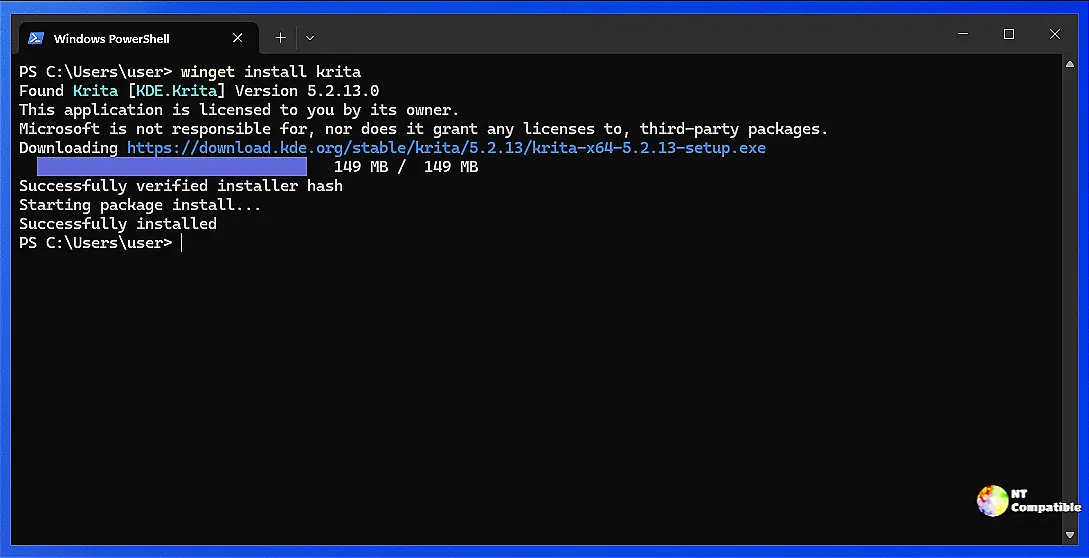
Windows Package Manager 1.28 source editing capabilities
The new edit subcommand allows setting an explicit source to be implicit and vice versa. This is useful when a user wants to stop winget from searching the font registry constantly during every command. Without this change, managing multiple sources often leads to clutter that slows down searches or causes confusion about where software comes from. One can simply run the edit command on the specific source name to toggle its state without touching complex configuration files manually.
Getting detailed package information with listDetails
A new option for the list command provides output similar to show commands instead of a standard table view. This is particularly helpful when verifying installed versions or checking local identifiers that do not appear in the summary view. The feature requires enabling experimental capabilities first but offers granular data about the publisher and installation location. Users should expect more verbose logs that help diagnose why an upgrade might fail or if a package conflict exists on the machine.
Improvements to logging and portable packages
Several underlying issues received attention to improve stability during routine maintenance tasks. Portable packages now use the correct directory separators regardless of which convention is used in the manifest. This prevents errors when installing software into paths with non-ascii characters or specific folder structures. Additional options for limiting the size of log files ensure that disk space does not get consumed by excessive diagnostic data over time.
Release Windows Package Manager 1.28.240
This is a servicing release of Windows Package Manager v1.28. If you find any bugs or problems, please help us out by filing an issue.
Release Windows Package Manager 1.28.240 · microsoft/winget-cli
Keep those updates tight and the command line clean.


