FluentCleaner 26.12.02 finally taps into Windows' own cleanup engine
The open-source utility now unlocks 15 previously inaccessible system junk categories by delegating to Microsoft's native storage handlers.
For years, Windows users chasing storage back from massive upgrades have been stuck between bloated commercial cleaners and Microsoft's notoriously opaque built-in tools. FluentCleaner 26.12.02 changes that. Released today, the latest version of developer Belim's open-source cleanup utility now talks directly to Windows' own storage system, unlocking 15 categories of system junk that were previously out of reach even for administrators.
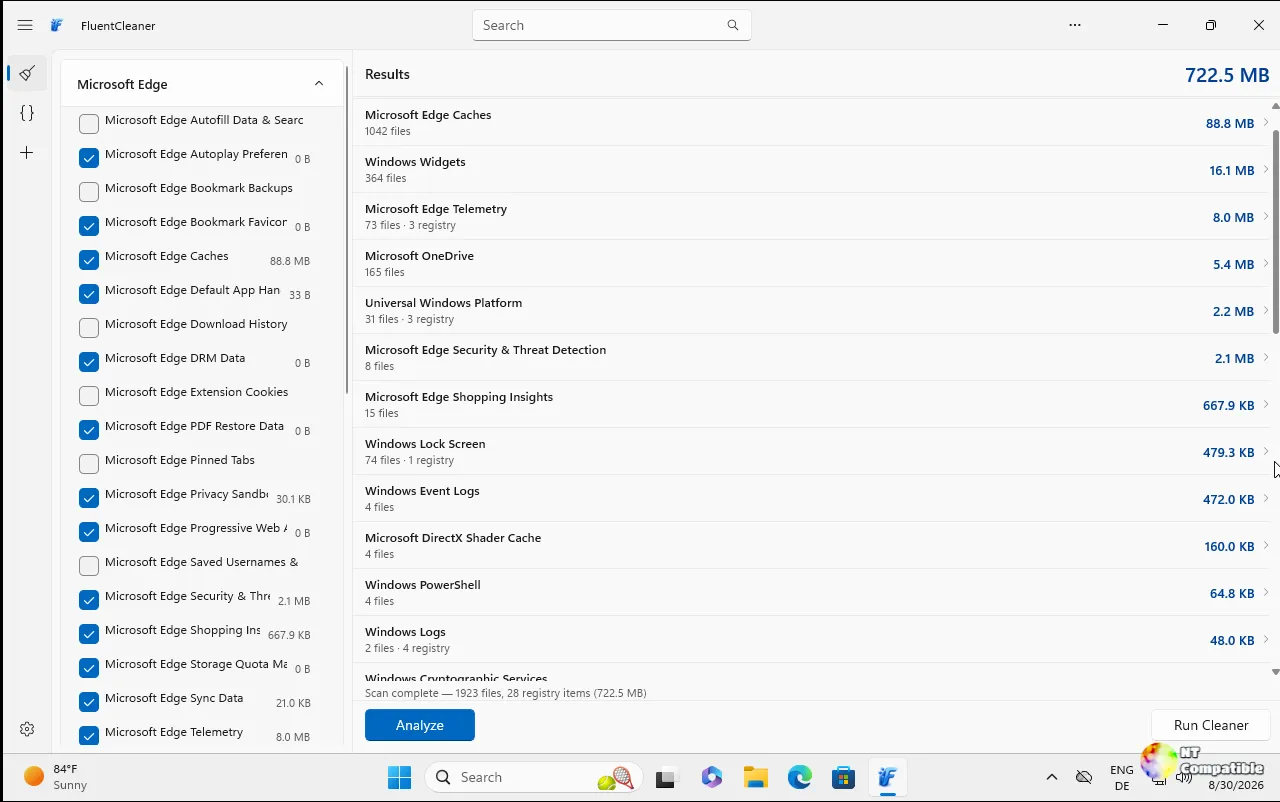
The Windows cleanup space has been a steady parade of compromises. You get polished commercial apps that slowly pile on ads, upsells, and registry scans you definitely don't need. Then there are Microsoft's own tools, which work fine but make you jump through multiple admin elevation prompts just to see what's actually taking up space. FluentCleaner positions itself as the middle ground.
The headline feature: Windows' native cleaner, unlocked
The new "Storage (by Windows)" category is the real reason to pay attention here. It pulls 15 system junk buckets directly from the OS: Windows.old, superseded WinSxS packages, old driver versions, leftover ESD reset images, diagnostic databases, BranchCache, and more. Combined, these routinely reclaim 20 to 40 gigabytes on machines that have survived multiple feature updates.
How does it work? FluentCleaner doesn't delete anything itself. It calls into Windows' legacy IEmptyVolumeCache2 COM interface. It's the exact same API that powers Disk Cleanup, Storage Sense, and the Settings > Storage page. The OS reports the sizes. The OS does the deletion. TrustedInstaller ownership stays Microsoft's problem, not the user's.
The trick used to be impossible to pull off without elevation. Without admin rights, every single cache reports zero bytes, which is why settings dialogs force you through UAC before showing you anything. FluentCleaner handles this cleanly by skipping the category entirely when running unprivileged rather than flashing misleading numbers.
The underlying cleanup logic lives in a standard winapp2.ini format. A new VolumeCache= key means future buckets can drop in without a code recompile. Drop a Winsys.ini file next to the executable, and the feature flips on. Credit also goes to the Comet project, which reverse-engineered this COM plumbing for .NET years ago.
The rest of the update
The read-only file bug is finally fixed. Go's module cache, NuGet packages, and other developer tools that mark files read-only by design were getting silently skipped. FluentCleaner now strips the attribute before deletion, matching standard del /f behavior while still honoring files that are actually in use.
Admin-mode export and import went from broken to functional. The classic Windows file dialog refuses to open in elevated processes, which means settings backups and custom database picks were dead in the water. The new Windows App SDK dialogs do the trick, and they handle Store compatibility too. All file writes now route through %LocalAppData%\FluentCleaner, since packaged apps can't write next to their own executable. FluentCleaner has also been submitted to the Microsoft Store. It's under review.
UI refinements round out the release. Tabs moved up to reclaim eight pixels of title bar space. The left panel now scales from a slim strip to a maximum 360 pixels. Wrap handling finally works in longer languages like Spanish.
Belim has been upfront about what FluentCleaner refuses to be. "I'm not trying to fix the industry," he says. "Just wanted something that doesn't suck." That translates to a hard no on registry cleaning, multi-pass secure deletion, and the kind of feature bloat that turns a 50-megabyte utility into a 200-megabyte ad delivery service. The architecture splits into two editions: a WinUI 3 Modern build for modern Windows, and a WinForms Classic build that ships at 3.57 megabytes and runs on anything with .NET 4.8. You can install the Modern build straight from the command line with winget install --id Builtbybel.FluentCleaner --exact.
It's not a silver bullet. FluentCleaner won't magically speed up a fragmented drive, and the Windows.old cleanup permanently nukes rollback options. But for systems that have accumulated upgrade debris, it's arguably the safest option you'll find. You're not trusting a third-party app to guess which files are safe. You're letting the OS clean itself, just without the dialog spam.
Head here to the GitHub release page.


