Fort Firewall 3.20.8 lands after a wild October sprint
The solo-developed Windows firewall's latest update is small on paper, yet it lands as one of the few free host firewalls left standing.
Fort Firewall 3.20.8 shipped today. If you were hoping for a big feature drop, this isn't it. It's a thin UI polish on one of the most popular free firewalls for Windows. But it also drops at the end of a month that kept this one-man project in the news for all the right reasons.
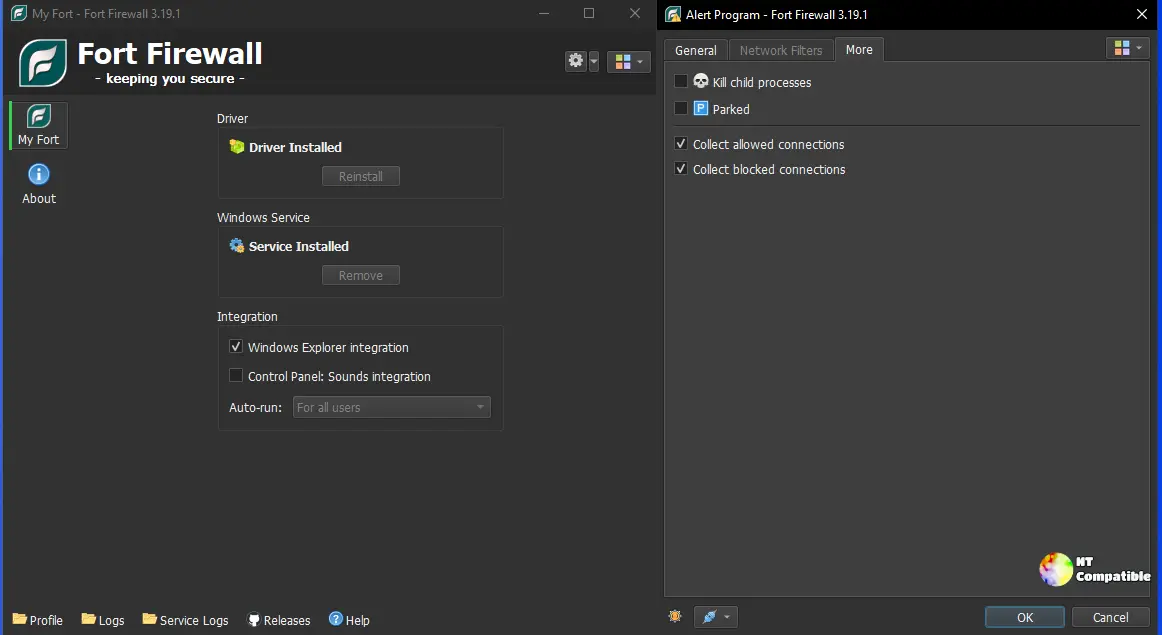
Keep in mind that this release is really the tail of a near-daily sprint. Fort's own changelog shows the 3.20.x series trickling out nearly every other day throughout October 2026.
The sprint kicked off with v3.20.0 on October 4, a genuine rework that rebuilt Groups, per-program speed limits, and scheduled time periods. Two days later, v3.20.1 added a Filter Simulator that previews how Fort would handle a connection before any traffic actually runs. Then came October 18's v3.20.6, which brought back the "Ask to Connect" mode users had been requesting for years. It took the developer until October 2026 to deliver it. That's the inherent tradeoff of a solo shop.
What's actually in 3.20.8
Four changes. All interface work. There's a default preset ruleset, a duplicate action for rules, a new Group column in the programs list, and a Paste Text button in the network filter for bulk entry. It's exactly the sort of change you'd expect from a maintenance build rather than a feature milestone.
The preset rules trace back to issue #258. The Group column comes from #776. One commit tops the master branch since the tag landed, which says everything about the nature of this release. Small, but meaningful.
The hard tradeoff
For some context on what Fort actually is, because that shapes how you should read this update. Fort doesn't touch Windows Defender Firewall at all. Instead it ships its own kernel-mode driver built on the Windows Filtering Platform, the same API Microsoft uses for its own network filters. By intercepting traffic low in the stack, Fort identifies the executable behind every connection and blocks it before the packet ever leaves your machine.
The author, Nodir Temirkhodjaev, markets it as "an effective firewall designed for Windows 7 and later versions, offering both simplicity and robustness." The project started in December 2017 and now sits at nearly 5,900 commits under GPL-3.0. Qt 6 drives the interface and SQLite stores everything. Memory usage hovers around 20 MB, which keeps it lean compared to GlassWire or Portmaster.
Here's where it gets thornier. Fort's driver loads a verified driver image that is both writable and executable, and Windows Core Isolation, aka Memory Integrity, explicitly forbids exactly that.
The installer actually checks for HVCI and refuses to proceed if it's on. You have to turn Memory Integrity off in Windows Security and restart. For a security-minded reader, that's a real tradeoff. You gain deep per-app control but give up a layer of kernel protection. An enterprise should get sign-off before rolling this out.
One third-party review got this backwards, claiming HVCI had to be enabled. It doesn't. It has to be disabled.
Last free firewall standing
Then there's the strategic picture. Fort's main open-source rival, SimpleWall, was recently archived. That leaves Fort as one of the few actively maintained free host firewalls left on Windows, and that makes its release cadence and long-term sustainability matter more than usual.
Everything rests on one person. Temirkhodjaev funds the work through GitHub Sponsors, Patreon, and BuyMeACoffee. He answers issues, replies to reviews, and posts meticulous changelogs. The project sits around 3,700 stars and 250 forks on GitHub, with 27 open issues and just one open pull request. That's strong for an independent security tool, though it also means every future update depends on a single person's spare time.
Download details
If you want to try it, the official releases page hosts three installer variants: x86_64 for Windows 10 1809 and newer, x86 for Windows 7 through 11, and ARM64. It's roughly 7 MB and licensed GPL-3.0, also available through WinGet as NodirTemirkhodjaev.FortFirewall.
You'll need Administrator rights, the matching Visual C++ Redistributable, and on Windows 10+, HVCI switched off. Windows 7 users also need KB4474419 for SHA-2 signing support.
It's a reasonable pick if you want per-application control without paying for it. The kernel-hardening price you pay isn't trivial, though the tight resource footprint and genuine control do help justify it. No malware detections surfaced in reporting, and the source stays openly auditable.
Head here to the GitHub releases page to grab the download.


