Fort Firewall 3.20.9 ships today with a new Rules tab as it becomes one of the few free Windows firewalls left
The solo-developer host firewall lands a small polish-and-fix build right after its main rival, SimpleWall, was pulled from development.
Fort Firewall 3.20.9 is out. It has been released today, and arrives with little fanfare: a small, polish-and-fix release rather than anything that reframes the product. Timing is the interesting part. It shows up while Fort sits at just a handful of actively maintained free host firewalls for Windows, and notably after rival SimpleWall was pulled from active development.
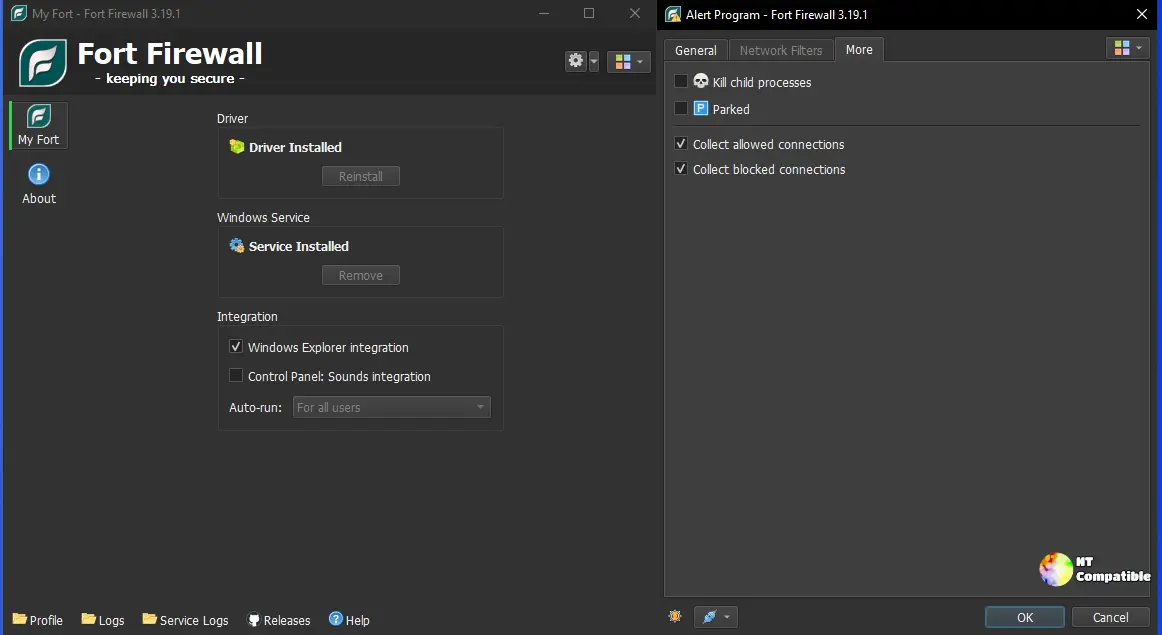
What you actually get in 3.20.9 is lean. The Program editor now lists all of a program's rules in a single tab instead of one at a time. You can set a program's icon from its own .exe file, and link a Service to the Services window. There are general bug fixes from the support forum (issue #799), plus Farsi and Romanian language packs bringing the total past twenty. And there's one under-the-hood change worth paying attention to.
The rule-order change and the October sprint
In 3.20.9, a program's rules are now checked after its Network Filters. That's a subtle swap in decision priority. Broad filters now win over specific per-program rules, so if a program has both, its behavior shifts. It's exactly the kind of thing you won't notice until a rule stops doing what you expected.
For the record, this is just the tail end of a near-daily development crawl through October. Fort's 3.20.x series trickled out almost every other day. Highlights include v3.20.0 on October 4, a genuine rework that rebuilt Groups, added per-program speed limits and scheduled time periods, and flipped in a "Block Inbound" option, then v3.20.1 on October 6, which added a Filter Simulator. By v3.20.6 on October 18, the long-delayed "Ask to Connect" filter mode finally arrived.
Ten minor releases in five weeks. That's the output of a small team, compressed into one person.
To install, Fort ships three builds: x86_64 for Windows 10 1809 and newer, x86 for Windows 7 through 11, and ARM64 for ARM-based systems. It's roughly 7 MB, requires administrator rights, and needs the matching Visual C++ Redistributable. Windows 7 users additionally need KB4474419 for SHA-2 driver signing.
You can grab any of the builds from the GitHub release page, or via WinGet using NodirTemirkhodjaev.FortFirewall.


