Microsoft Rolls Out Five New Windows 11 Insider Builds, Shifts Beta to 26H2
The Beta channel has officially moved to version 26H2, though much of this week's batch is routine polish. A few accessibility and enterprise changes are worth your attention.
Today, Microsoft shipped five new Windows 11 Insider Preview builds across its Beta and Experimental channels. The biggest story here isn't a single feature. It's a structural shift that most users will never directly notice but that reveals where the OS is headed. The Beta channel now runs Windows 11, version 26H2. Build 26320.9876 is the first of its kind.
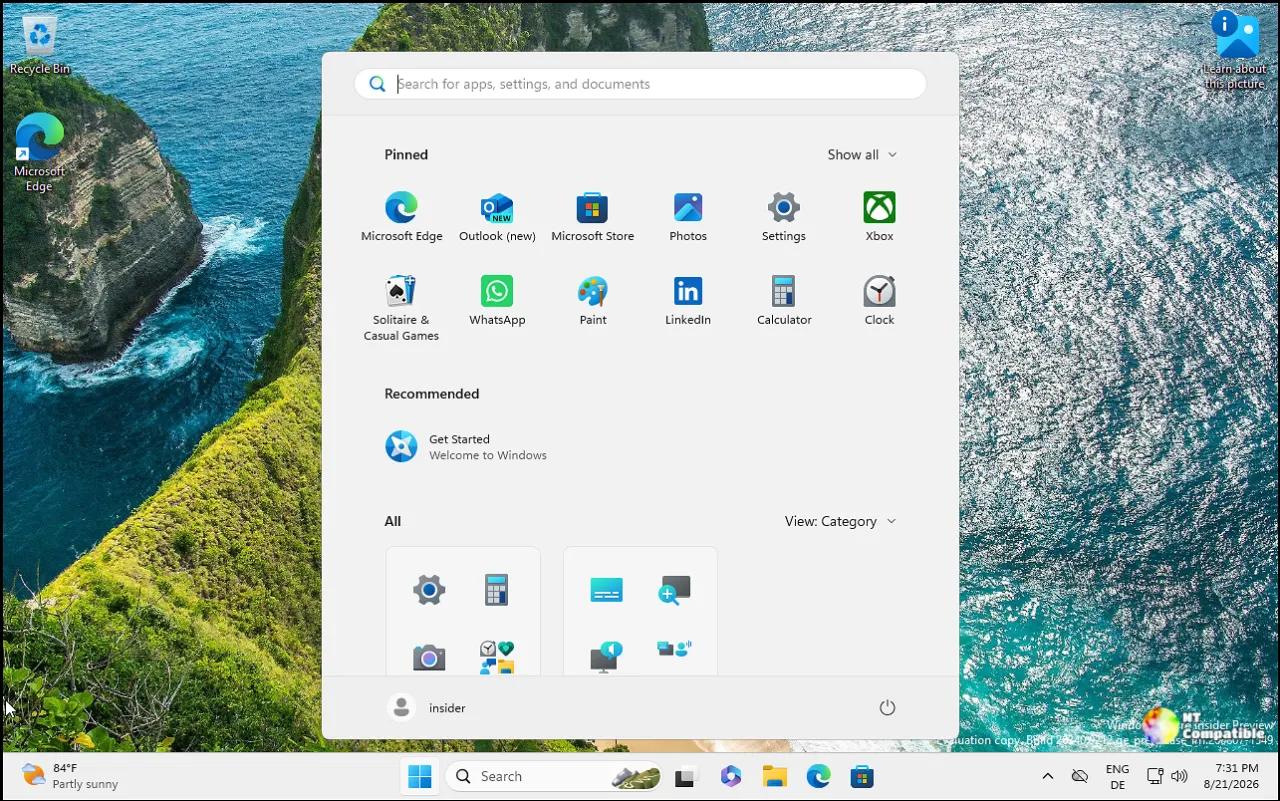
That starts testing for Microsoft's next annual feature update. The build number climbed from 26220 to 26320, but don't expect the desktop to transform overnight. This one ships through an enablement package, which is Microsoft's clean way of saying the underlying system stays mostly intact while a small unlock grants the new version's identity. As of right now, that means the new build number signals more than it reveals.
The Experimental (Future Platforms) channel is doing something unusual. Starting soon, Microsoft will drop an extra weekly synthetic update between the normal previews. These interim releases carry no features at all. They exist to stress-test the flighting and Windows Update services that push updates to millions of machines, and Microsoft won't post release notes for them either. You'll only track the version in Flight Hub.
It's plumbing work. Messy, invisible, and arguably the most important part of the process. Get update delivery wrong at this stage and the failures are cheap. Get it wrong in the wild and it becomes a support headache that drags on for weeks.
Five builds and five channels all landed on Nov. 6. Beta and Experimental target 26H2, while the "26H1" builds keep supporting specific silicon that needs an earlier platform. The Future Platforms builds probe hardware for a longer-term roadmap not tied to any upcoming retail release. If you're chasing a specific number, Beta sits at 26320.9876, Experimental at 26340.9882, Beta 26H1 at 28020.3445, Experimental 26H1 at 28120.3454, and Future Platforms at 29704.1000.
What's actually new
Windows Hello got attention across several channels. In the Experimental build, sign-in and unlock now behave more like a phone: you can use whichever method fires first, face, fingerprint, or PIN, without waiting for one scan to finish before entering another. There's a catch. Right after a restart Windows still wants the PIN first. Once you're in, biometrics resume normally.
On the Beta and Experimental 26H1 builds, facial recognition can temporarily brighten the screen to make signing in a dark room less of a guessing game. The setting hides under Accounts > Sign-in options, right under the facial recognition toggle.
A new Windows Search built on WinUI 3 is also rolling out on Beta. Microsoft says it's faster and leaner, with inline actions that let you toggle dark mode, switch Bluetooth, mute the mic, or arrange open windows without opening Settings separately. Query matching improves for typos and synonyms. English is the only language supported for now.
Live captions gains the ability to choose what it transcribes. System audio, your microphone, or both. You can now caption an in-person conversation without also picking up your PC audio, or follow a speaker while ignoring background noise.
The most substantive changes this week lean hard toward accessibility. Per-monitor Magnifier support is coming to Beta 26H1, letting each display keep its own zoom level. A work monitor can sit at 300% while a reference screen holds steady at 150%, and the magnified view no longer spills across screens. Monitors must be set to Extend rather than Duplicate, and you toggle zoom with the Windows key plus or minus, or by holding Ctrl + Alt while scrolling. A new viewport-lock feature, triggered by Ctrl + Windows key + K, holds a view steady while you move elsewhere to work.
A glare-reducing contrast theme arrives as well. It recolors just the interface, not photos, charts, or videos. Color inversion stays as a separate option for those who want it. Narrator Math now extends to refreshable Braille displays too, so equations read in Word, PowerPoint, Edge, or Chrome appear on a connected Braille surface for touch exploration, spanning Nemeth, UEB, CMU, Vietnamese, Swedish, LaTeX, and ASCIIMath.
That last one is the kind of update that quietly matters. STEM students and anyone needing independent access to math content get a genuine tool here, not a demo.
Enterprise and privacy round out the batch. Web sign-in now works on Microsoft Entra hybrid joined devices, expanding from a previous Entra-joined-only limit. It enables passwordless lock-screen sign-in via a FIDO2 key, a phone passkey, or a Temporary Access Pass, and pulls a Kerberos ticket afterward so on-premises shares keep working. For admins, new Windows Hello auditing events log sign-in methods and failures directly in Event Viewer.
Insiders on Future Platforms can manage camera, microphone, and location permissions per app for traditional desktop software. Previously that was a single device-wide switch. Existing decisions are preserved, though some apps may show up as "Unsigned" if publisher info can't be verified.
Tucked in there are the usual smaller tweaks. The Address Bar accepts the ~ character, so typing ~\AppData gets you to your profile folder fast. PDF and non-HTML files downloaded from the web now preview automatically in File Explorer's Preview pane. The nag prompts for Sticky Keys and Filter Keys can finally be dismissed for good.
The storage view isn't harmless, though. That new "Cloud storage" view under Accounts doubles as a window onto a less welcome change. Microsoft is trimming the OneDrive space bundled with a Microsoft 365 Family plan. It currently advertises up to 6TB shared across six users. That's being cut to 2TB shared across the whole family. The Settings view is pitched as transparency, but the practical effect is a real reduction in included cloud space. You'll see the view immediately if you subscribed after Oct. 8, 2026, while earlier subscribers won't see it until after their first renewal on or after May 2, 2027. Six months of waiting, then a smaller bucket.
One known bug rides along in the Experimental channel: the CPU speed in Task Manager reportedly stopped updating after the latest flights. Microsoft says it's under investigation. Minor, but noticeable if you watch frequencies all day.
If you want to ride along, head to Settings > Windows Update and check for updates. The build you land on depends on your channel, with the full mapping available in Flight Hub. Keep in mind that these Experimental features may change, vanish, or never clear the Insider program, and many arrive through Controlled Feature Rollout so only a subset of Insiders see them first.
Overall it's a transitional week rather than a splash: the Beta-to-26H2 move confirms Microsoft has locked onto its next annual update, while the accessibility gains are among the best on offer this cycle. The OneDrive trim undercuts the transparency angle, at least.
Windows 11 Insider Beta Preview Build 26320.9876 - Windows Insider Program
Release notes for Windows 11 Insider Beta Preview Build 26320.9876
Windows 11 Insider Beta Preview Build 26320.9876 - Windows Insider Program
Windows 11 Insider Experimental Preview Build 26340.9882 - Windows Insider Program
Release notes for Windows 11 Insider Experimental Preview Build 26340.9882
Windows 11 Insider Experimental Preview Build 26340.9882 - Windows Insider Program
Windows 11 Insider Beta (26H1) Preview Build 28020.3445 - Windows Insider Program
Release notes for Windows 11 Insider Beta (26H1) Preview Build 28020.3445
Windows 11 Insider Beta (26H1) Preview Build 28020.3445 - Windows Insider Program
Windows 11 Insider Experimental (26H1) Preview Build 28120.3454 - Windows Insider Program
Release notes for Windows 11 Insider Experimental (26H1) Preview Build 28120.3454
Windows 11 Insider Experimental (26H1) Preview Build 28120.3454 - Windows Insider Program
Windows 11 Insider Experimental (Future Platforms) Preview Build 29704.1000 - Windows Insider Program
Release notes for Windows 11 Insider Experimental (Future Platforms) Preview Build 29704.1000


