PowerToys 0.99 Brings Grab And Move and Tray Monitor Control to Windows
The latest PowerToys 0.99 update finally gives Windows users the kind of window manipulation they have been begging for since Vista, along with a much needed tray based monitor control tool. This release packs two major new utilities into the suite while quietly fixing some long standing crashes in Command Palette and Keyboard Manager. Here is what actually matters for daily desktop use.


PowerToys 0.99 Finally Fixes Command Palette Crashes
Command Palette has been through enough unexpected closures to make anyone nervous about relying on it for daily workflows, so this release focuses heavily on stability and layout tweaks. The new compact dock mode shrinks the interface when positioned at the top or bottom of the screen by hiding subtitles and reducing height to twenty eight pixels. Calculator results now stay in a persistent history that can be saved or cleared without restarting the tool. Extension loading has also been hardened so one broken plugin will not take down the entire command list anymore, which is exactly what happens when users install random community scripts without checking compatibility first.
Grab And Move Fixes Off Screen Windows Without The Title Bar
Window managers have always made it too easy to lose a program behind the taskbar or off the edge of an ultrawide display. PowerToys 0.99 introduces Grab And Move as a preview feature that lets users drag and resize any window by holding Alt plus left click anywhere on the client area, or using right click for resizing. The developers even swapped out the traditional modifier key so anyone who already uses Alt for system shortcuts can switch to Win without breaking their muscle memory. This matters because trying to nudge a stubborn dialog box back into view usually requires either guessing coordinates or running a third party tool that eats RAM just to do one thing.
Power Display Brings Monitor Controls Right To The System Tray
Reaching behind a desk monitor to press physical buttons is a relic of older setups, and this update finally brings those controls into Windows without opening bloated manufacturer software. Power Display detects connected screens automatically and exposes brightness, contrast, volume, and color profile adjustments directly in the system tray flyout. Users can save custom configurations as profiles and even tie them to Light Switch so monitor settings shift automatically when Windows toggles between dark and light themes. The feature runs quietly in the background and actually respects DPI scaling, which means the menu will not jump around on high resolution displays anymore.
Keyboard Manager And ZoomIt Get Practical Tweaks
The remapping editor now lets users manually adjust recorded keys through dropdown menus instead of forcing a rigid recording loop. A new disabled action makes it trivial to block specific keys or shortcuts that cause accidental triggers in games or creative software. Multiline text replacement finally works reliably in chat applications and plain text editors after the team reverted to character by character sending for Shift plus Enter sequences. ZoomIt rounds out the productivity updates with scrolling screenshot capture and built in text extraction during snips, so users no longer need to open a separate OCR tool just to grab paragraphs from long web pages or documents.
Image Resizer Moves To WinUI And Advanced Paste Finally Works In Teams
The image resizer interface has been rebuilt in WinUI three, which gives it a cleaner look and paves the way for faster compilation down the line. A previous migration accidentally locked JPEG quality to a fixed default, but that setting is now properly honored again. Advanced paste also gets a long overdue fix for Electron based applications like Teams and Visual Studio Code by releasing held modifier keys before injecting copy commands. The update ships with several modules disabled by default to keep initial resource usage low, which makes sense since most users only need half of these utilities anyway.
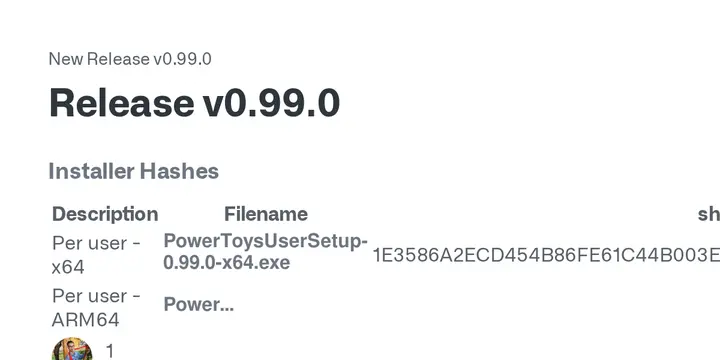
Release PowerToys v0.99.0
Installer Hashes
Description Filename sha256 hash Per user - x64 PowerToysUserSetup-0.99.0-x64.exe 1E3586A2ECD454B86FE61C44B003E0027FCC24DCB5135958B73D04A58285618C Per user - ARM64 PowerToysUserSetup-0.99.0-arm64.exe 2BCA2A1EDB0077FAF752DDE95C8D02A0A7A70F8E5128F43EA58432BBBE4E3C62 Machine wide - x64 PowerToysSetup-0.99.0-x64.exe 47D193F77A99FFB606A5E7132B0736BB0FB86BED6F30D68C4269DBDD6928C0AF Machine wide - ARM64 PowerToysSetup-0.99.0-arm64.exe B9E9CDDBFE17F785A1A05420636AD716A323FC26B8D55D3B554879BB1F0BF2E8
Grab the installer from GitHub if you want to test grab and move or just want a cleaner tray menu for monitor adjustments. Run it through your usual update routine and report any weird behavior back to the issue tracker before the next preview drops.


