Phantom Blade Zero is drawing praise as one of the best games of the year, but benchmarks show it needs upscaling just to run and struggles badly on handhelds like the Steam Deck. TweakTown gives the GAMDIAS Atlas M4 case an 88% for value, though a recessed PSU inlet keeps it from a full recommendation. The SteelSeries Apex Pro TKL Gen 3 and HyperX Pulsefire Haste 3 Pro stand out for per-key customization and featherweight design respectively, while the MSI MAG X870E TOMAHAWK MAX motherboard earns a 7.5/10 despite warm VRMs. Tom's Hardware rounds out the week with a Creality K3 3D printer that's solid but falls short of revolutionary.
Phantom Blade Zero makes handhelds sweat; seven reviews today
A game that reviewers are calling one of the best of the year is also the one thing that makes a Steam Deck look positively helpless.
Phantom Blade Zero has arrived, and this week's pile of reviews draws a very clear line in the sand. Run it on a real desktop GPU and you're looking at a stellar wuxia action-RPG. Run it on a handheld and you need upscaling, frame generation, and some serious patience just to keep it moving.
Phantom Blade Zero: a great game with hard requirements
S-GAME's first AAA project is a "Kungfupunk" wuxia RPG. You play Soul, an assassin trying to clear his name in 66 days. It's one of the first major releases on Unreal Engine 5.7, and it supports all three upscalers (DLSS 4.5, FSR 4.1, XeSS 2.0) plus vendor frame generation, ray tracing, and path tracing with Ray Reconstruction.
On PC, TechPowerUp's W1zzard ran 35 GPUs through a benchmark and landed on "very good, one of the best games this year." The combat has real soullike weight but the overall loop is more forgiving. Quality-of-life touches are generous: frictionless fast travel, no respawn on heal, and boss fights that resume from the last phase.
Then comes the catch. A roughly 25-minute shader compilation step on first launch doesn't actually remove all the stutters. Upscaling is effectively mandatory.
The performance wall is steep. Native Ultra at 4K is essentially an RTX 5090 title. Sixty-plus FPS at 1440p narrows to the RX 9070 XT, RTX 5070 Ti, or RTX 4080 and up. You'll want to lower the bar anyway: the RTX 5060 Ti, RX 7800 XT, or RX 9070 GRE can still push 1080p fluidly.
NVIDIA's DLSS Ray Reconstruction gets a specific nod as meaningfully better than the game's own grainy denoiser.
VRAM usage tracks what you'd expect from a 2026 UE5 title. Low settings eat about 5.6 GB at 1600×900 and 7.3 GB at 4K. Ultra climbs to just over 10 GB at 4K, and path tracing tops out around 13 GB. One detail worth flagging: the AMD RX 7600 XT crashed and couldn't complete benchmarks. Stability was solid on NVIDIA hardware, shaky on some Radeon cards.
TechPowerUp: Phantom Blade Zero Performance Benchmark Review - 35 GPUs Tested
Phantom Blade Zero looks great and plays even better, blending soulslike combat with action-adventure flow. It's the first major Unreal Engine 5.7 game so we have high hopes for performance. We examine graphics quality, VRAM usage, upscaling options, and how it performs across a wide range of modern GPUs.
Phantom Blade Zero Performance Benchmark Review - 35 GPUs Tested

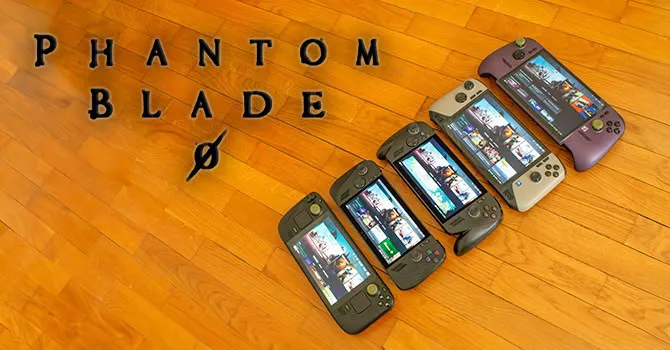
There's a handheld angle too, and it's less rosy. TechPowerUp's 17th Dimension tested the same title across the Steam Deck, ROG Xbox Ally X, MSI Claw 8 EX, and a few others.
The first map plays even on a Steam Deck. The second map triggers a sharp frame drop that basically kills the Deck's playability. Most Windows handhelds hit 1080p or 1200p with upscaling, mostly above 40 FPS, best on the Ally X and Claw 8 EX. The MSI Claw 8 posts the weakest result yet.
And if you own an Intel handheld, brace for the shader wall. Precompilation took nearly an hour on the Claw 8, eating half of Steam's refund window.
The takeaways are clear enough: skip the Steam Deck or stream it, weigh the refund window carefully on the Claw 8, and lean toward the Claw 8 EX and Ally X.
TechPowerUp: Phantom Blade Zero Handheld Performance Review
Phantom Blade Zero is S-Game's first AAA project. The game is a flashy action RPG set in a "Kungfupunk" world, revolving around fast-paced combat with tons of parrying and dodging. It's built in Unreal Engine 5 and seems rather demanding, so let's see how it performs on some of the most popular PC handhelds around.
It's funny how every handheld reviewer seems to bump into the exact same shader-compilation wall this year. At this point maybe that's the real test: who compiles shaders fastest.
Case and motherboard: value with a footnote
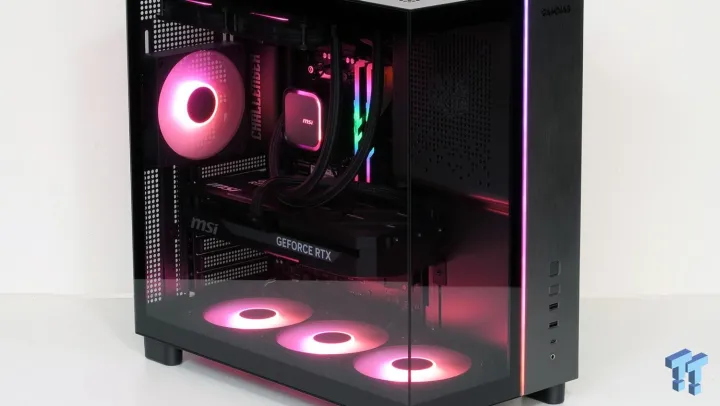
TweakTown's Thomas Soderstrom hands the GAMDIAS Atlas M4 an 88% and a "Shortlist / Buy" stamp. It sits around $75, off a $100 MSRP. The design leans all-in on the lower PSU compartment trend, with the power bay tucked behind an angled front glass panel so the internals show off.
The numbers are respectable. It's an ATX mid-tower taking mATX and ITX, measuring 435 × 450 × 235 mm and weighing 7.12 kg. You get four factory ARGB fans, a combined ARGB/PWM hub with 21 modes, and a modern Gen2x2 USB-C on the front panel. Three-year warranty.
Cooling actually impressed. Under an hour-long AIDA64 stress test the CPU ran only about 3.5 °C warmer cased than open, and the closed case came in 9 dB quieter.
So what's the problem? PSU fitment. The recessed power inlet binds against standard power-supply plugs, and depending on orientation most supplies hit the opening. You might need an offset-jack PSU or an SFX unit with an offset full-ATX adapter. There's no dust filter under the bottom intake either, and the GPU brace is too short for very long cards.
This is a value leader that stands well beyond its $100 tag, but the cable fitment keeps TweakTown from a full-thumbs-up call. Best for builders who already own a compatible PSU.
TweakTown: GAMDIAS Atlas M4 Mid-Tower Chassis Review
Top-tier features and a bottom-tier price put the GAMDIAS Atlas M4 mid-tower case on builders' short lists, but with a few caveats.
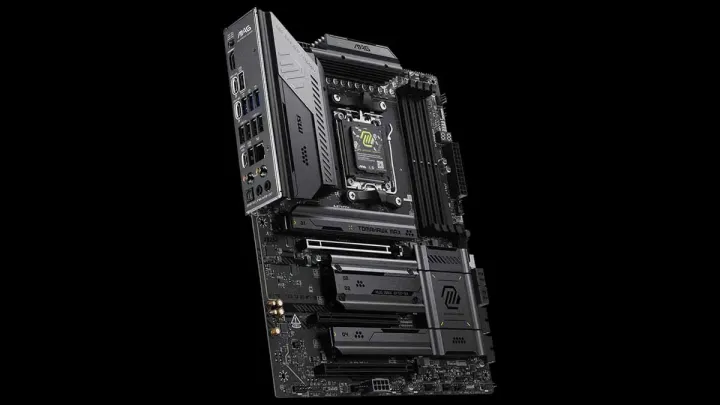
On the board side, The FPS Review's Spencer Erickson scores the MSI MAG X870E TOMAHAWK MAX WIFI at 7.5/10 for about $339. The X870E sibling to the well-received B850 TOMAHAWK, it's part of MSI's budget-conscious MAG line.
The features are solid: four M.2 slots with FROZR cooling across the board, a 14+2+1 VRM with 80-Amp power stages, and an OC Engine chip for async BCLK overclocking. Installation ease is a plus, and it can meet or occasionally exceed pricier MEG/MPG boards in testing.
VRM heat is the weak spot, though. A handheld IR gun read 50.6 °C and HWiNFO reported MOSFET and chipset temps around 58 °C, which is higher than you'd want despite the bigger cooler. There's also a lane compromise: M2_2 drops to x2 when the rear USB4 ports are active.
The FPS Review: MSI MAG X870E TOMAHAWK MAX WIFI Motherboard Review
Introduction In the office today, we have the MSI MAG X870E TOMAHAWK MAX WIFI to take a closer look at. As we have discussed previously, the MAG (MSI Arsenal Gaming) is targeted at the more budget-conscious PC builders.
Input gear and a 3D printer: refined, but with caveats
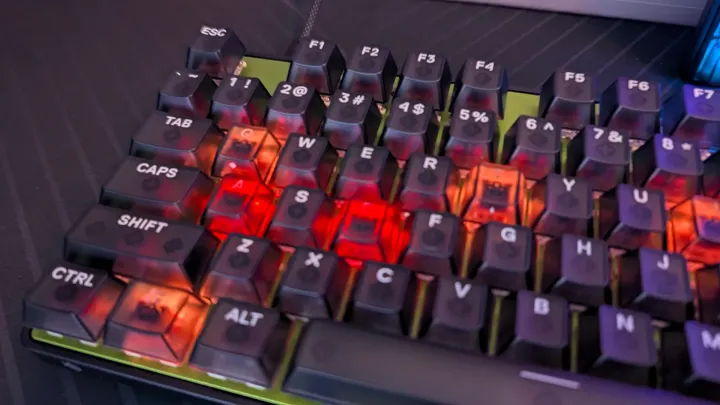
eTeknix's Peter Donnell frames the SteelSeries Apex Pro TKL Gen 3 as "a real push to take gaming keyboards to the next level." The OmniPoint 3.0 Hall Effect switches give you per-key actuation adjustment, and rapid trigger, rapid tap, and a protection mode round out the feature set. Polling sits at 8,000 Hz. The acoustic package picked up three foam layers and a silicone sheet to tame the hollow ring. It tops out at a premium price, but the per-key customization earns it.
eTeknix: SteelSeries Apex Pro TKL Gen 3 Keyboard Review
A real push to take gaming keyboards to the next level, with unmatched levels of per-key customisation that easily justifies the premium price tag.
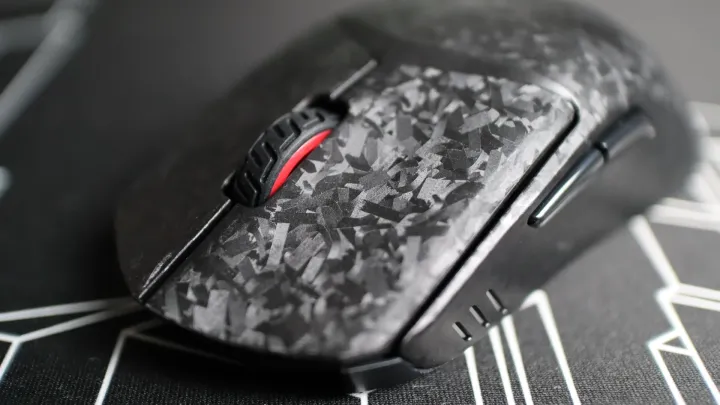
HyperX's Pulsefire Haste 3 Pro Wireless is more of a quiet refinement. ThinkComputers' Ryan Kerschner, a longtime fan of the line, calls it the lightest Haste yet at 47 g, a 12 g cut from the original. Carbon-fiber infused, it ships with spare PTFE feet, four adhesive grips, a lightweight charging cable, and a compact 2.4 GHz dongle. Dual 2.4 GHz and Bluetooth round it out, and it plays across PC, PS5, and Xbox.
ThinkComputers.org: HyperX Pulsefire Haste 3 Pro Wireless Gaming Mouse Review
We first took a look at HyperX's original Pulsefire Haste gaming mouse back in 2021, and since that time, we have looked at three new iterations of the Haste - the Wireless 2 and the Wireless 2 Pro. And while the Pulsefire Haste 3 has been available for a short while, in this review we are taking a look at the Pulsefire Haste 3 Pro - a carbon fiber-infused wireless gaming mouse that is their lightest yet. At just 47g, HyperX has dropped 12g of weight since the initial Pulsefire Haste, while still providing meaningful improvements to the mouse. The Pulsefire Haste line of mice has been a personal favorite of mine since the first version, so I'm really excited to see how the Haste 3 compares to the previous versions.
HyperX Pulsefire Haste 3 Pro Wireless Gaming Mouse Review | ThinkComputers.org
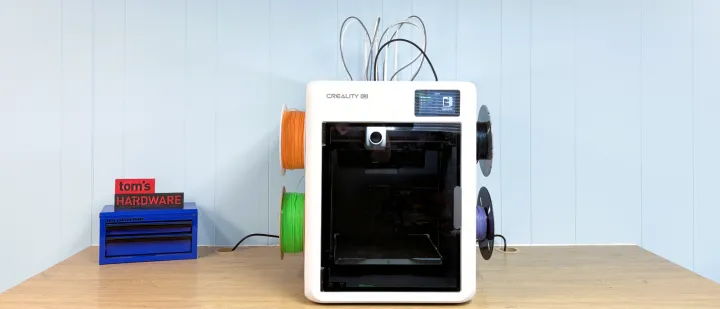
Tom's Hardware's Denise Bertacchi covers the Creality K3 at $849. Creality's four-nozzle KliTek system keeps filament waste down and lets you mix tools in a single print, which is the whole point of a tool changer. Printing is fast and colors blend reasonably well.
But you're capped at four colors, it's loud, and the top hat plus TPU kit weren't available at launch. The spool holders are so large they reject a chunk of third-party spools. A real-world annoyance on a machine that's supposed to make multi-color printing easy.
Tom's Hardware sums it up as "a solid entry into the swelling tool-changer market, but not a game changer."
Tom's Hardware: Creality K3 Review: It’s a Tool Changer, not a game changer
Creality enters the increasingly crowded tool changer category.