UniGetUI 2026.2.0 Update Adds Windows 11 Mica Support and Cleaner Tray Icons
UniGetUI 2026.2.0 lands with a focus on making the interface feel native to Windows 11 rather than just another window floating over the desktop. The update introduces Avalonia UI refinements, including full support for Mica material and page transition animations that smooth out navigation. Power users get practical additions like manifest caching options, while everyone benefits from tray icon style choices and a fix for that annoying white border around the taskbar icon.
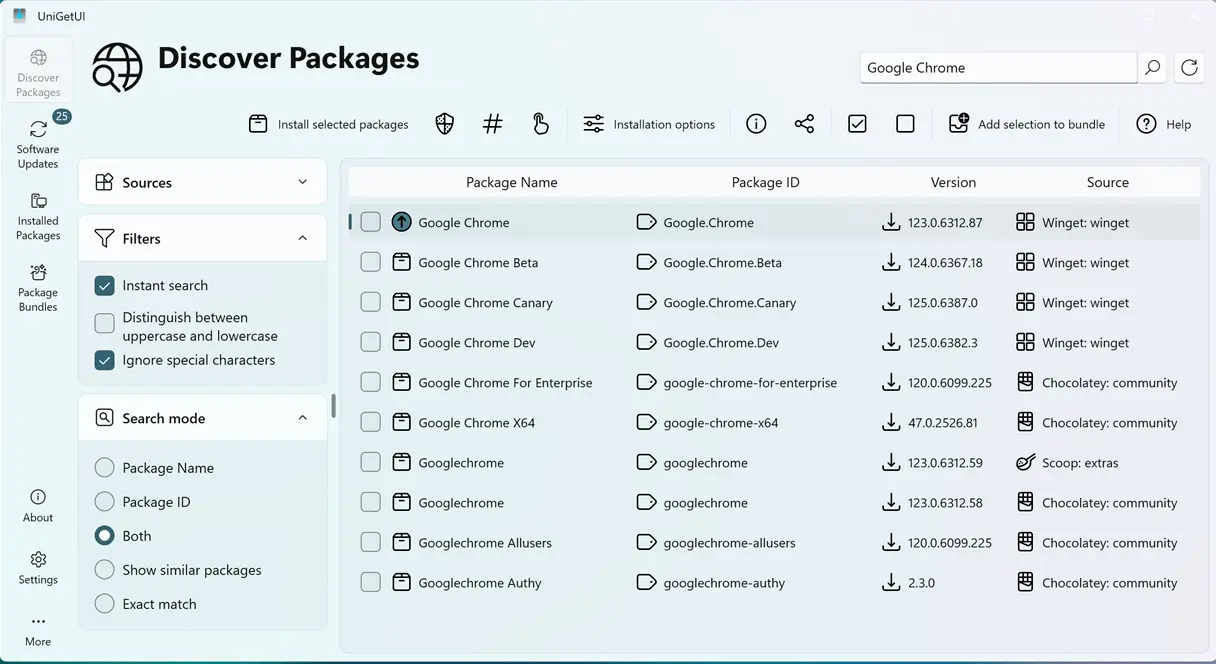
Windows 11 Mica Support and Native Styling Refinements
The move toward Avalonia continues to pay off as UniGetUI adopts Windows 11 Mica material support. This means the app background will now blend with the wallpaper and system theme instead of relying on flat colors that look out of place. Native styling improvements round out the visual overhaul, ensuring buttons and text align better with standard Windows controls. The persistent white border around the taskbar icon has been removed, which was a minor but noticeable flaw in previous builds when running against dark mode wallpapers. Page transition animations are also added to give the app a more fluid feel when switching between tabs or settings pages.
New Options for Tray Icon Styles
The tray icon configuration now offers three distinct styles under User Interface Preferences, allowing users to switch between the current design, a monochrome variant, and the legacy icon. This flexibility helps when system themes clash with default color schemes or when a strictly minimal taskbar aesthetic is preferred. The monochrome option should integrate better with high-contrast settings, while retaining the legacy fallback ensures compatibility for older setups that might not render the newer icons correctly.
Downloading Package Manifests Alongside Installers
A new setting in the WinGet configuration page allows UniGetUI to download package manifests alongside installers. This feature benefits automation workflows and offline management by caching metadata such as dependencies and installation parameters locally. When scripts or batch processes need package details, having these files available without hitting the network reduces latency and prevents failures caused by temporary connectivity issues. It is a solid addition for anyone who relies on UniGetUI to manage software deployments across multiple machines.
Executable Properties and Stale Index Updates
Under the hood, Avalonia executable properties are now populated correctly, fixing instances where app icons or metadata might have appeared missing in the list view. The release also updates stale pre-indexed WinGet package details to prevent installation errors caused by outdated version numbers cached locally. Users who have encountered failed installs due to mismatched package info will appreciate this refresh of the baseline data before the application even loads.
Release UniGetUI v2026.2.0
Devolutions UniGetUI 2026.2.0 This release focuses primarily on refining the Avalonia UI, including support for Windows 11 Mica, native styling, and page transition animations.
UniGetUI keeps closing the gap between third-party tools and native Windows experiences. The Mica support and styling fixes make the app look much more at home on modern Windows 11 builds, while the tray icon options provide necessary visual control. Grab the latest version to enjoy a smoother interface and better handling of package metadata in your daily workflow.


