UniGetUI 2026.2.1 Adds Operation Counters and Log Redaction to Package Management
UniGetUI 2026.2.1 lands with updates that actually help when things go sideways. The release introduces an operation counter to track background work, a setting to scrub usernames from logs, and a default behavior change that opens release notes after an update. Power users who rely on this tool for managing Chocolatey, Winget, and Scoop packages will find the improved stability and diagnostic tools worth checking out.
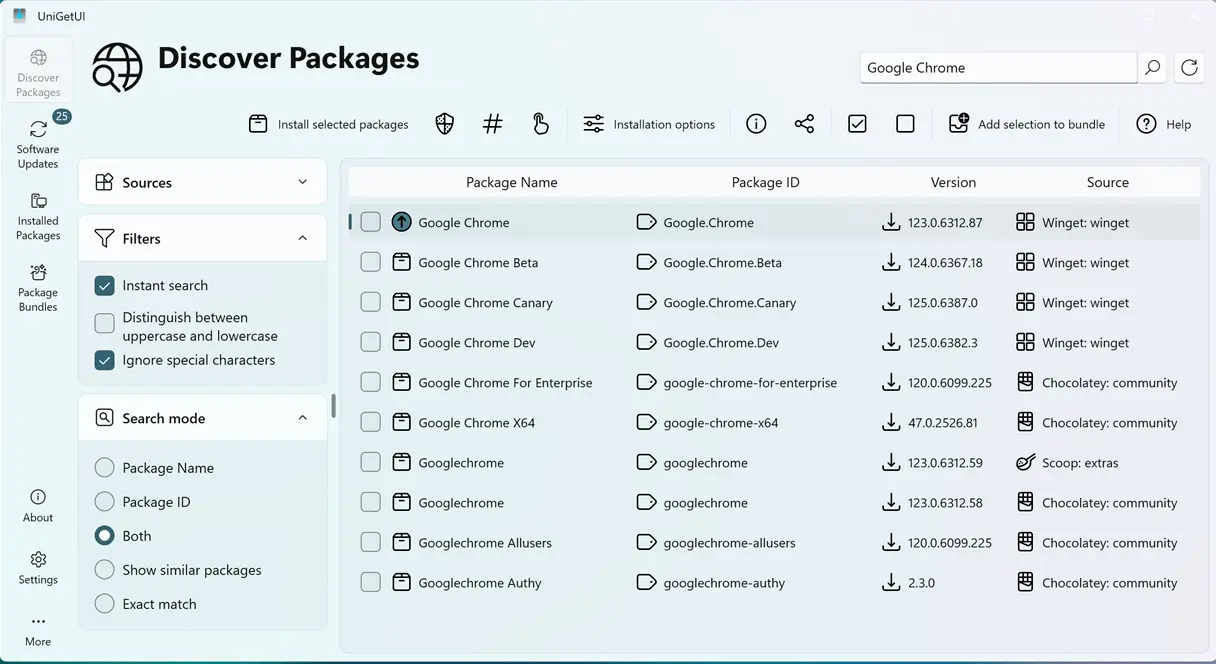
Operation Counters and Visibility
The new operation counter is a welcome addition for anyone who has ever stared at a frozen window wondering if the package manager is still working. UniGetUI now displays a count of ongoing package operations, which helps distinguish between a slow process and a hung application. This visibility reduces the temptation to force quit during a long Chocolatey upgrade and prevents the double-click disasters that often corrupt package states. Knowing exactly how many packages are queued up makes the waiting game much less stressful.
Log Redaction and Diagnostics
Privacy matters when sharing diagnostic information with support teams or posting logs on forums. The release adds a setting to automatically redact usernames from exported logs, making it safer to share troubleshooting data without exposing personal account details. Expanded diagnostics also simplify issue reporting, allowing users to generate more comprehensive reports that include the actual metadata UniGetUI is processing. This helps developers pinpoint issues faster when package discovery fails or metadata retrieval returns garbage.
Update Reliability and Workflow Changes
UniGetUI now opens the release notes page after updating by default. This behavior encourages users to see what changed before dismissing the window, though the option remains available in Settings for those who prefer a silent update experience. The installer has also been refined to handle updating running instances more gracefully. Previous versions sometimes left background processes lingering or failed to replace files in use, but the improved handling reduces the likelihood of stuck updates and inconsistent states.
Stability and Package Manager Integrations
Stability improvements target the core package manager integrations and metadata processing. The update addresses multiple edge cases affecting installation and upgrades, particularly when package manager responses are slow or return errors. Fixes for self-update workflows resolve issues that previously blocked the tool from refreshing itself correctly. Users dealing with erratic package discovery or metadata retrieval errors will likely notice smoother behavior as the codebase handles failure scenarios with more robust error reporting.
Release UniGetUI v2026.2.1 · Devolutions/UniGetUI
Devolutions UniGetUI 2026.2.1 This release brings several quality-of-life improvements, new troubleshooting features, privacy enhancements, and a collection of fixes and stability improvements acro...
Grab the update from the official site or the built-in updater if the current version is stable enough to upgrade itself. The operation counter and log redaction alone make this worth the install for anyone juggling multiple package managers.


