Microsoft has shipped Windows 11 version 26H2 (build 26300.9278) to the Release Preview Channel as an enablement package, confirming it shares the identical codebase with versions 24H2 and 25H2. The update brings back taskbar location moving and a compact small icon mode while dialing back Copilot integration across the system UI. With 24H2 Home and Pro reaching end-of-service on October 13, 2026, this enablement package serves as the necessary upgrade path to continue receiving monthly support. Public ISOs are available for download as of August 31, 2026, and commercial environments can deploy via WSUS and Azure Marketplace.
Microsoft Ships Windows 11 Version 26H2 to Release Preview Channel
Microsoft has pushed Windows 11, version 26H2 to the Release Preview Channel, bringing the shared servicing branch one step closer to general availability later this year. The new build number is 10.0.26300.9278, and it's arriving as an enablement package rather than a full reinstall.
Here's the part that catches people off guard. Windows 11, versions 24H2, 25H2, and 26H2 all share the same servicing branch. That means 26H2 isn't a new codebase. It's the same OS you're already running, just with a new version number check flipped on.
This mirrors the Windows 10 model of old, where 2004 and 20H2 lived on build 19041, or when 23H2 was just an enablement for 22H2. The feature delivery works the same way too. If you didn't see Copilot get dialed back or the file explorer get speedier in recent monthly updates, you won't see those changes suddenly appear just because your version string changed.
"Windows 11, versions 24H2, 25H2, and 26H2 use a shared servicing branch," Microsoft wrote in the blog post. "It also means that they share the same new features and enhancements delivered through our continuous innovation efforts."
It's a strategy that cuts down on fragmentation for IT admins. Three version numbers, one code path. For home users, it's mostly a way to keep the end-of-support clock ticking without demanding a massive upgrade.
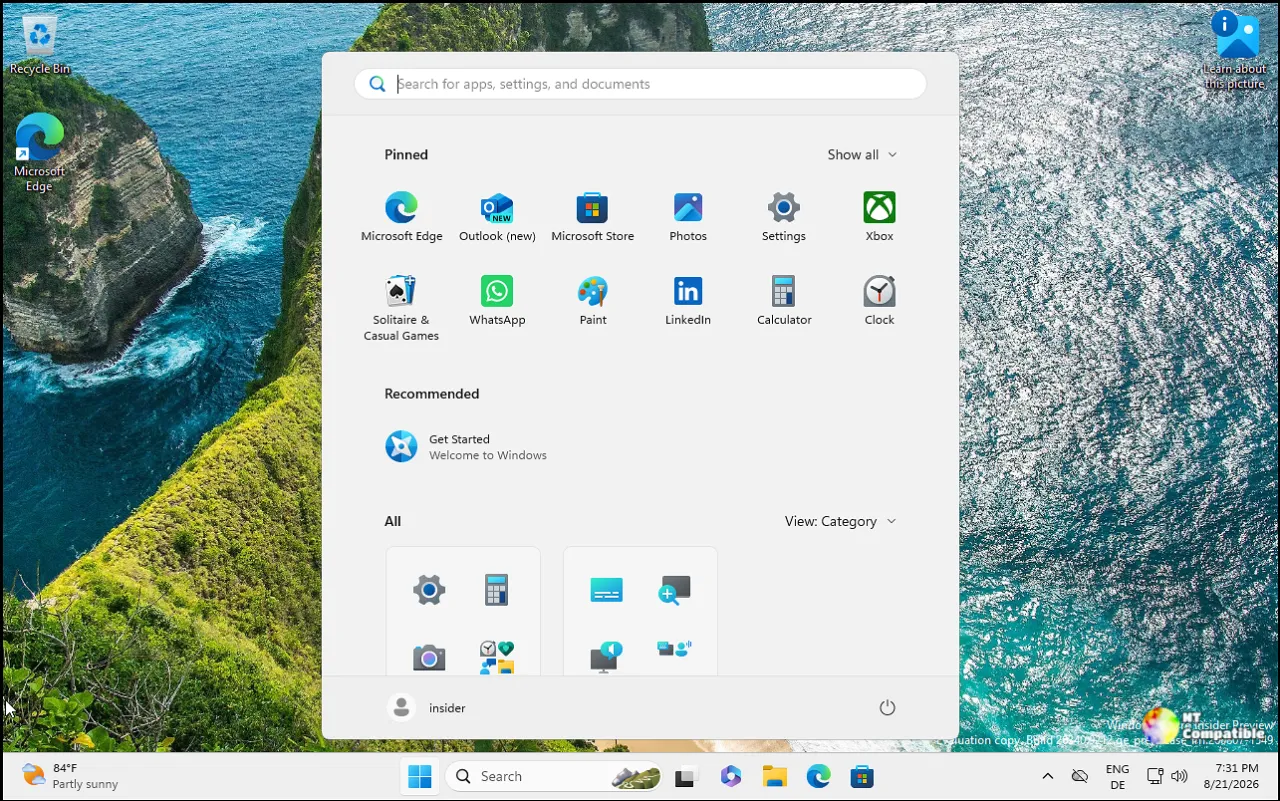
What You'll Actually Notice
Not every new feature is locked behind a version check, though. The big wins for 26H2 are the ones Microsoft has been slowly rolling out to Insider channels all summer, now consolidated for the wider preview audience.
The taskbar behavior you missed from Windows 10 is back. Taskbar location moving is restored. If you've spent the last four years wondering why you can't drag your taskbar back to the bottom of the screen, 26H2 lets you do exactly that. The "small taskbar" option for compact icons returns as well.
There's also a redesign to the right-click context menu in the Experimental channel, which feeds into 26H2. It's faster, less cluttered, and includes a customization shortcut in the bottom that leads straight to Settings. If you prefer the old Windows 10 layout with Cut, Copy, and Paste inline, there's a mode for that.
Copilot gets a step back. Microsoft says 26H2 reduces the integration of Copilot throughout the system UI. After months of backlash from users who felt the AI assistant was getting too aggressive in the shell, this is a meaningful concession.
The update also brings 8 GB RAM optimization, legacy WinUI upgrades for better performance, and further File Explorer improvements. If you're running a modest PC with 8 GB of memory, 26H2 is tuned specifically for that configuration.
Stephen Lines from the Windows Insider Program Team announced the drop with the usual cadence: "Today, we are making this year's annual feature update, Windows 11, version 26H2, available in the Release Preview Channel for customers to preview ahead of general availability later this calendar year."
General availability is still TBA, but the pressure to move is real. Windows 11 version 24H2 Home and Pro hit end of service on October 13, 2026. That's roughly seven weeks from now. If your PC is stuck on 24H2, you'll need to enable 26H2 to keep receiving updates.
Commercial customers have it easier. The enablement package deploys via WU client policies, WSUS, and the Azure Marketplace. Windows settings backup is now enabled by default for commercial devices in 26H2, which is a welcome change for enterprise management.
ISOs for the general public are available. You can grab them from the Windows Insider ISO download page if you prefer a fresh install over the update stream.
It's a rather quiet release for a "new" version of Windows, but the taskbar changes and Copilot reduction go a long way. The shared servicing branch keeps things simple, if a bit confusing for version watchers. At this point, 26H2 feels more like a refinement pass than a generational leap.
If you're in the Release Preview Channel, the update should arrive via Windows Update Settings shortly. For everyone else, keep an eye on the Windows Insider blog for the GA announcement.


