WSL Manager 2.5.0 Ships With Live Resource Graphs and VM Recovery
The solo-developer GUI for Windows Subsystem for Linux gets real-time resource monitoring, AI-assisted VM restart, and a cleaner Homebrew install on Mac.
WSL Manager, the free open-source GUI that lets you administer Windows Subsystem for Linux distros without ever opening a terminal, now has version 2.5.0. It went live October 1, and even though it trails the big 2.0.0 overhaul, it's doing the quieter, more useful work: fixing the exact things that make developers curse under their breath.
For those still learning WSL the hard way, the pain is genuine. Managing distros used to mean memorizing wsl.exe flags and hand-editing .wslconfig in the dark. WSL Manager (it carried the clunkier name WSL Distro Manager for a while) takes much of that pain away. It's the spare-time labor of Eric Trenkel, who goes by @bostrot on GitHub, and he's maintained it solo since 2021. Core features like installing, copying, renaming, moving, backing up, and deleting distros stay free forever under the GPL-3.0 license.
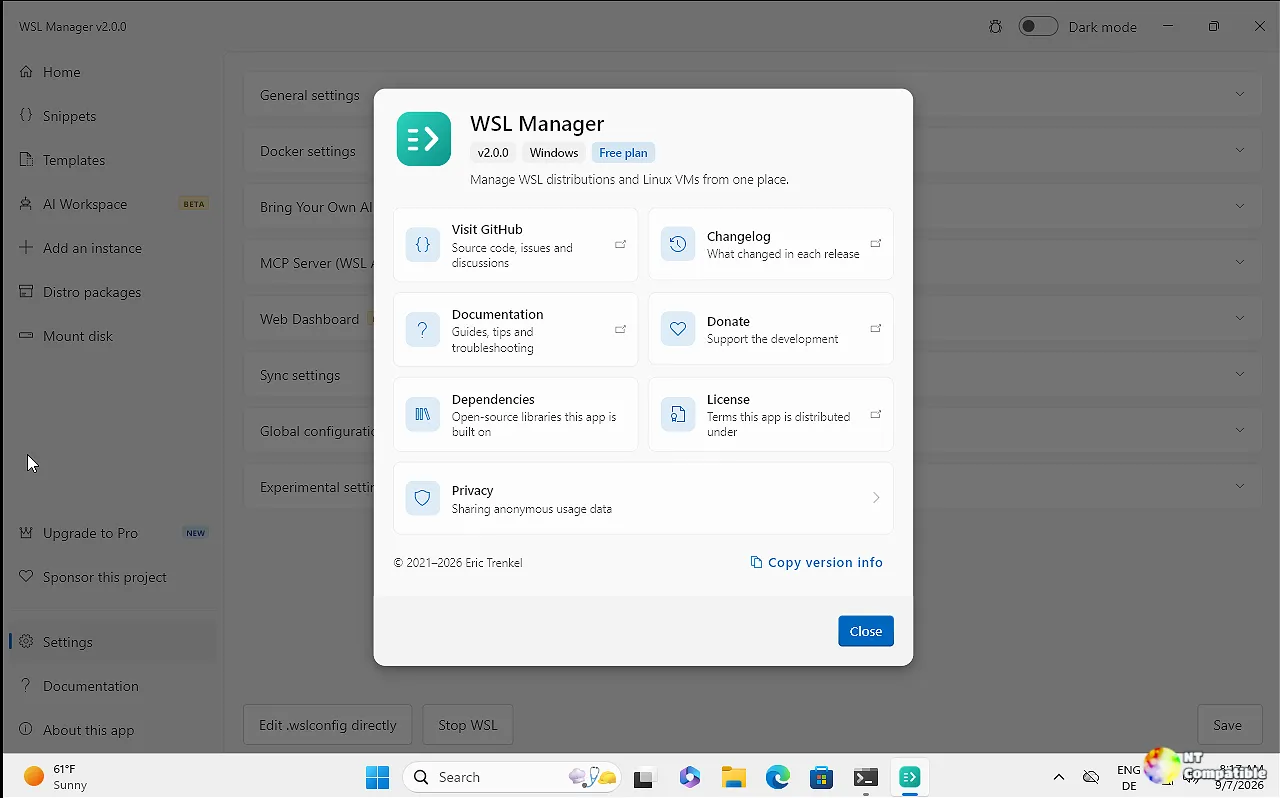
The app runs natively on both Windows and macOS because it's built in Flutter. On a Mac, that same binary handles native Linux VMs (and macOS VMs on Apple Silicon) through Apple's Virtualization framework instead of WSL.
It's grown quietly. The GitHub repo holds around 4,000 stars and close to 180 forks, with a live Discord and a GitLab mirror. You can grab it from the Microsoft Store, Winget, Scoop, or Chocolatey on Windows, and from Homebrew or a signed .dmg on Mac.
The standout release was 2.0.0, back in September 2025. That one dragged the app onto macOS, added an AI layer built around an isolated "AI Workspace," a chat assistant that could actually drive your distros, an MCP server for external agents, SSH-based remote management, and a from-scratch UI redesign. The 2.4.x releases that followed refined the mechanics. 2.5.0 keeps pushing in that direction, and it's mostly sensible.
What's actually in 2.5.0
The release landed October 1 under commit a1e9383. The changelog covers 10 commits across 55 files, and every line comes from Trenkel. Headline scope is modest, but each change plugs a real hole.
The biggest is the new System resources view. It tells you what a distro or VM is using right now: processor time, memory, and swap. A live graph underneath keeps refreshing while you watch, which is the kind of at-a-glance observability you already expect from a container dashboard, minus the command line.
Then there's the recovery angle. A hung virtual machine used to be a manual chore: you open a shell, hunt for the process, and cross your fingers. Now the AI assistant, plus any MCP client hooked into it, can restart a machine that's stopped responding. It tries to be polite first, asking the guest to shut down, then powers it off if the guest goes quiet, then boots everything back up.
One fix is easy to overlook but matters for correctness. Two chats saved in the same clock tick used to get filed as a single conversation, and now 2.5.0 separates them, so sessions that arrive together don't silently merge.
On Mac, installing via Homebrew no longer needs a custom tap. The cask ships with Homebrew itself now, so brew install --cask wsl-manager covers you, and brew upgrade --cask wsl-manager picks up future releases. That clears a setup step that caught a lot of Mac users out.
There's also a batch of commercial-housekeeping changes. The Pro price now shows up in the buyer's own currency on the license screen. On the analytics side, the app can report which paywall an upgrade click came from, it recognizes Team license keys, it's dropped the START100 launch offer, and it mints Team licenses through an n8n workflow Trenkel runs himself.
You don't usually see a solo project minting and renewing its own licenses through an n8n workflow until it's quietly scaling into something bigger. The release notes otherwise sum up the rest of the changes as "smaller fixes and maintenance," which is a generous read for what is basically a rewrite of the plumbing behind the paywall.
What the AI layer actually costs
WSL Manager's model is worth understanding before you tap a card. Managing distros and VMs is free and open source. An AI layer sits on top, behind a one-time Pro purchase that never turns into a subscription.
For individual developers on Windows, Pro is $29 one-time. The Team plan runs $19 per seat, per year, and a Commercial license is $99 per seat, one-time, for organizations or anyone pulling in over $1M in annual revenue. Pro unlocks the AI Workspace (an isolated distro or VM that runs agents like Hermes Agent, OpenClaw, Open WebUI, and OpenCode), a tool-calling chat assistant, sandboxes, a task queue, the built-in MCP server, and a browser web dashboard with QR-code access.
The MCP server, a through-line across recent releases including this one, exposes WSL to external AI clients at http://127.0.0.1:59133/mcp. It's loopback-only and guarded by a bearer token, and you can wire it into Claude Desktop, Claude Code, or opencode either through an mcp-remote bridge or directly over streamable HTTP.
Keep in mind that the new resource graph and core management tools stay free for everyone. Only the AI-driven stuff, like the VM-restart capability, lands behind the Pro paywall.
WSL Manager 2.5.0 is available through the usual channels. On Windows the Microsoft Store is the easiest route, or you can run winget install Bostrot.WSLManager, grab a direct .exe installer or portable .zip, or pick the arm64 build for Windows on ARM. On Mac, brew install --cask wsl-manager works now that no custom tap is needed, and a signed .dmg sits on the Releases page if you'd rather skip Homebrew. Apple Silicon is required on Mac, along with macOS 11 or later, and nightly builds also exist as a workflow artifact through nightly.link.
For what it's worth, this is a quiet example of a project that actually listens. 2.5.0 doesn't open a new feature category, but every change maps to something people complained about: no visibility into resource use, a hung VM you couldn't recover, chat sessions merging, and install friction on Mac.
Head here to the release notes on GitHub.


