FluentCleaner 26.08.03 Adds Cookie Manager in Direct Nod to CCleaner’s Decline
The open-source Windows cleaner ships two editions and a full-featured cookie manager aimed at browser privacy.
FluentCleaner 26.08.03 dropped today and if you've been searching for a clean-room replacement for the classic CCleaner, this is it. Developer Belim shipped the update with a fully integrated Cookie Manager across both the Modern (WinUI) and Classic (WinForms) editions, alongside surgical browser cleaning that no longer wipes your entire cookie database just to remove a few trackers.
The project has quietly built up about 5,700 GitHub stars, 199 forks, and 244 commits since its initial push. This release focuses on a feature most users won't think twice about until they're locked out of their favorite site. You pick which cookies survive routine cleaning. It also pulls in supported keep-lists directly from CCleaner's TXT exports, which means former users don't have to start from scratch.
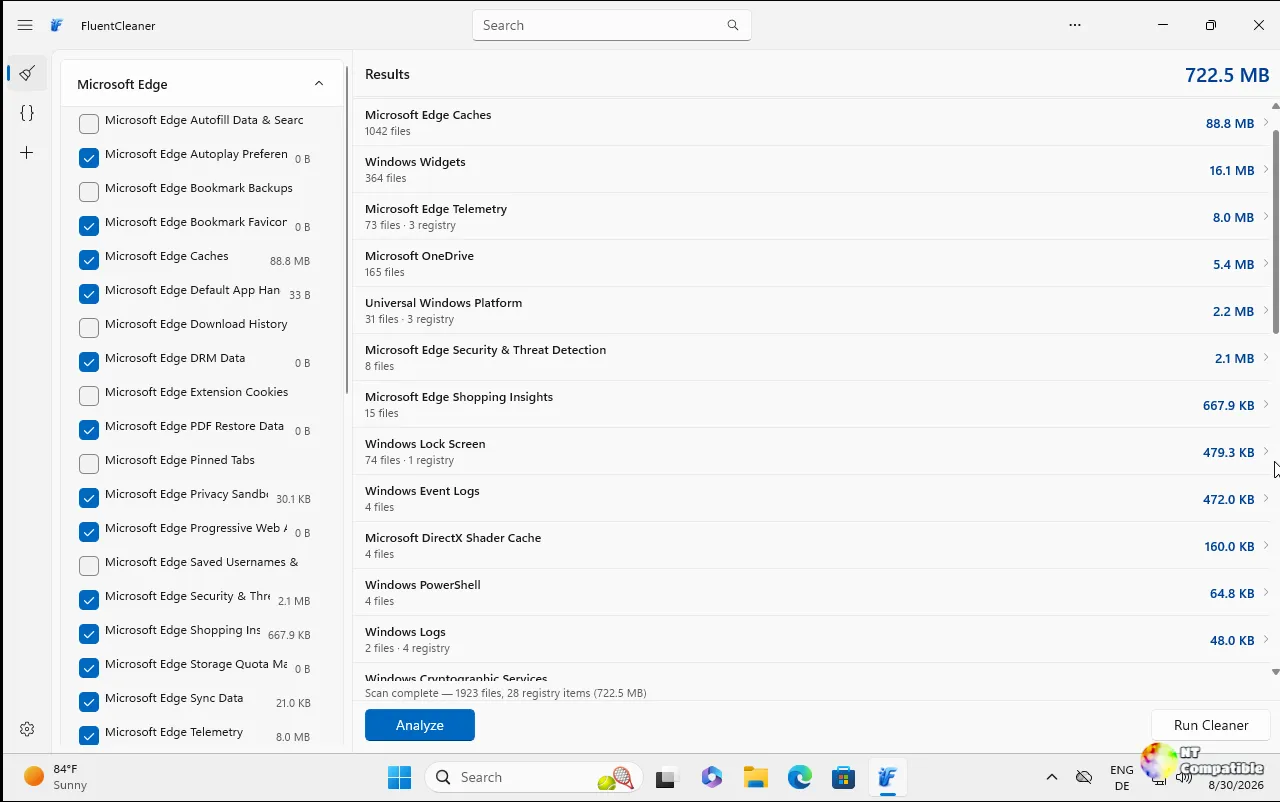
Two Editions, One Engine
Here's how Belim split the build: the Modern edition runs on .NET 10 and the Windows App SDK 2.0.1, clocks in at roughly 140 MB, and targets Windows 10 build 17763 and newer. The Classic edition stays on .NET Framework 4.8, ships as a self-contained 3.57 MB folder, and practically runs on anything Microsoft shipped after Vista. Both editions share the exact same cleaning core (FluentCleaner.Core).
It's a rather large footprint for a cleaning utility, though the reorganized Settings panel with clearly labeled sections helps justify the WinUI size. Classic wins the community vote, by the way. Discussion poll #100 shows 46 percent prefer the WinForms version, with 36 percent backing Modern. The usual gripes about WinUI 3 pop up in the threads: padding that eats screen space and a default collapsed tree that makes scanning settings a bit of a chore.
The Cookie Manager and the Database Philosophy
The new Cookie Manager pulls directly from profiles in Edge, Chrome, Brave, Vivaldi, Opera, and Firefox. You can protect specific site cookies, delete them individually, or instantly search through what's been scanned. It's the same surgical approach that defines the rest of the release: browser cleaning now preserves your chosen cookies instead of nuking the whole database.
Belim's README is refreshingly blunt about why this exists. "I built this because at some point you start noticing a pattern... things that were genuinely good… slowly become worse," the developer writes. The post-acquisition CCleaner got heavy on upsells and dark patterns. FluentCleaner strips that out entirely. No registry cleaner. No multi-pass secure deletion routines that serve zero purpose on SSDs. Every cleaning rule lives in an auditable winapp2.ini database rather than buried in hardcoded binaries.
The winapp2.ini database itself has been quietly maturing for over 15 years, maintained by MoscaDotTo's project. FluentCleaner currently ships with 4,075 rules covering everything from Claude CLI to Nexus Mods to Rust. The parser Belim built into FluentCleaner.Core runs faster than the original Piriform implementation, according to the developer. CCleaner 7 dropped standalone winapp2.ini support, which directly fed into FluentCleaner's development roadmap.
Belim also pushed CrapFixer 2.01.41, a complete WinForms rebuild focused on Windows registry tweaks. Same philosophy: database-driven, scan-first, no feature creep. The entire FluentCleaner effort runs on PayPal and Ko-fi donations. No company. No investors. The developer posts updates on X under @builtbybel and maintains a warning on the README about fake FluentCleaner download sites. GitHub releases are the only official source.
If you want silent cleanup, FluentCleaner.exe /AUTO handles it, and /AUTO /SHUTDOWN kicks in a full restart after the scan. Keep in mind that the Modern edition needs at least a build 17763 Windows install, while Classic targets practically anything older.
Head here to grab the official releases on GitHub.


