PeaZip 11.4.0 hardens up after exploitable remote-code-execution flaws
The new stable release of the open-source archiver drops console subprocesses and enables range checking, a direct response to RCE bugs patched in 11.3.0.
Open-source archiver PeaZip has a new stable release, and it's a security-focused one. PeaZip 11.4.0, out today from solo developer Giorgio Tani, leans hard on stricter input validation and range checking while quietly closing a whole class of attack surfaces tied to recent remote-code-execution bugs.
For those unfamiliar, PeaZip has been around since 2006. It's a free, cross-platform tool that bills itself as an open alternative to WinRAR and WinZip, now in its 11.x series with well over 1,400 commits on GitHub and roughly 7,900 stars. It's never been the fastest archiver on the block, but it's among the most feature-packed free options out there.
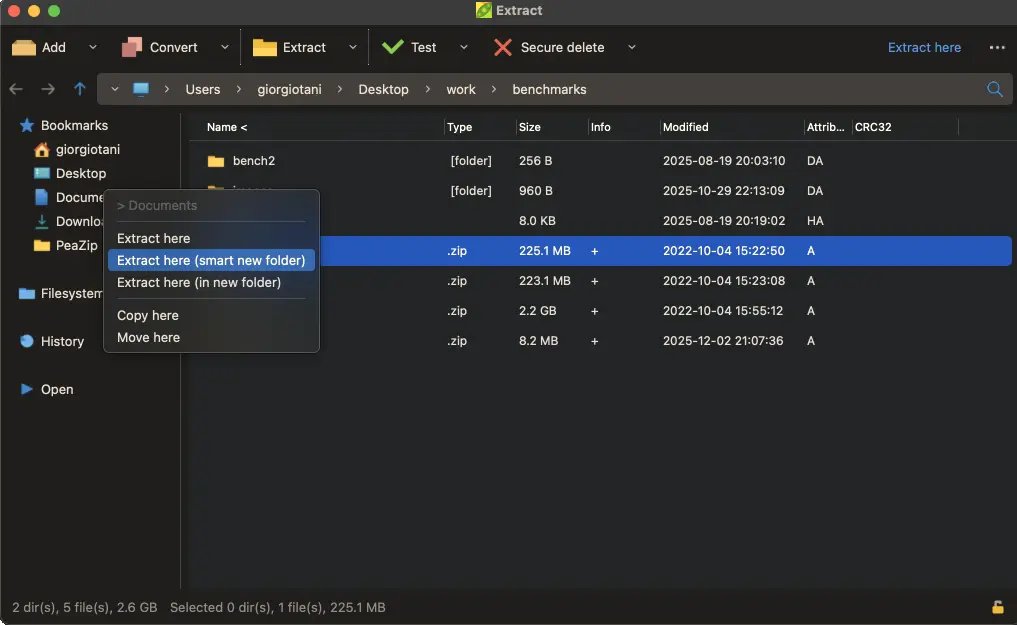
Why these changes actually matter
The headline shift in 11.4.0 isn't a shiny new feature. Tani removed the use of a full console subprocess (cmd, bash, and friends) for archiving and extraction tasks. You can still run the text-only "Console" mode, but the days of spinning up an entire terminal just to crack open a zip are over. That move kills a whole family of command-injection risks, where untrusted data inside an archive gets strung into shell commands.
On top of that, range checking is now on "whenever possible, preserving performance." For the uninitiated, that's a FreePascal safety net that flags when code reads or writes past the end of a buffer. It's a direct response to the memory-corruption bugs that made this tool so juicy to attackers.
Keep in mind that 11.4.0 didn't show up in a vacuum. The previous release, PeaZip 11.3.0, patched several serious flaws. One, CVE-2026-102514, was an out-of-bounds write in the PEA extractor worth a CVSS 8.4. An attacker could craft a .pea file that overwrites adjacent memory, potentially running code as you. Cross-platform. No password needed. It was even demonstrated by two independent researchers against official Linux and Windows builds.
There was also CVE-2026-105050, a command-injection flaw where the app checked filenames for double quotes but ignored backticks, semicolons, and dollar signs. A cleverly named archive entry could inject shell commands. Eleven point three point zero tightened the validator. Eleven point four point zero pulled the rug out from under the entire model by ditching the console subprocess altogether.
It's not only a security patch
If you're looking for something that isn't purely defensive, there's the new Windows .lnk navigation. Press Ctrl+P inside the file browser and PeaZip follows a Windows shortcut and opens its target directory instead of launching it. That's a notably safer default than double-clicking a shortcut you have no reason to trust.
The file browser also gets better auto-refresh, updating more reliably when files change on disk. Backends moved to 7z/p7zip 26.04 and Pea 1.34, and support now covers 243 archive extensions. The latest addition is .ZIM, the container format Wikipedia and Project Gutenberg use for data dumps.
Sources ship in Lazarus 4.x but stay compatible with 3.x and 2.x, which keeps self-compilers and older distros from getting left behind.
It's a rather thorough update for something that predates most of its users' accounts, though. PeaZip has never exactly been a speed champion, ranking slower than 7-Zip in compression benchmarks, and its sprawling option set can overwhelm newcomers. For a free tool that throws in AES encryption, two-factor auth, and secure file deletion, the trade-off usually holds up. Review sites reflect that sentiment, with Softpedia awarding it 4.5 of 5 and fileion landing around 4.48.
PeaZip 11.4.0 dropped today. If you're still on an older build, it's worth upgrading. The developer's own guidance points toward 11.3.0 and later, and given that recent releases held genuinely exploitable RCEs, that recommendation is easy to make and harder to ignore.
Head here for the full changelog and download manifests.


