Today's hardware reviews: Thunderbolt 4 Laptop under $700, an LCD cooler, and a drive that tracks like an AirTag
Seven reviews landed over the last 24 hours, spanning laptops, cooling, keyboards, motherboards, and portable storage. A few have real stories beneath the spec sheets. Let's get to them.
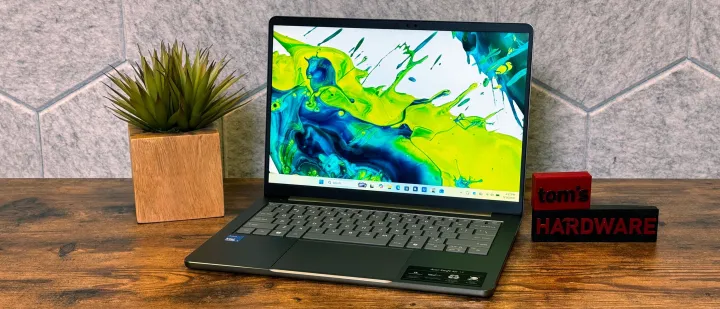
Tom's Hardware frames the Acer Swift Air 14 exactly how you'd want a $700 laptop framed. "If Thunderbolt 4 is your priority in a budget system, the Swift Air 14 is for you," they write. At $699.99, Acer leaned into ports and battery life instead of raw performance, which is a fair trade in the premium-budget class.
The tested config won't blow anyone away. An Intel Core 5 320, 8GB single-channel LPDDR5, a 512GB Gen 3 drive, and a 14-inch 1920×1200 panel. Geekbench 6 came in at 2,613 single-core and 7,977 multi-core. That matches the Dell XPS 13 and trails the MacBook Neo's A18 Pro by a wide margin.
Battery tells a different story. Tom's Hardware logged 16 hours 52 minutes, more than two hours past the XPS 13's 14:26 and the Neo's 13:28. That's a gap you actually feel in daily use.
Ports are the payoff. Two Thunderbolt 4 USB-C ports on the left, a USB-A and a 3.5mm jack on the right. It beats both rivals here for count and speed.
It's not all smooth sailing though. The panel is dimmer than competitors, Acer piled on 10-plus preinstalled utilities plus a few random games and VPN trials, and single-channel RAM with a Gen 3 SSD are genuine weak points on paper. Tom's Hardware even found the Core 5 320 couldn't run Cinebench 2026, forcing a Handbrake fallback for stress testing.
Tom's Hardware: Acer Swift Air 14 review: Wildcat Lake and lots of ports at $699
If Thunderbolt 4 is your priority in a budget system, the Swift Air 14 is for you.
Acer Swift Air 14 review: Wildcat Lake and lots of ports at $699
Bottom line: a practical, port-rich ultrabook that stops short of premium. Fine if connectivity and battery outrank benchmarks.
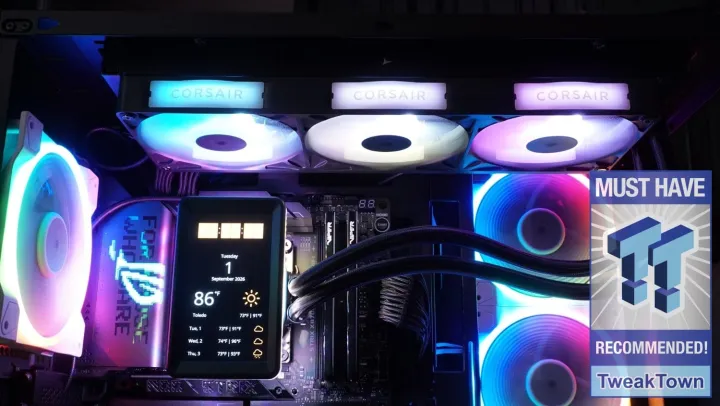
Closely related, sort of: the Corsair iCUE LINK Titan II 360 RX LCD turns a CPU cooler into a second monitor. Its 5-inch IPS screen can extend or mirror your desktop without iCUE even running, and it shows the BIOS and boot logo too.
At $239.99 it lands under Corsair's usual ~$300 AIO norm, and TweakTown rated it 96 percent overall. Push pump and fans to 100 percent and it tops the chart, hitting a 58.9°C average under load. TweakTown's verdict: when unleashed, it's "a true beast."
TweakTown: Corsair iCUE LINK Titan II 360 RX LCD Liquid CPU Cooler Review
Corsair's iCUE LINK Titan II 360 RX LCD AIO packs a 5-inch IPS screen, quiet RX RGB fans, and iCUE control into a $239.99 flagship cooler.
Corsair iCUE LINK Titan II 360 RX LCD Liquid CPU Cooler Review
However, at the same time, Corsair's presets trade thermals for silence. Quiet and Balance modes sit at a very quiet 23 dB but hand you slower, hotter results. Peak performance runs around 68 dB in-room, which is jet-engine loud.
The included VRM fan doesn't cool much of anything unless you crank it to full speed. You're also stuck with proprietary cabling throughout, iCUE bloatware, and a preset strategy that sacrifices cooling for quiet. TweakTown's advice is to tune manually instead of trusting the presets. It's arguably the flashiest AIO out right now, even if the screen is the whole point and not the thermals.
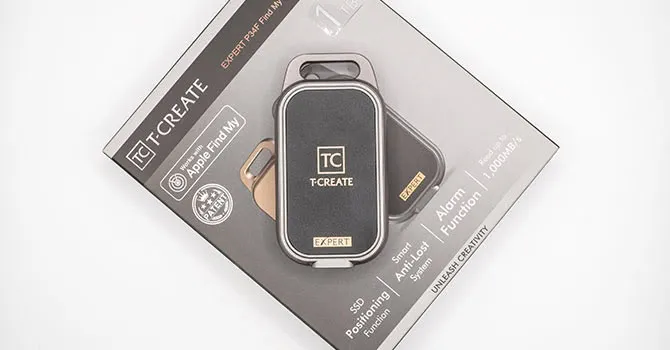
The Team Group T-Create Expert P34F is what TechPowerUp calls "the SSD with an AirTag." It's a 1TB portable drive with official Apple Find My support, so it pings from an onboard coin cell and relays its location through nearby Apple devices. Tracking worked flawlessly in testing, and there's an audible alarm as well.
It caps at USB 3.2 Gen 2 (10 Gbps) on purpose, since Apple devices max out there anyway. A big SLC cache keeps sustained writes above 860 MB/s. At $238 it's a bit pricey for 10 Gbps, but you're paying for the tracker and the Apple-friendly build. Given how ~$430 it can be just to jump from a base 256GB to a top 1TB iPhone, an external drive suddenly looks sensible.
TechPowerUp: Team Group T-Create Expert P34F 1 TB Portable SSD with Find My Review - The SSD with an AirTag
Team Group's T-Create Expert P34F 1 TB Portable SSD with Find My pairs a solid, Apple-friendly design with AirTag-grade tracking that works flawlessly. Its huge SLC cache offering sustained writes over 860 MB/s make it great for long transfers, even if the 10 Gbps link holds back peak speed.
Team Group T-Create Expert P34F 1 TB Portable SSD with Find My Review - The SSD with an AirTag
Enthusiast bits: paste, keyboards, and boards
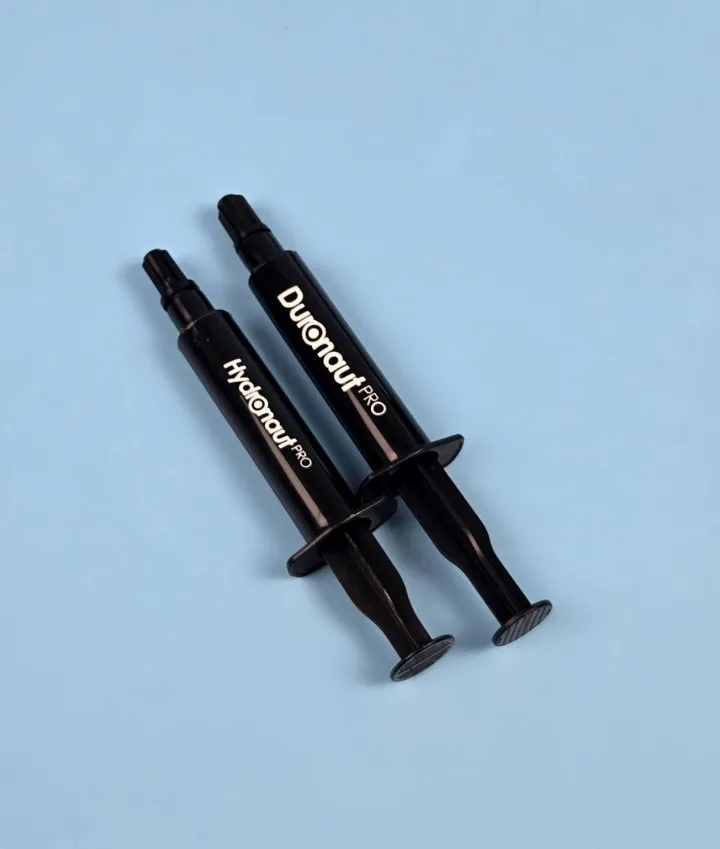
Thermal Grizzly has split its Pro paste line into two directions, and EnosTech recommends both. The Duronaut Pro is the performance choice: grey, silicone-oil based, built for gamers and extreme overclockers. It runs $20.94 for 2g up to $93.48 for 30g. The Hydronaut Pro is the industrial-safe, silicone-free version, easier to apply and cheaper at $17.43 for 2g, but not built for serious overclocking.
Against the Noctua NT-H2 and ARCTIC MX-7, the Duronaut Pro tracked near the MX-7 and just behind the NT-H2. The Hydronaut Pro sat slightly behind the NT-H2. EnosTech is quick to say these are one-time relative comparisons, not long-term durability tests. Keep in mind that distinction before you buy on strength alone.
Both are electrically non-conductive and non-curing, and both come in 2g, 6g, and 30g tubes.
EnosTech.com: Thermal Grizzly Duronaut Pro and Hydronaut Pro Review
Thermal paste, thermal compound, or TIM (thermal interface material), as you may call it is a heat-conducting material that plays a crucial role in transferring heat from heat source to the cooler. In our last content, we tested high-performance Duronaut by Thermal Grizzly.
Thermal Grizzly Duronaut Pro and Hydronaut Pro Review - EnosTech.com
Two keyboards this week chase the same ultra-low-latency dream. The Keychron V3 8K is a wired tenkeyless board peaking at 8000Hz polling. APH Networks calls it a "focused approach" with consistent execution. It ships with Apex Red linear switches, a steel plate, south-facing RGB, and PBT keycaps, weighing around 1005g.
One heads-up from APH: the review unit came with Apex Red switches, not the "Super" switches listed on the product page. Check what actually ships before you order.
APH Networks: Keychron V3 8K Review
Whenever I am in Toronto, I am always reminded of the excellent food selection regardless of where you are. I was there last month for a convention located in the downtown area. However, within a short walk, we tried different cuisines that were both delicious and affordable. This included cheaper locations for dumplings or meat patties, various Chinese noodles, and all-you-can-eat sushi. We even tried a more upscale Vietnamese place that one might call a "flavor explosion". Unfortunately, I cannot say the same for my hometown, as our area seems to all serve similar food and requires a bit more travel to get variety. Obviously, this comes with the better walkability of downtown Toronto as opposed to Calgary, but the food scene is more vibrant and diverse. In a similar vein, some keyboard manufacturers have options that come in all shapes, sizes, and colors.
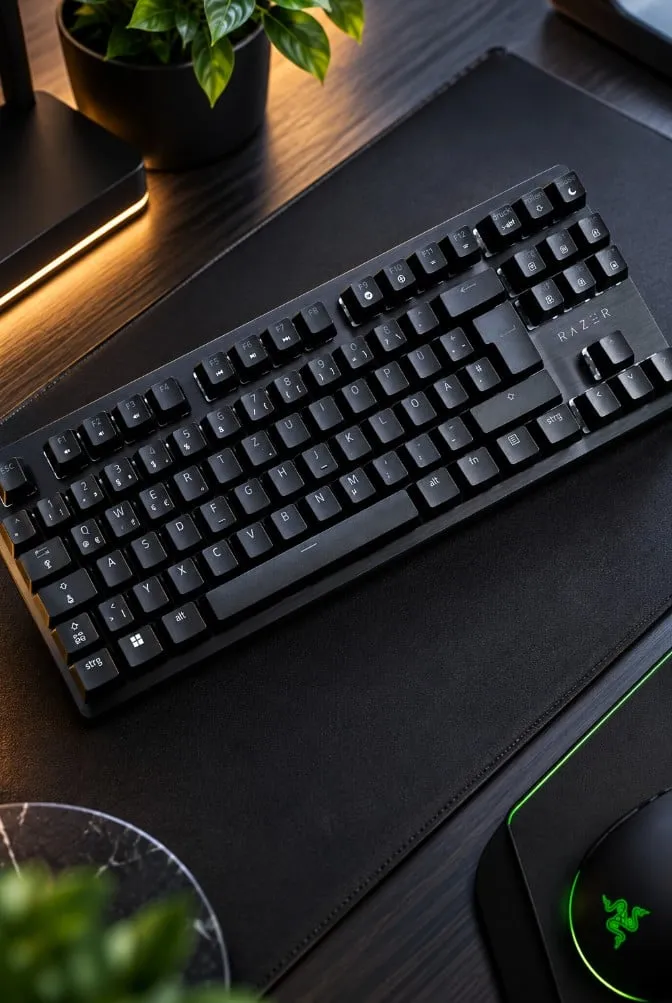
The Razer Huntsman V3 HE Tenkeyless is the one with the flashier number. igorsLAB measured an average end-to-end latency of just 5.2 ms, with a low of 3.2 ms. It's among the fastest boards it's tested, at €149.99 with magnetic Hall Effect switches and per-key actuation from 0.1 to 4.0 mm.
But the number that matters is latency, not polling rate. igorsLAB stresses that 8000Hz doesn't by itself mean anything in practice. And with such tiny Rapid Trigger and actuation thresholds, a twitchy finger can fire accidental inputs. The switches aren't hot-swappable either, and the bottom case is plastic. Speed-first, yes. But those two choices will annoy some buyers.
IgorsLAB: Razer Huntsman V3 HE Tenkeyless Review: 5.2 ms, 8,000 Hz
The Razer Huntsman V3 HE achieves 5.2 ms E2E latency in the LDAT test and offers Hall Effect switches, Rapid Trigger, and up to 8,000 Hz.
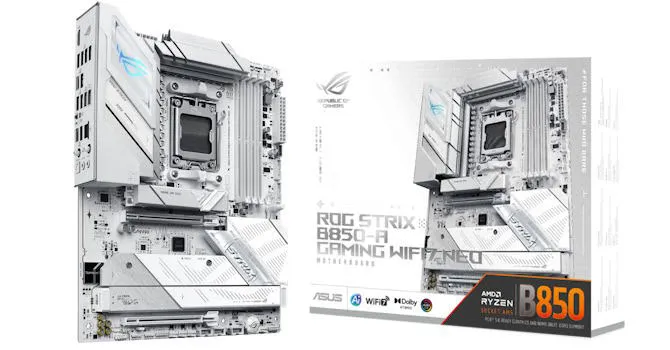
Finally, the ASUS ROG Strix B850-A Gaming Wi-Fi 7 Neo is TechPowerUp's pick for a refined entry-level AM5 board, particularly for white builds. At roughly $300 it undercuts rivals while adding Q-Release for the GPU, tool-free M.2 heatsinks, Wi-Fi 7, 5GbE, and DDR5-9000 overclocking support. The real question is whether the new quirks justify the price over the cheaper previous generation.
TechPowerUp: ASUS ROG Strix B850-A Gaming Wi-Fi7 Neo Review
The ASUS ROG Strix B850-A Gaming Wi-Fi7 Neo brings a cleaner white design, cooler VRM temps, and useful improvements like tool-free M.2 heatsinks and a smarter GPU release. It also adds Wi-Fi 7, 5 Gbps Ethernet, and a 20 Gbps USB-C header for modern AM5 builds.