UniGetUI 2026.1.8 Adds Pinget Fallback, Flatpak Support, and Modern Avalonia UI
UniGetUI version 2026.1.8 lands with significant changes to how the tool handles WinGet dependencies, introduces a modern interface option for Windows users, and expands Linux support with Flatpak integration. The update also shifts branding under Devolutions and rolls out accessibility improvements across the board. This release focuses on reducing bloat while ensuring package management remains reliable even when system components go missing.
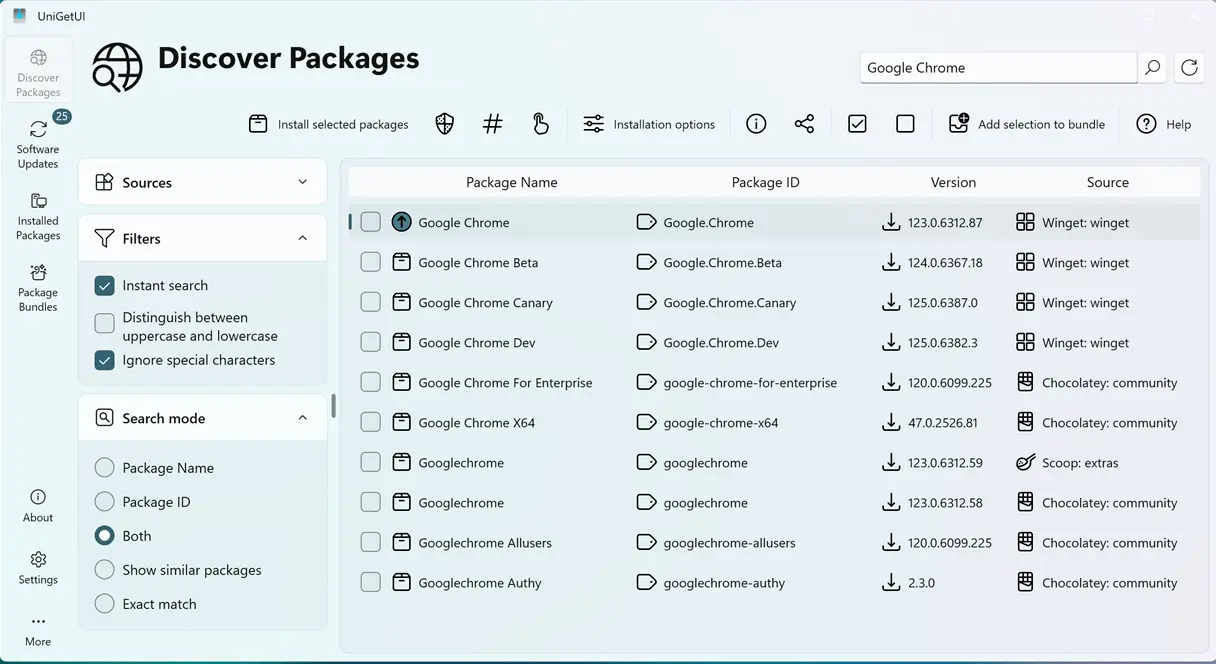
Pinget Fallback Replaces Bundled WinGet CLI
UniGetUI 2026.1.8 removes the bundled WinGet command-line interface from the installation package. This change likely aims to reduce redundancy since most Windows systems already include WinGet via the Microsoft Store or system updates. The tool now relies on the host system's version of WinGet to operate. If that dependency goes missing, UniGetUI automatically falls back to Pinget, a portable alternative included in the release.
This fallback mechanism ensures the package manager remains functional even when the official CLI is corrupted or uninstalled. A common scenario involves users accidentally removing WinGet during a system cleanup or encountering registry issues after a failed update. Previously, this could leave UniGetUI unable to manage packages until the user manually restored the missing executable. The new automatic switch to Pinget handles this gracefully behind the scenes without requiring intervention. Administrators managing fleets of machines will appreciate that the tool no longer duplicates WinGet files, which simplifies deployment and reduces disk footprint.
Modern Avalonia UI Offers Toggle Between Interfaces
Windows users can now access a fully featured modern interface built on Avalonia. This new UI provides feature parity with other platforms and includes improvements for window maximization and navigation flow. The developers recognized that not everyone wants to overhaul their workflow immediately, so the update allows toggling between the classic interface and the modern Avalonia design.
The toggle switch resides within the settings menu, allowing users to preview the new layout without committing to a permanent change. Linux users also benefit from a resizable main window in the classic mode launcher, addressing long-standing complaints about fixed dimensions on desktop environments. The navigation bar receives updates for better focus management, which helps screen reader users move through menus more efficiently. These changes bring UniGetUI closer to modern application standards while maintaining backward compatibility for those who prefer the established layout.
Flatpak Integration and Linux Package Manager Fixes
The release adds Flatpak as a supported package manager within UniGetUI. This expansion gives Linux administrators better control over containerized applications alongside existing Snap and other backend support. The integration allows users to search, install, and manage Flatpak packages directly from the unified interface without switching terminals or using separate tools.
Under the hood, the update resolves an RPM installation failure on Fedora 38 and later versions. A dependency issue with liblttng-ust.so.0 that caused crashes or silent failures has been corrected. Chocolatey installer validation also receives a fix to prevent false positives during package verification. These backend adjustments ensure smoother operations across different Linux distributions and Windows environments. Users reporting installation errors on recent Fedora releases should find the process stable after upgrading.
Accessibility, Branding, and Translation Updates
Devolutions has updated the branding across UniGetUI to reflect its ownership structure. The application now displays Devolutions branding consistently throughout the interface and documentation. This rebranding aligns with the company's broader portfolio of remote access and management tools.
The team prioritized accessibility by implementing numerous fixes for screen reader users and improving focus management throughout the application. Navigation bars now announce their state correctly to assistive technologies, reducing confusion when moving between tabs or panels. Translation errors have been synchronized to ensure consistent terminology across supported languages. These improvements make UniGetUI more usable for a wider audience, particularly those relying on keyboard navigation or screen readers to manage software installations.
Release UniGetUI v2026.1.8
Devolutions UniGetUI 2026.1.8 This release introduces major improvements and new features, as well as key bug fixes and enhancements
Grab the update from the official source and test the new interface toggle if you prefer a fresher look over the classic layout. The Pinget fallback should save headaches for anyone who has dealt with broken WinGet dependencies in the past.


