Microsoft pushes four new Windows 11 Insider Preview builds, leaning into accessibility
The September 25 batch skips the Dev Channel entirely, adds a new Pointer Indicator, and expands Narrator's math reading to six languages.
Microsoft rolled out four new Windows 11 Insider Preview builds on September 25, and this one reads more like a checklist than a showcase. The updates hit the Beta and Experimental channels, with a clear emphasis on accessibility, energy savings, and cross-device continuity. It was a comparatively quiet day for the bleeding-edge tracks.
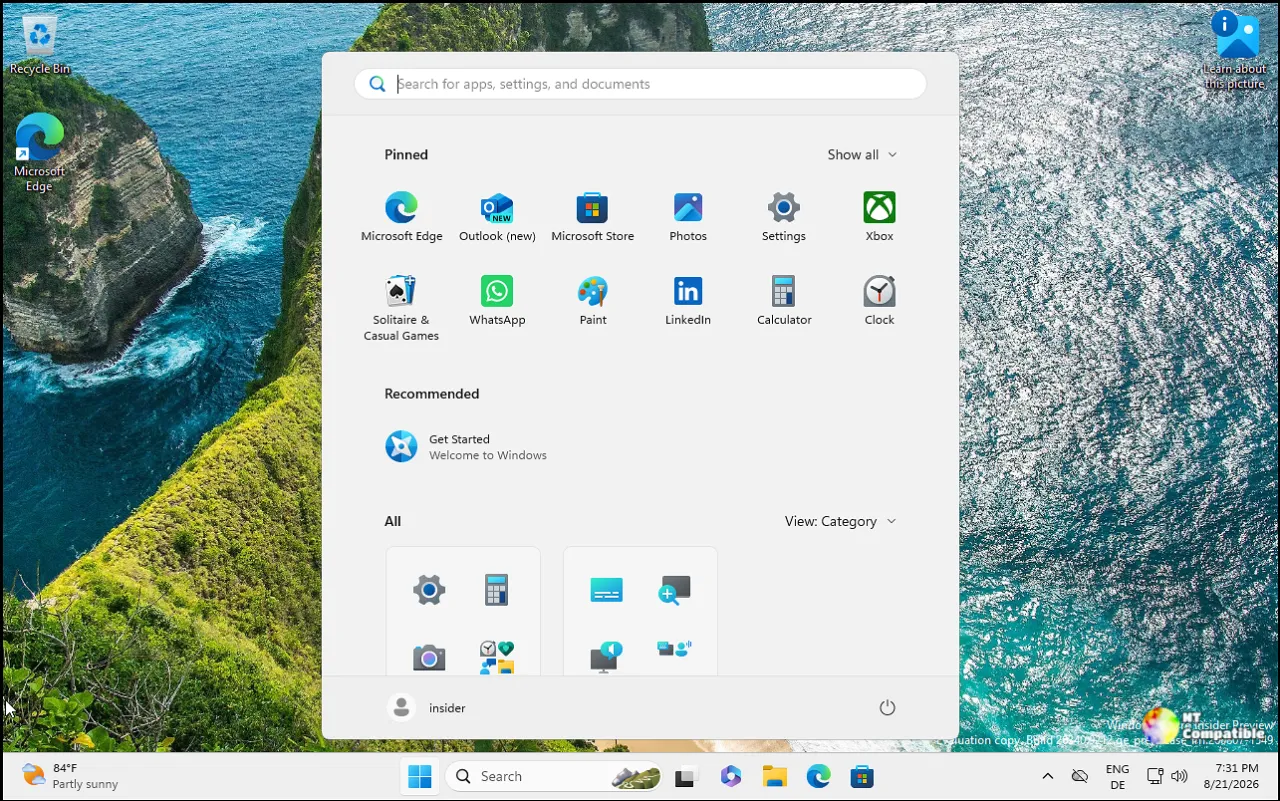
The announcement came through the Windows Insider Blog, written by program lead Stephen Lines. Microsoft also confirmed there was no new Experimental "Future Platforms" build that day, meaning that most experimental branch is sitting idle between release cycles. That's a signal in itself.
Let's walk through what actually shipped.
The builds
The Beta Channel Build 26220.9568 sits on the current stable line, Windows 11 version 25H2, delivered as an enablement package (KB5054156). It's the richest of the four, and most of the changes here lean accessibility.
The headline addition is the Pointer Indicator. It's a new setting that helps low-vision users find their cursor, and you toggle it with Windows logo key + Ctrl + Shift + X. It lives under Settings > Accessibility > Mouse pointer and touch.
There's also a Phone Link companion hover preview in the Start menu. If you've got the companion experience enabled, hovering over a recent message now shows a content preview so you can tell whether something needs attention without picking up your phone. You'll need a Phone Link build of at least 1.26021.3.0 for it.
The Magnifier gained a contrast theme toggle that's separate from the existing color inversion option. Inversion flips the whole screen, photos and videos included. The contrast theme recolors only the interface, with a dark theme applied by default. Head here to find it under Settings => Accessibility => Magnifier.
The rest of the Beta build is smaller stuff. File Explorer's Folder Options dialog finally gets dark mode, USB Audio Class 1.0 devices work again after updates, and the temporary files section under Storage got a minor visual tidy-up.
Windows 11 Insider Beta Preview Build 26220.9568 - Windows Insider Program
Release notes for Windows 11 Insider Beta Preview Build 26220.9568
Windows 11 Insider Beta Preview Build 26220.9568 - Windows Insider Program

The Experimental Channel Build 26340.9577 targets the next annual feature update, Windows 11 version 26H2, and it's where the more meaningful accessibility work landed.
Narrator's math reading now covers six languages: English (US), English (UK), Traditional Chinese, Finnish, German, and Spanish. It works for supported web content in Edge Stable 153.0.4234.32 and up, or Chrome Stable 153.0.8010.18 and up. For a blind or visually impaired student working through equations, that's a real widening of reach.
Energy Recommendations now surface directly in Quick Settings, part of Microsoft's push toward device-level sustainability. A screenshot in the release notes shows the suggestions appearing on the Power and battery page, so those nudges turn up right where you're already looking.
That same build also gets the scrollable Phone companion pane, a taskbar multi-monitor state fix, another pass at the USB Audio Class 1.0 issue, and the same temporary-files cleanup as Beta.
Windows 11 Insider Experimental Preview Build 26340.9577 - Windows Insider Program
Release notes for Windows 11 Insider Experimental Preview Build 26340.9577
Windows 11 Insider Experimental Preview Build 26340.9577 - Windows Insider Program
The final two builds are quieter still. Beta (26H1) Build 28020.3112 is a platform track aimed at specific silicon, and its only change is a Hyper-V fix for HCS-managed VMs that were failing to share host folders with Linux guests over Plan9.
Windows 11 Insider Beta (26H1) Preview Build 28020.3112 - Windows Insider Program
Release notes for Windows 11 Insider Beta (26H1) Preview Build 28020.3112
Windows 11 Insider Beta (26H1) Preview Build 28020.3112 - Windows Insider Program
Experimental (26H1) Build 28120.3122 gets the vague "general improvements and fixes" summary Microsoft loves for that tier, with nothing itemized. As the company reminds us, that Experimental branch can be unstable and ships with limited documentation.
Windows 11 Insider Experimental (26H1) Preview Build 28120.3122 - Windows Insider Program
Release notes for Windows 11 Insider Experimental (26H1) Preview Build 28120.3122
Windows 11 Insider Experimental (26H1) Preview Build 28120.3122 - Windows Insider Program
What this tells you
The through-line is accessibility over flash. Three of the four builds touch it, and the Pointer Indicator, Magnifier contrast theme, and expanded Narrator math reading are the most concrete wins. Keep in mind that this is Microsoft doubling down on a direction we've watched for a while now; "accessibility by design" stopped feeling new several releases ago.
The Energy Recommendations card is the other bit worth tracking. It's a small feature, but surfacing power guidance at the point of interaction is deliberate. However, at the same time, whether anyone actually shifts their habits because a Quick Settings card told them to is worth questioning. The intent is clearly there.
The Phone Link continuity work rolls on too, with a hover preview in Beta and a scrollable pane in Experimental. Both cut down on context-switching, even if neither is exactly a reason to upgrade.
As always, the standard caveat applies. Microsoft warns these features "might never get released," and they can be changed or cut without warning. The desktop watermark in the corner is normal. If you want to verify which build you're running, the Flight Hub dashboard tracks all of it.


