2026-09-12
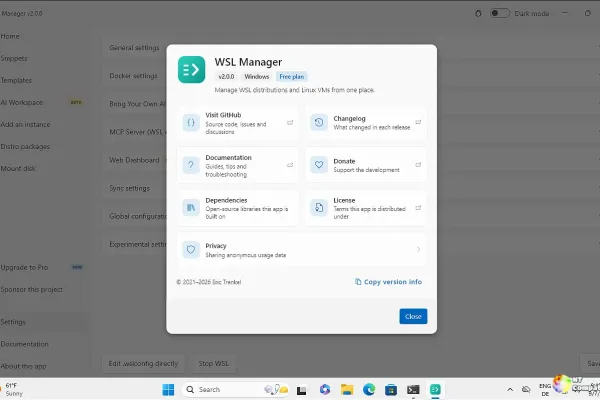
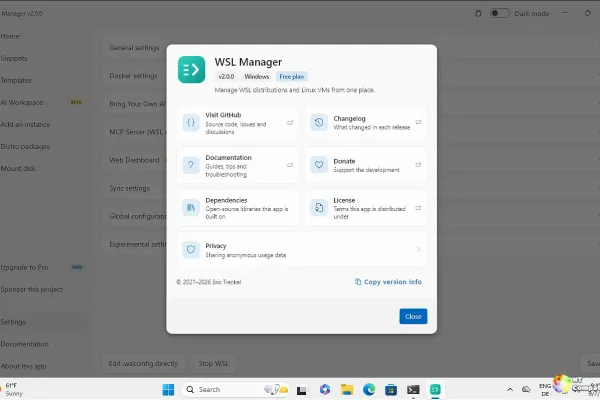
WSL Manager 2.1.0 introducing a schema-driven interface that lets AI runtimes like OpenClaw and OpenCode describe their own settings directly from the UI. The update also rewires dashboard routing for non-Windows hosts, fixing persistent loopback mismatches while keeping the MCP server exposed for external AI agents. Core distro management remains free under GPL-3.0, but the AI workspaces and dynamic configuration tools require a one-time Pro purchase. You can grab the release via winget install Bostrot.WSLManager, the Microsoft Store, or the direct .exe installer, though Trenkel warns that the AI configuration feature is still in beta.
Cooler Master's MasterFan A140 FC secured a Cybenetics Platinum rating for 164.4 CFM airflow, though reviewers flagged a confusing discrepancy between the spec sheet and the fan's printed amperage label. Razer debuted the Reclusa X Mini 65% at $49.99, delivering hot-swap support and Gen-3 Orange switches in a budget-friendly board that Windows Central praised as the start of a new enthusiast family. Thermalright's $91 TR-KG750 power supply undercuts nearly every name-brand 750 W Gold unit, but Tom's Hardware warns that "acceptable rather than good" regulation makes it a gamble for builders who prioritize silence or verified efficiency. Finally, AVerMedia's DUALCAM PW313D earned 95% for its unique dual-camera design at $149.99, filling a niche for streamers needing two angles without the cost of a full multi-camera rig.
Microsoft has released Windows Subsystem for Linux 2.7.14. The update bundles four major backported fixes addressing uninitialized memory leaks, out-of-bounds reads in interop messages, network exposure on the kernel daemon relay, and authorization bypasses in plugin mounts. By maintaining a dedicated release/2.7 branch for these hardening updates, the WSL team ensures stability without interrupting active feature development on the master track. You can apply the patch immediately by running wsl --update in PowerShell to secure your existing distributions without any manual intervention.
Microsoft shipped new Windows 11 Insider Preview builds, expanding desktop customization and security hardening across the Beta, Experimental, and Release Preview channels. The Release Preview flight now lets you anchor the taskbar to any screen edge, size the Start menu to your preference, and swap the "Recommended" panel for a cleaner "Recent" list. Behind the scenes, Memory Integrity will auto-enable on more eligible PCs this October, Administrator Protection blocks privilege escalation via just-in-time profiles, and post-quantum ML-KEM encryption joins TLS key exchange. Experimental branches do carry friction, including Easy Anti-Cheat launch failures and VMware display glitches, so stick to the Release Preview until the bugs cool down.
2026-09-11
ASUS has announced the ROG Swift OLED PG27UCWM, a 26.5-inch 4K Tandem RGB OLED display capable of reaching 480Hz in Dual Mode, priced at €1,249.90. The company also revealed the ROG Azoth Extreme Edition 20, a collector's keyboard with a 24-karat gold nameplate and 8,000Hz wireless polling that costs upwards of €629. On the value front, the MSI Maestro 500 Wireless offers tri-mode connectivity and ANC for $69.99, while Endorfy's Viro Wireless delivers 130-hour battery life and premium build materials for €86.90. The roundup also covers Pulsar's new X2N Crazylight sub-50g mouse and the Libernovo Omni Pro chair, which addresses comfort with an integrated seat ventilation fan.
Microsoft has released Windows Package Manager v1.30.140-preview, a servicing update focused on stability and parity features. The most notable addition is the --ignore-unavailable flag for the winget install command, which allows batch installations to skip missing packages instead of aborting entirely. The update also resolves a crash involving the Resume feature in non-interactive modes, fixes Microsoft Store ID search behavior, and hardens path validation against crafted manifests.
2026-09-10
Microsoft released Windows 11 Release Preview builds 26100.9539 and 26200.9539 today, serving as the final quality checkpoint before general availability for Windows 11 24H2 and 25H2. The update deprecates the PC-to-PC migration feature, directing users to Windows Backup and OneDrive for data portability in a move that signals a strategic shift toward cloud-first identity. Enterprise-focused improvements include WinRE Wi-Fi reuse, which allows recovery devices to automatically reconnect to wireless networks using saved profiles, alongside a comprehensive Bluetooth reliability overhaul that fixes audio crashes and connection state bugs. Additional enhancements address accessibility concerns with Copilot key remapping, add Emoji 17.0 support, and refine File Explorer behavior, with no known issues reported for the builds.
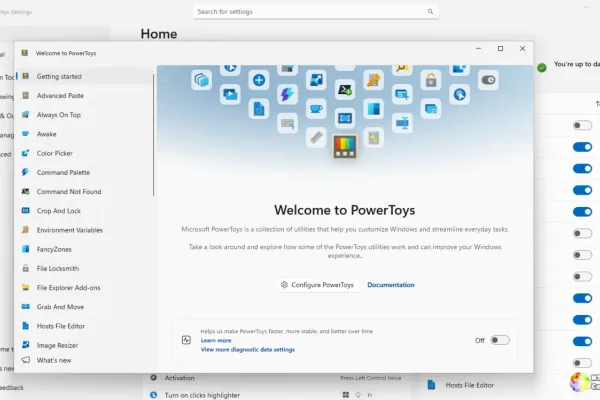
Microsoft released two PowerToys Preview builds in 48 hours, headlined by a full WinUI 3 migration for Text Extractor in the September 10 v0.101.2522.0 release. The preceding hardening build resolved a six-month-old Command Palette keyboard regression and expanded the installer process termination list to prevent silent update failures. Command Palette responsiveness improved through prioritized list initialization, while Window Hopper's overlay visuals were restored to match the original dark card design. Expanded end-to-end testing for Environment Variables, Crop And Lock, and Workspaces signals a faster development cadence backed by deeper CI investment.
WSL Manager 2.0.3 just landed, patching a Microsoft Store pricing bug that accidentally listed the Pro app as free across 240 markets and resolving a silent GitHub API rate-limit crash that broke the community scripts browser. The update also thaws silently frozen distro download URLs and introduces a dozen read-only MCP tools for Kubernetes, Docker, and cloud server management. Eric Trenkel has added a proper Korean locale declaration to the Store metadata, tightened the CI pipeline with stricter pricing guardrails, and fixed Flutter SDK compatibility issues.
Today's reviews roundup proves that compact builds are more affordable and capable than ever, led by a $45 Cooler Master mATX case and a $2,999 BOSGAME mini PC packing 128GB of shared LPDDR5X for local AI workloads. Thermal and input peripherals are racing toward customization, with be quiet!’s new 360mm AIO showcasing a sharp IPS pump display while budget Hall Effect keyboards like the Epomaker HE75 V2 deliver elite latency despite frustrating firmware oversights. Storage and power choices lean heavily into efficiency, as Goodram’s cool-running PX700 NVMe and Phanteks’ $80-to-$90 750W PSU prove you do not need to spend premium prices to get flagship regulation and power draw. If you are building or upgrading on a tight budget, keep an eye on NAND pricing and dual-check PCIe Gen5.1 connector limits before checkout.
Microsoft has released Windows Server vNext Preview Build 29659, the latest snapshot for its upcoming LTSC release, though it continues to carry the Windows Server 2025 branding. The build rolls out with significant datacenter upgrades, adding Trusted Launch for Generation 2 VMs, cloud-powered Quick Machine Recovery, and dual NVMe-over-Fabrics protocols. Insiders must perform a clean install since upgrades from builds older than 29531 are blocked, though a temporary flighting label bug currently displays "Windows 11" during setup.
2026-09-09
NVIDIA shipped WHQL-certified Game Ready Driver 616.92 today, and it's a 990.85 MB installer that patches critical regressions from the previous 616.56 build. The update resolves black RDP screens, broken virtual displays, and web browser flickering caused by hardware acceleration conflicts. On the gaming front, the driver adds Path Tracing support for the new James Bond title, 007 First Light, while optimizing Active Matter, Aniimo, WARDOGS, and PUBG: BATTLEGROUNDS. The package also bundles the newer NVIDIA App for streamlined driver management, though users can skip the optional companion software during setup.
Visual Studio Code 1.137 launched today, introducing the Agent Host architecture and an open protocol to decouple AI sessions from workspaces so they can survive folder closures and run remotely over SSH. The update rolls out scheduled Automations for recurring tasks, an experimental Voice Mode for hands-free agent interaction, and tighter GitHub Issues and Pull Request integration directly inside the Agents window. While the heavy agent features target power users already running AI workflows daily, the new architecture provides the portable, protocol-defined lifecycle necessary to make autonomous coding agents practical.
Microsoft released PowerToys Preview v0.101.2512.0, a maintenance-focused build that skips new features in favor of hardening the existing toolkit. The headline patch closes a long-standing Command Palette focus regression that frustrated users for six months, while an expanded installer process-killer list now covers 65 targets with case-insensitive matching to prevent silent update failures. To round out the release, the team added the first end-to-end test suites for Environment Variables and Crop And Lock, closing historical verification gaps across both modules. If you've been hitting that focus bug or struggling with broken upgrades, this narrowly scoped preview is exactly the stability patch you need.
Microsoft has released WSL 2.9.11, a focused pre-release update that stabilizes the Windows Subsystem for Linux Container (WSLC) runtime. The build introduces a transactional Restart() operation to the WSLC COM interface, allowing containers to restart atomically without losing port reservations or bind mounts. Two additional commits address Plan9 mount regressions, fixing read-only flag propagation issues and resolving attach failures caused by recent Windows updates. This drop follows a rapid succession of releases, signaling Microsoft's continued push to make wslc a viable alternative to Docker Desktop for Linux workloads.
Microsoft has officially released .NET 11 Release Candidate 1, unlocking production go-live status for developers eager to deploy the upcoming LTS branch. C# 15 is now the default language version, finalizing union types, closed class hierarchies, and async support within unsafe contexts. The runtime ships with in-process crash reporting for Unix systems and leverages hardware FP16 instructions for faster System.Half calculations. Alongside these core updates, the SDK introduces mobile app testing via dotnet test, reproducible container publishing, and Native AOT caching for single-file programs.
Today's hardware roundup delivers flagship-tier components at aggressively lower price points, led by PowerColor's ALPHYN AM10 wireless mouse dropping to $49.99 and GEEKOM's IT13 MAX mini PC launching at $669 with Wi-Fi 7 and dual 2.5G LAN. Builders dealing with the persistent 16-pin connector melting issue finally have a practical shield in EZDIY-FAB's $60 Alpha TS13 adapter, which features real-time thermal monitoring and an audible alarm. On the audio and power front, SteelSeries keeps its dual-wireless Nova 7 Gen 2 headset running for 54 hours, while FSP's new $129 MEGA PM 850W PSU delivers near-silent Platinum efficiency with native ATX 3.1 compliance. Fractal Design's premium $640 Refine 2 chair rounds out the spread with Scandinavian-inspired ergonomics, though street availability on the FSP power supply will depend entirely on FSP's upcoming distributor rollout.
2026-09-08
Microsoft released Visual Studio Code 1.136.2, delivering quick patches for two distinct issues introduced just days ago in the 1.136 feature drop. The update resolves a session state bug where Copilot Agent Host sessions would remain stuck in an "In Progress" state after subagent completion, alongside a regression fix for the tab close button that could accidentally trigger "Close Others." These refinements build on the 1.136 release's major architectural shift toward agent orchestration, which introduced the open Agent Host Protocol and experimental features like Agent Merge for automating pull request reviews. Developers can install the patch immediately via the auto-update mechanism or manually from the official downloads page to ensure their multi-root agent sessions behave correctly.
Microsoft released five Insider Preview builds today, introducing two new channels for Windows 11 26H2 and 26H1 alongside updates for the 25H2 Beta stream. The headline feature is Cloud rebuild for Beta builds, which allows a full OS reinstall from WinRE without USB media by downloading images and drivers directly from Windows Update. Accessibility gets a boost in Experimental channels with per-display magnifier zoom, viewport locking, and Narrator math reading support for equations in Microsoft 365 apps. Other notable changes include Emoji 17.0, per-monitor sound slider activity levels, and a temporarily pulled-back Print Management feature, though users should watch for known bugs in mouse cursor customization and Easy Anti-Cheat.
Microsoft released its largest Patch Tuesday to date, addressing 973 vulnerabilities across Windows, Office, and server products, with 113 rated Critical. Two Elevation of Privilege flaws are confirmed actively exploited in the wild, including CVE-2026-81963 affecting Windows Update Stack and CVE-2026-85880 targeting the Advanced Local Procedure Call component, prompting an immediate 24-hour patch recommendation. The release nearly doubles the August count at 973 CVEs, fueling the "Patch Apocalypse" trend driven by AI-assisted vulnerability discovery, while Hotpatching is now generally available for Windows Server Azure Edition VMs to reduce reboot downtime. Organizations should prioritize deploying KB5122871 and KB5122876 immediately, as critical RCE flaws in DNS and Remote Desktop Services also land this month, and several products including Windows Server 2012 and Exchange 2016 are approaching end-of-life support.
Small form factor takes center stage today as MSI drops a Project Zero case, NiPoGi ships a whisper-quiet 7735HS mini-PC, and FSP squeezes 1,200 watts into an SFX-L power supply. Noctua breaks into closed-loop cooling with the NL-LC1 series, delivering custom-loop-tier thermals at near-silent noise levels for $249.95 and $279.90. Gigabyte finally tames the glossy OLED mirror problem with its $600 MO27Q28GR, while AMD's new Ryzen 7 7700X3D challenges the 7800X3D at a $329 price point. Sim racers, mechanical keyboard enthusiasts, and resin printers get solid upgrades from Simagic, EPOMAKER, and Anycubic, rounding out a packed daily digest of hardware.
[ Archive ]